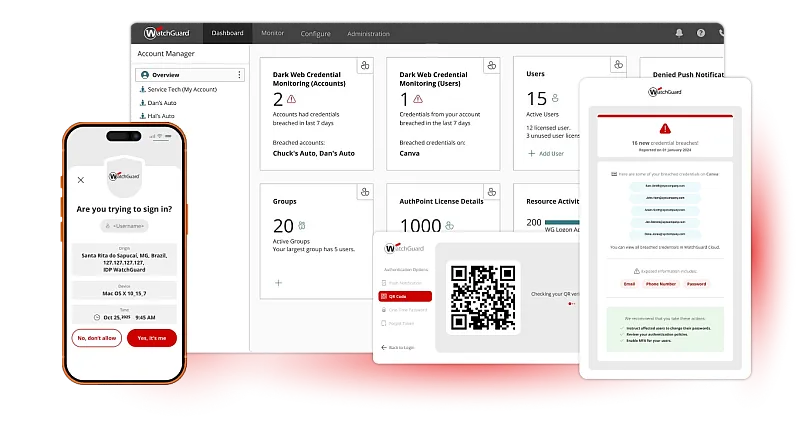
Built to Protect How Your Users Actually Work
Multi-Factor Authentication
Push notification, QR code, one-time code, or hardware token. The mobile app's token is tied to the real device, so cloned phones are rejected.
Phishing-Resistant Passkeys
No passwords. No codes. On web applications, users verify with a fingerprint or face scan that phishing pages cannot intercept.
Works Where Your Users Sign In
Windows and macOS sign-in, VPNs and RADIUS, remote desktop, Microsoft 365, and cloud apps, whether users are in the office or remote.
Microsoft Entra ID
External MFA
One MFA for Microsoft 365, another for VPNs and computers? Add AuthPoint to Entra ID as an External MFA provider and use one for both.
Zero Trust Policies
Every sign-in is evaluated in context: network location, time, geofence, and impossible travel decide whether access is granted.
Single Sign-On and Directory
One SSO portal for SAML and OIDC apps, with users and groups from Active Directory, LDAP, Entra ID, or WatchGuard Cloud Directory.
Will AuthPoint Fit Your Environment?
Learn what AuthPoint is, where it runs, how users sign in, how it works with Microsoft 365, and what to do for users without a phone.
Yes. AuthPoint hardware tokens generate a one-time password every 30 seconds with no mobile device and no app, and work at the computer sign-in prompt, on VPNs, and with Microsoft Entra ID External MFA.


AuthPoint was rather simple to install on our network, thanks to the help of technical support. Combined with the simplicity for our employees, it was easy to use from the very start.
Systems Administrator, MedNet

Start Protecting Every Sign-In Today
See how AuthPoint fits your environment, from computer sign-in to Microsoft 365 and cloud apps.