Applies To: WatchGuard CloudDR
WatchGuard CloudDR integrates with many third-party cloud applications. After you integrate an application, CloudDR identifies security issues with the third-party configuration, including vulnerabilities, misconfigurations, and compliance issues, so that you can improve the security posture.
Some integrations support auto-fix for certain features. For example, these features could be auto-fixed for some integrations:
- Misconfiguration Rules
- Identity Rules
- Discovered Application Rules
- Discovered Application Inventory
- User Inventory
- Devices Inventory
- Shared Data Rules
- Shared Data Inventory
Refer to the specific product integration guide for the list of features supported.
Synchronization
The typical latency or delay between cloud application changes and CloudDR synchronization is typically 24 hours. For some applications, it can take up to 48 hours.
Connect to a Third-Party Application
To connect CloudDR to a third-party application, from WatchGuard Cloud:
- Select Configure > CloudDR.
- Select Integrations.
- Select the integration type (for example, SaaS Services or Response & Automation).
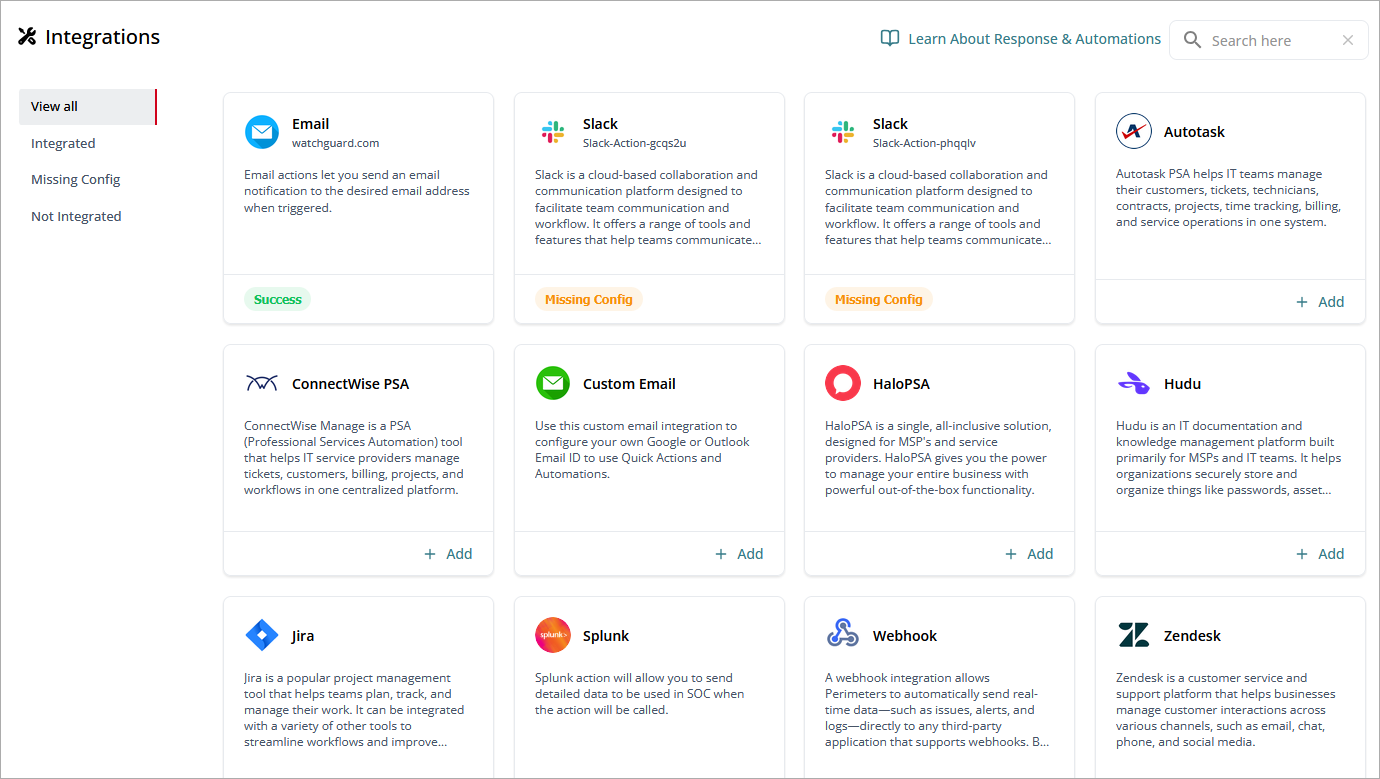
- Select the application you want to integrate.
- Enter the required information for the integration, such as user credentials or API keys. For specific configuration steps, go to the relevant integration guide.
- Approve the access permissions (scopes) granted for the user.
When integration is complete, a Success status shows.
To disconnect CloudDR from a third-party application:
- On the Integrations > SaaS Services page, select the integration you want to remove.
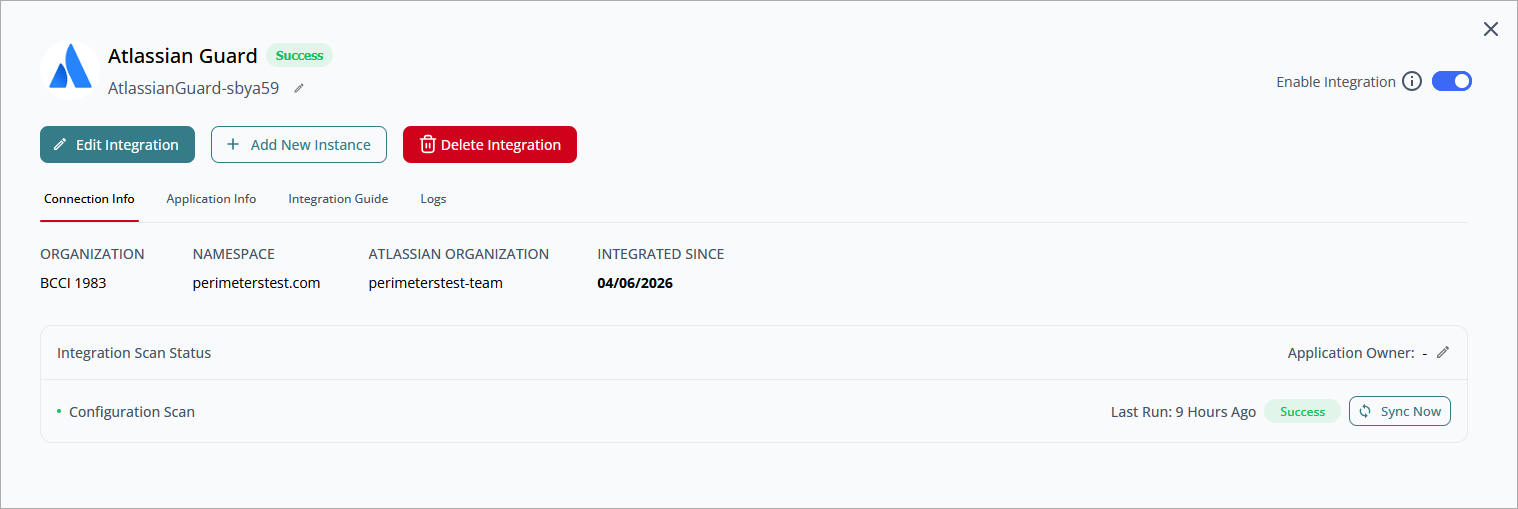
- Click Delete Integration.
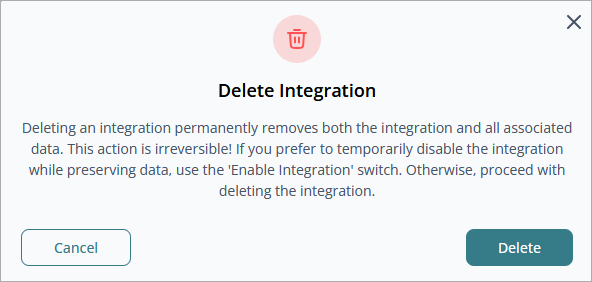
- Click Delete.
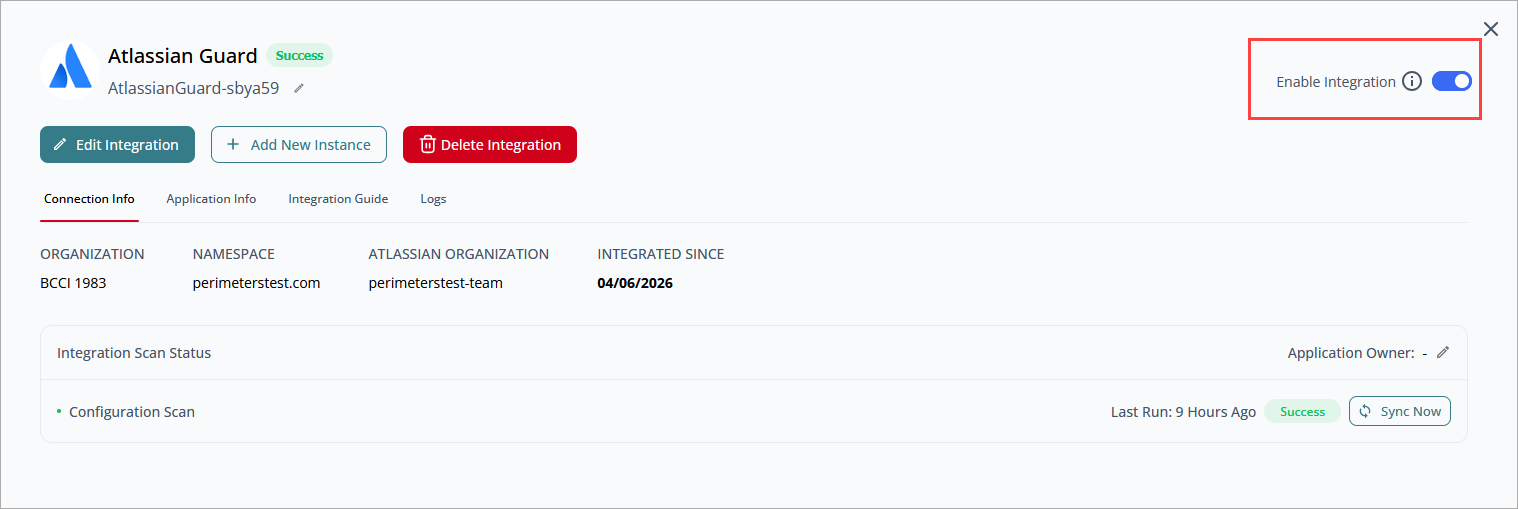
When you delete an integration, it permanently removes the integration and all associated data. To temporarily disable the integration and preserve data, disable the Enable Integration toggle in the upper-right corner of the dialog box.
CloudDR Integration Guides
SaaS Integrations
- Atlassian Guard Integration with WatchGuard CloudDR
- BambooHR Integration with WatchGuard CloudDR
- Claude Integration with WatchGuard CloudDR
- Confluence Integration with WatchGuard CloudDR
- Datadog Integration with WatchGuard CloudDR
- DocuSign Integration with WatchGuard CloudDR
- Dropbox Integration with WatchGuard CloudDR
- Duo Integration with WatchGuard CloudDR
- Microsoft EntraID Integration with WatchGuard CloudDR
- Google Workspace Integration with WatchGuard CloudDR
- HubSpot Integration with WatchGuard CloudDR
- Hudu Integration with WatchGuard CloudDR
- Microsoft Intune Integration with WatchGuard CloudDR
- Jamf Integration with WatchGuard CloudDR
- Jira Integration with WatchGuard CloudDR
- Microsoft 365 Integration with WatchGuard CloudDR
- Microsoft Teams Integration with WatchGuard CloudDR
- monday.com Integration with WatchGuard CloudDR
- MongoDB (Atlas Mongo) Integration with WatchGuard CloudDR
- Okta Integration with WatchGuard CloudDR
- OneLogin Integration with WatchGuard CloudDR
- OpenAI Integration with WatchGuard CloudDR
- Salesforce Integration with WatchGuard CloudDR
- Sentry Integration with WatchGuard CloudDR
- ServiceNow Integration with WatchGuard CloudDR
- SharePoint Integration with WatchGuard CloudDR
- Slack Integration with WatchGuard CloudDR
- Trello Integration with WatchGuard CloudDR
- Zendesk Integration with WatchGuard CloudDR
MSP-Specific Applications
- Autotask Integration with WatchGuard CloudDR
- ConnectWise PSA Integration with WatchGuard CloudDR
- ConnectWise PSA On-Prem Integration with WatchGuard CloudDR
- HaloPSA Integration with WatchGuard CloudDR
- HaloPSA On-Prem Integration with WatchGuard CloudDR
- N-able N-central Integration with WatchGuard CloudDR
Cloud Applications
- AWS IAM Integration with WatchGuard CloudDR
- WatchGuard FireCloud Integration with WatchGuard CloudDR (Beta)
Custom Integrations
If you use a cloud application that is not currently supported with a CloudDR integration, you can add a custom integration. For more information, go to Add Custom Integrations with WatchGuard CloudDR.