Applies To: PSInfo
The WatchGuard Product Support Information (PSInfo) tool enables you to save support-related information to a file that Support can use to troubleshoot your case. The troubleshooting file uses the .7Z file format.
The latest version of PSInfo requires .NET. Version 5.0 of PSInfo is required for endpoints with Windows 10 operating systems and lower. To view your version of PSInfo, in the lower-right or upper-right corner, depending on your version, click the info icon.
Refer to the appropriate section below for your version of PSInfo.
For information on the latest changes in PSInfo, go to the PSInfo Tool Release Notes. (external link)

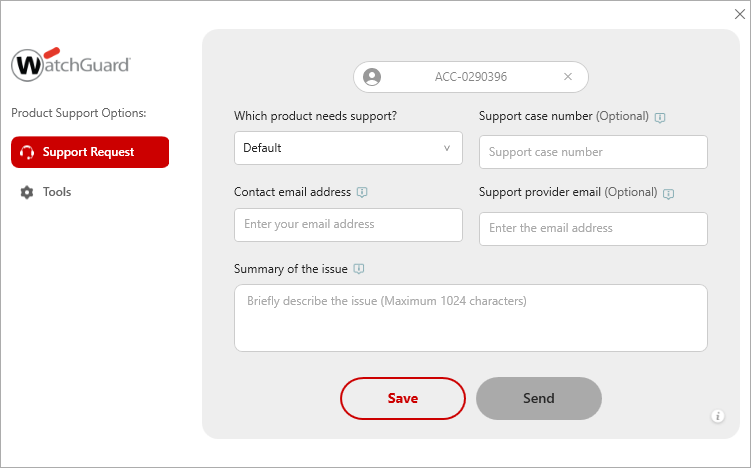
The PSInfo window has these tabs:
- Support Request
- Tools
Support Request
On the Support Request page, you can use PSInfo to collect support-related information from an affected endpoint and send it to Support. For more information, go to Get Started with PSInfo.
Tools
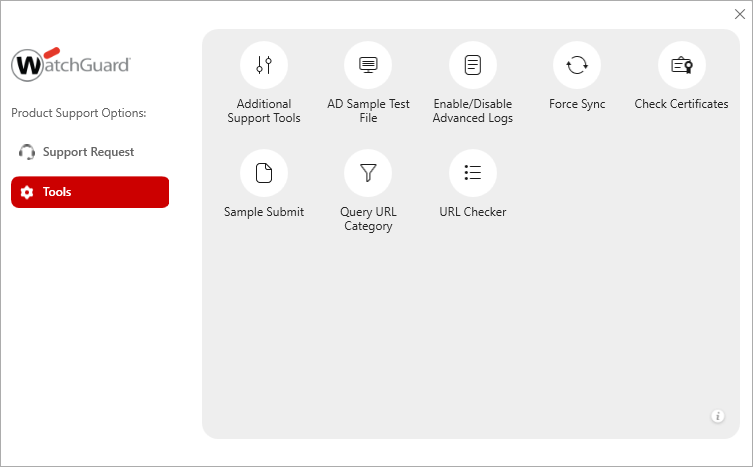
On the Tools page, you can select from a set of tools to help you diagnose an issue with an affected endpoint. The tools available are different based on the product selected on the Support Request page.
Additional Support Tools
Additional tools you can use to troubleshoot your endpoint. For more information, go to PSInfo Additional Support Tools.
AD Sample Test File
Run a sample of an unknown suspicious file to test your endpoint security product. For more information, go to PSInfo AD Sample Test File.
Enable or Disable Advanced Logs
Specify whether PSInfo sends advanced diagnostic log messages to Support. For more information, go to PSInfo Enable Advanced Logs.
Enable/Disable AuthPoint Logs
Specify whether PSInfo sends AuthPoint log messages to Support. For more information, go to PSInfo Enable AuthPoint Logs.
Force Sync
Refresh WatchGuard Agent communication with the endpoint. For more information, go to PSInfo Force Sync.
Check Certificates
Retrieve and install missing root and CA certificates that your WatchGuard product uses. For more information, go to PSInfo Check Certificates.
Sample Submit
Send samples of undetected malware to Support so that the files can be analyzed by our malware laboratory. For more information, go to PSInfo Sample Submit.
Query URL Category
Find the category of a website URL that your endpoint security product allows or blocks. For more information, go to PSInfo Query URL Category.
URL Checker
Verify the connectivity URLs that your WatchGuard prduct requires. For more information, go to PSInfo URL Checker.
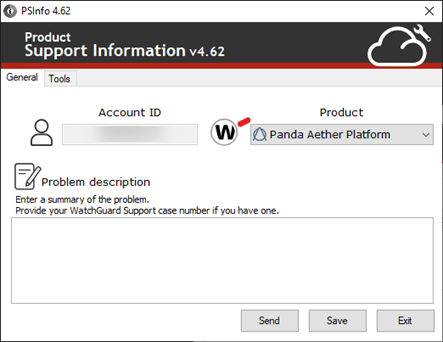
The PSInfo window has these tabs:
- General
- Tools
General
On the General tab, you can use PSInfo to collect support-related information from an affected endpoint and send it to Support. For more information, go to Get Started with PSInfo.
Tools
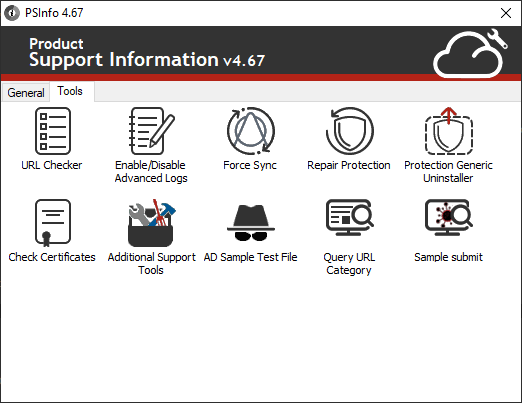
On the Tools tab, you can select from a set of tools to help you diagnose an issue with an affected endpoint.The tools available are different based on the product selected on the General page.
URL Checker
Verify the connectivity URLs that your endpoint security product requires. For more information, go to PSInfo URL Checker.
Enable or Disable Advanced Logs
Specify whether PSInfo sends advanced diagnostic log messages to Support. For more information, go to PSInfo Enable Advanced Logs.
Enable/Disable AuthPoint Logs
Specify whether PSInfo sends AuthPoint log messages to Support. For more information, go to PSInfo Enable AuthPoint Logs.
Force Sync
Refresh the endpoint agent communication with the endpoint security product. For more information, go to PSInfo Force Sync.
Repair Protection
Repair your endpoint security product. For more information, go to PSInfo Repair Protection.
Protection Generic Uninstaller
Fully uninstall your endpoint security product. For more information, go to PSInfo Protection Generic Uninstaller.
Check Certificates
Retrieve and install missing root and CA certificates that your endpoint security product uses. For more information, go to PSInfo Check Certificates.
Additional Support Tools
Additional tools you can use to troubleshoot your endpoint security product. For more information, go to PSInfo Additional Support Tools.
AD Sample Test File
Run a sample of an unknown suspicious file to test your endpoint security product. For more information, go to PSInfo AD Sample Test File.
Query URL Category
Find the category of a website URL that your endpoint security product allows or blocks. For more information, go to PSInfo Query URL Category.
Sample Submit
Send samples of undetected malware to Support so that the files can be analyzed by our malware laboratory. For more information, go to PSInfo Sample Submit.
PSInfo Tool Release Notes (external link)