Applies To: Endpoint Security Elite, Endpoint Security 360, Endpoint Security Prime, WatchGuard EDR, WatchGuard EDR Core, Endpoint Security Basic
From PSInfo, you can use the Force Sync tool to refresh WatchGuard Agent communication with an Endpoint Security product. When the sync takes place, the tool runs tasks that refresh configurations, perform signature updates, and refresh policies. You can use this tool if you notice that a device reports an out of date last communication time in the Endpoint Security management UI, or a configuration change that you made does not show.
To force a sync of configurations, signature updates, and policies:
- Run PSInfo.exe.
The PSInfo dialog box opens. - Based on your version of PSInfo, select the Support Request tab or the General tab.
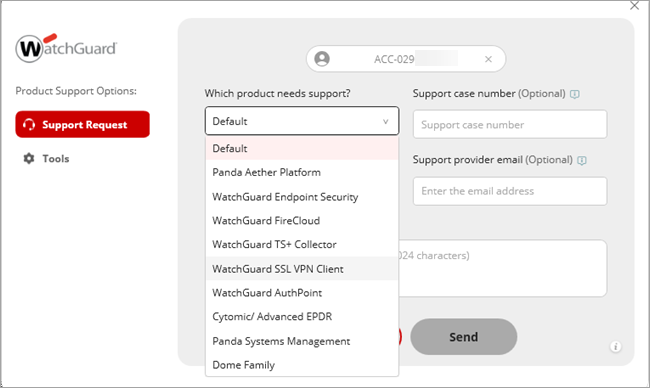
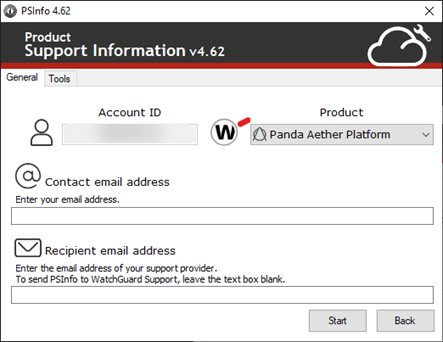
- Based on your version of PSInfo, from the Which product needs support? drop-down list or the Product drop-down list, select a product.
- Select the Tools tab.
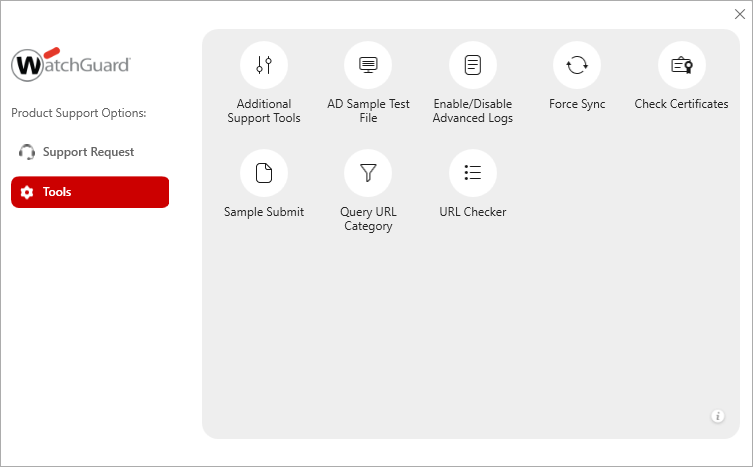
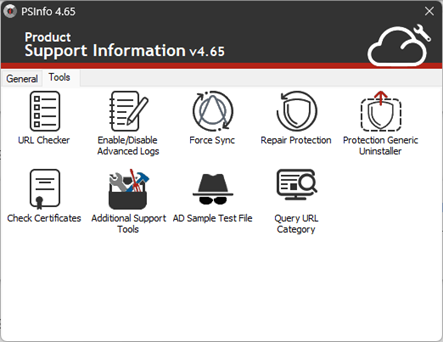
- Select Force Sync.
The Force Sync dialog box opens.
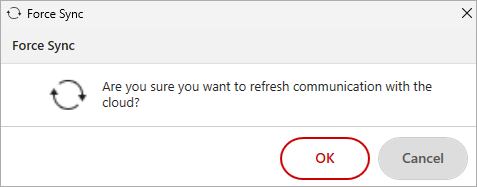
- Click OK. The Force Sync tool runs as a background process. When the process completes, a message appears.
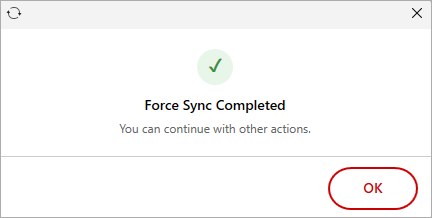
- Click OK.