Applies To: Endpoint Security Elite, Endpoint Security 360, Endpoint Security Prime, WatchGuard EDR, WatchGuard EDR Core, Endpoint Security Basic
From PSInfo, you can use the Additional Support Tools option to find information about additional tools that you can use to troubleshoot your endpoint.
For information about additional support tools:
- Run PSInfo.exe.
The PSInfo dialog box opens. - Based on your version of PSInfo, select the Support Request tab or the General tab.
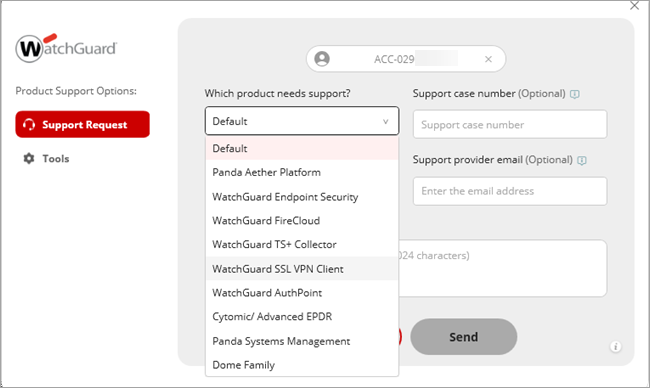
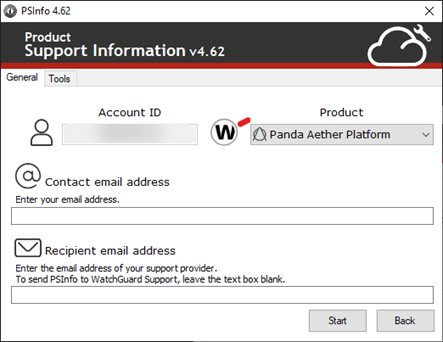
- Based on your version of PSInfo, from the Which product needs support? drop-down list or the Product drop-down list, select a product.
- Select the Tools tab.
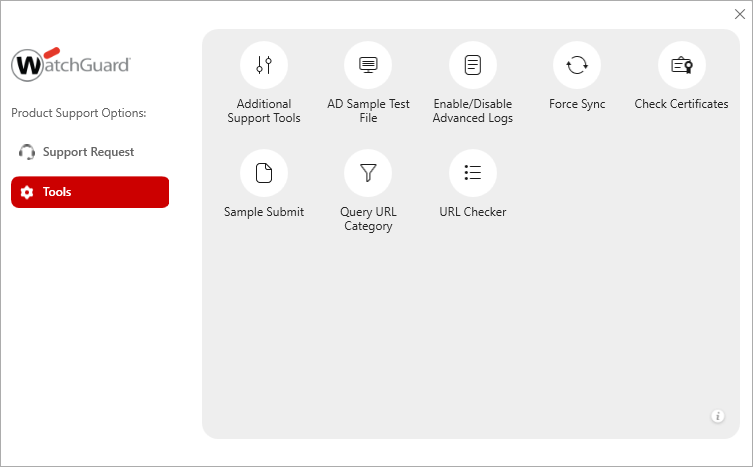
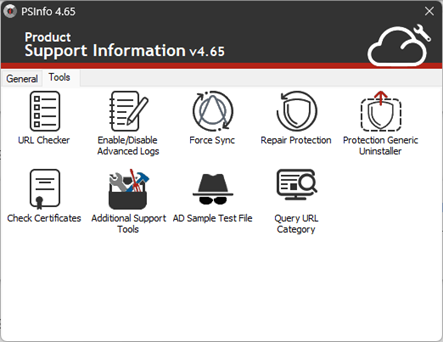
- Select Additional Support Tools.
The Software for Endpoint Troubleshooting Tools page opens.