Applies To: WatchGuard CloudDR
The CloudDR management UI is where Managed Service Providers (MSPs) and their customers can detect, prioritize, and address potential security risks in their cloud applications.
To open the CloudDR management UI, from WatchGuard Cloud:
- From Account Manager, select the account you want to open the CloudDR management UI for.
This account must have an active CloudDR license. It becomes the organization selected in the CloudDR management UI. - Select Monitor > CloudDR or Configure > CloudDR.
The Dashboard page of the CloudDR management UI opens in a new tab.
The CloudDR management UI is divided into these sections:
Organizations Pane
The Organizations pane on the left side of the management UI is where Service Providers can switch between different organizations in the CloudDR management UI. The CloudDR management UI data updates to reflect data for the organization selected.
To open the Organizations pane in the left side of the page, click  .
.
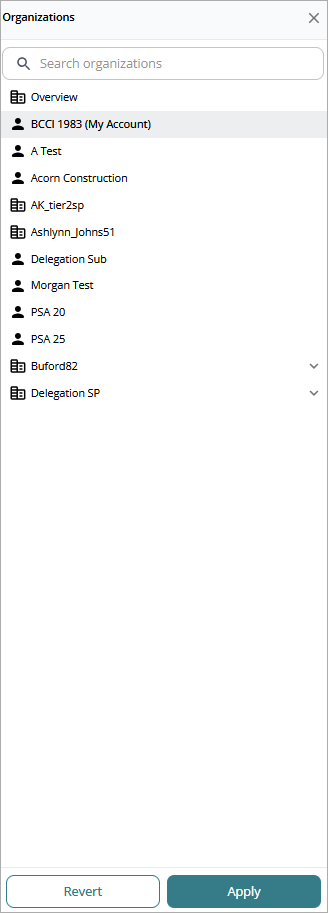
For more information, go to About Organizations in WatchGuard CloudDR.
Alerts
In the upper-right corner, you can view notifications about your account or about specific events that occur in integrations and CloudDR.
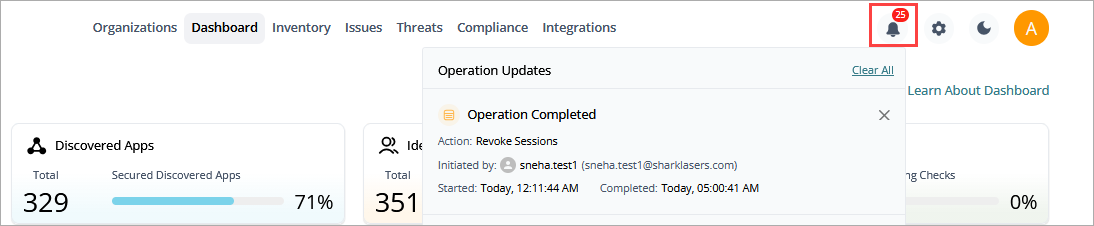
In the upper-right corner, you can also click  to open the organization settings for the account. For more information, go to Organization Settings in WatchGuard CloudDR.
Click  to toggle the management UI in dark or light mode.
To view your account information, click the first initial icon.
Menus
WatchGuard CloudDR helps detect, prioritize, and address potential security risks in your cloud applications. To facilitate this, the CloudDR management UI is divided into multiple pages. At the top of the CloudDR management UI, click these menus to open the pages.

Organizations
Open the Organizations page to review a list of your managed organizations (accounts) and users. You can also click to open the Organizations panel. For more information, go to About Organizations in WatchGuard CloudDR.
Dashboard
Open the Dashboard page to review a visual summary of your cloud application security status. For more information, go to About the WatchGuard CloudDR Dashboard.
Inventory
Open the Inventory page to review your cloud application security posture with detailed information about your SaaS applications, users, and discovered applications. For more information, go to Inventory in WatchGuard CloudDR.
Issues
Open the Issues page to review an actionable list of all existing open issues CloudDR identified in your SaaS setup as well as a list of all the rules. Rules are the security scenarios that CloudDR evaluates to identify security issues. For more information, go to Issues in WatchGuard CloudDR.
Threats
Open the Threats page to review correlated events that indicate a potential security risk. For more information, go to Threats in WatchGuard CloudDR.
Compliance
Open the Compliance page to review your security posture and issues from a compliance framework perspective. For more information, go to Manage Compliance in CloudDR.
Integrations
Open the Integrations page to review the status of integrated applications and integrate additional applications. For more information, go to About WatchGuard CloudDR Integrations.