Applies To: WatchGuard CloudDR
Compliance with regulations and standards is crucial for businesses of all sizes for many reasons, including:
- Security and Risk Management — Compliance frameworks often outline best practices for data security, access controls, and incident response. Compliance helps mitigate security risks and protect sensitive information.
- Customer Trust — Demonstration of compliance with relevant regulations builds trust with customers who know their data is being handled responsibly. This can be a significant competitive advantage.
- Legal and Regulatory Avoidance — Non-compliance can lead to fines or legal repercussions and potentially damage your reputation.
On the Compliance page in WatchGuard CloudDR, you can manage your compliance with major frameworks, view detailed compliance checks, and monitor and automate compliance. For information on supported compliance frameworks, go to Compliance Frameworks in CloudDR.
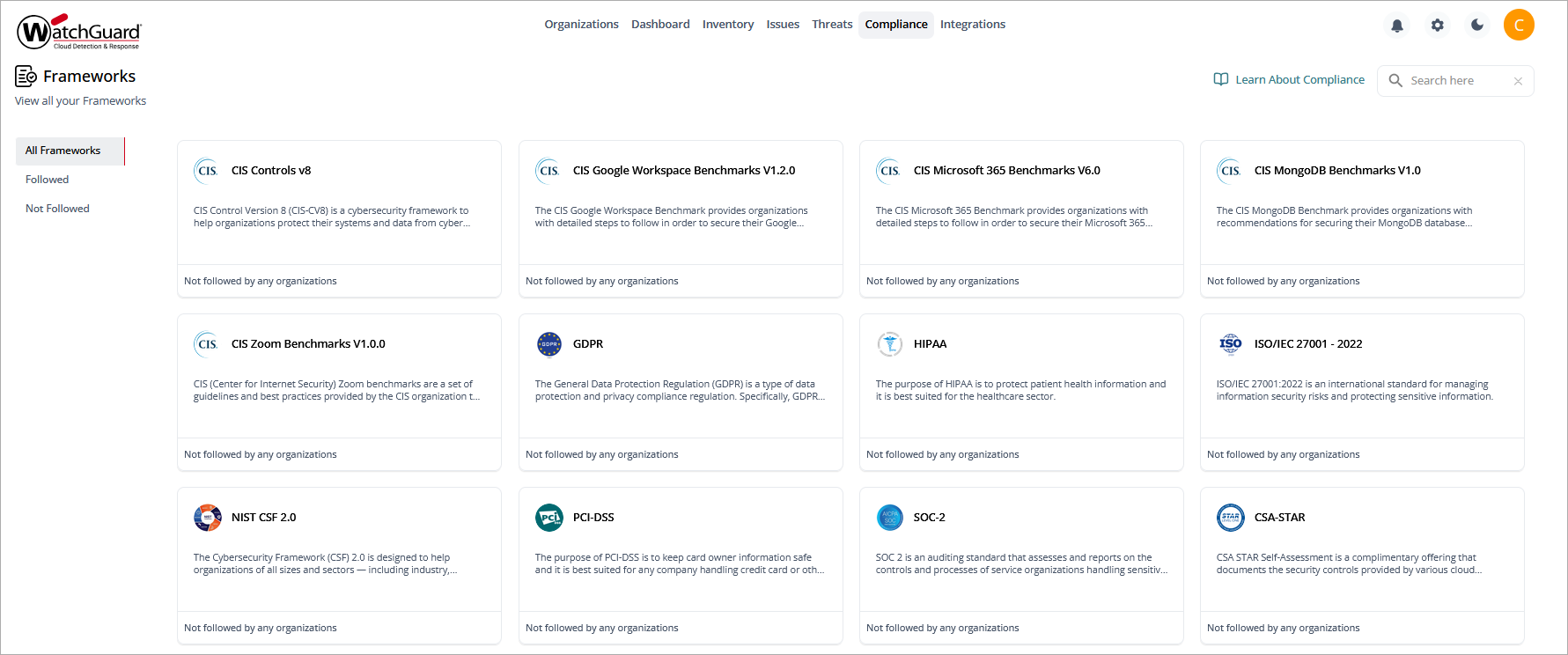
Overview > Compliance page, Service Provider view
On the Compliance page, each compliance framework has its own widget. Each widget shows the compliance posture as a percentage. The higher the percentage, the more compliance requirements are met by the organizations that follow the framework.
Service Providers can select a widget to review a list of the organizations that follow that compliance framework, and their individual compliance posture (passed checks out of total checks). Select an organization in the list to review their compliance posture and take actions from the compliance posture details page. For more information, go to Compliance Details.
Individual Organization Compliance in CloudDR
On the Compliance page for an individual organization, you can view available compliance frameworks and enable and disable frameworks for the organization.
To open the Compliance page for an individual organization, from Account Manager, select the account you want to view data for. In the left pane, select Compliance.
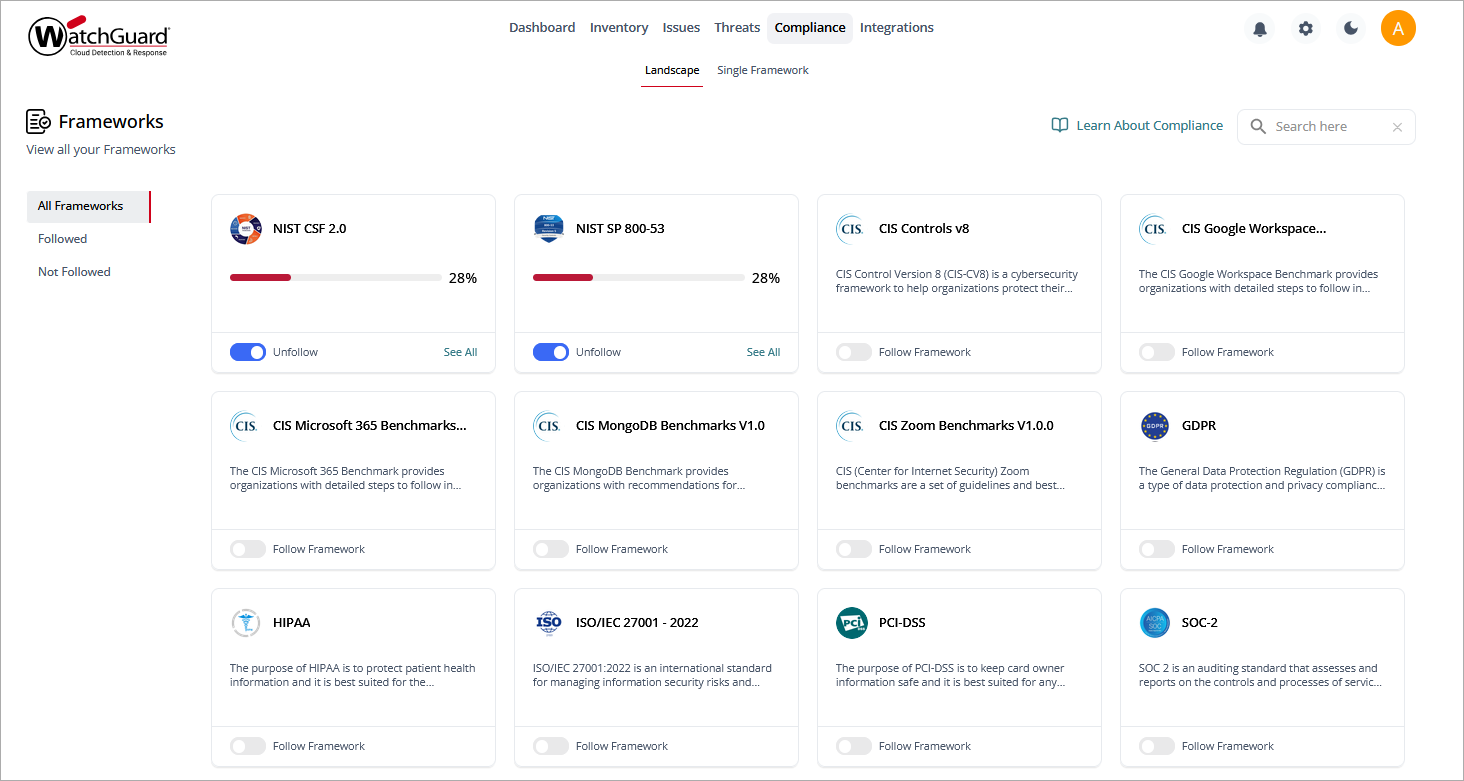
Each compliance framework has its own widget:
- To enable or follow a compliance framework, enable Follow Framework in the relevant widget. It can take up to three minutes to calculate compliance statistics for an organization.
- To view details of a followed compliance framework, click See All on the widget.
Compliance Details
The compliance details pages show information about a followed compliance framework, including:
- Details
- Sections
- Rules
- Actions
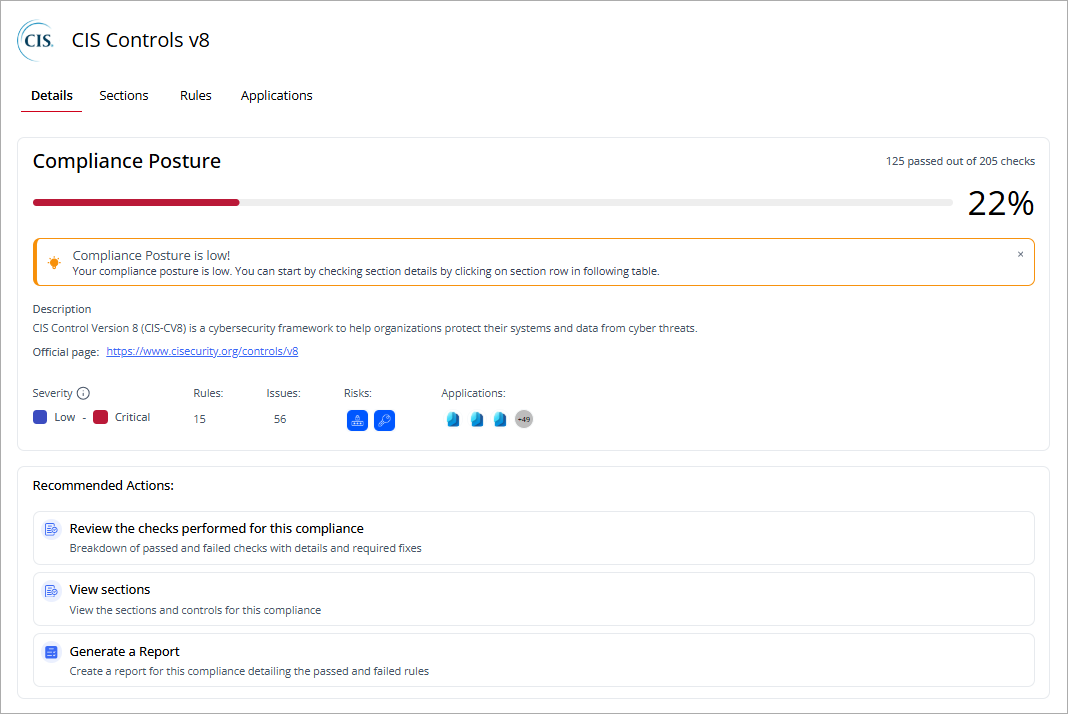
On the Details page, you can view the overall compliance posture score for the selected framework, shown as a progress bar and as a percentage. You can see the total numbers of compliance checks run and compliance checks passed. This page includes recommended actions.
On the Sections page, the table list the sections in the selected compliance framework.
- To send a PDF report of the section information, in the upper-right corner, click
 .
. - To review section details, click
 next to the section name.
 - To view information on the rules and applications affected by a specific section or control, click
 in the relevant table row, then select View Section Details or View Control Details.
On the Rules page, you can view a list of the rules that are evaluated against the compliance framework. Point to a rule name to view a description of the rule. Select a rule to view the issue details pages for the rule.
On the Applications page, you can view a list of the application rules that are evaluated against the compliance framework. Select a rule to view the issue details pages for the rule.