Applies To: Cloud-managed Fireboxes
Firewall policies control which traffic the Firebox allows or denies between networks. For a cloud-managed Firebox, the default Outgoing policy allows outbound connections from the internal networks and enables all licensed security services. For a cloud-managed Firebox, Firewall settings include:
- Firewall Policies
- Aliases
- Traffic Management Rules and QoS Marking
- Static NAT Actions
In WatchGuard Cloud, on the Device Configuration page for a Firebox, the Firewall section shows a summary of configured settings.
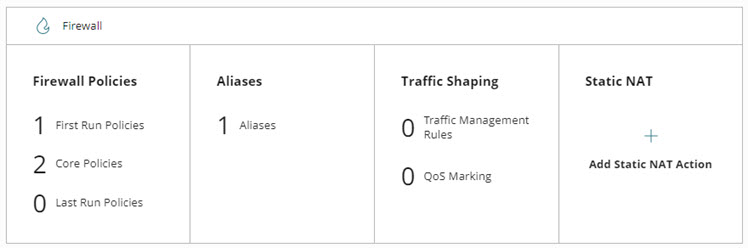
To view and configure Firewall settings, click a tile in the Firewall section.
To learn more about firewall settings for cloud-managed Fireboxes, go to:
- Firewall Policy Types on Cloud-Managed Fireboxes
- Default Firewall Policies on Cloud-Managed Fireboxes
- Firewall Policy Priority on Cloud-Managed Fireboxes
- Manage the Firewall Policies Page in WatchGuard Cloud
- Configure Firewall Policies in WatchGuard Cloud
- Firewall Policies Best Practices
- Configure Firebox Aliases
- Traffic Shaping and QoS Marking in WatchGuard Cloud
- Configure Firebox Static NAT Actions