Applies To: Locally-managed Fireboxes
You can create a new Device Configuration Template from an existing configuration file on any of your fully managed Firebox devices. The Device Configuration Template that you create from a device configuration file is always of the same version as the device from which it was created.
- Fireware v12.0 - v12.5.x templates can only be applied to devices that run Fireware versions v12.0-12.5.x
- Fireware v12.6 or higher templates can only be applied to devices that run Fireware versions v12.6 and higher
If the configuration file you use to create a new Device Configuration Template includes settings that cannot be included in a configuration template, those settings are not included in the Device Configuration Template you create from the configuration file. When you use this method to create a new Device Configuration Template, make sure to update the settings in the Device Configuration Template to remove any items that could cause problems when you apply the configuration template to your Firebox devices.
If you specify objects for deletion that are linked to items that remain in your configuration file after the template is applied, the link to the deleted items is removed from the items that remain. For example, if you specify an alias to be deleted and that alias is used in a policy that is not specified for deletion, when the template is applied to the device, the policy is not removed but the alias is removed from the policy. Make sure to verify that the items you specify for deletion do not create errors in your configuration files, such as a policy without a From or To address.
You can configure these options:
- Aliases
- Authentication Settings
- Authentication Server settings
- Authorized Users/Groups settings
- Inheritance Settings
- Logging settings
- Policies
- Proxy actions
- Policy highlighting settings
- Policy order mode settings
- Schedules
- SNAT actions
- Subscription service settings
- WebBlocker actions
To create a configuration template from a configuration file:
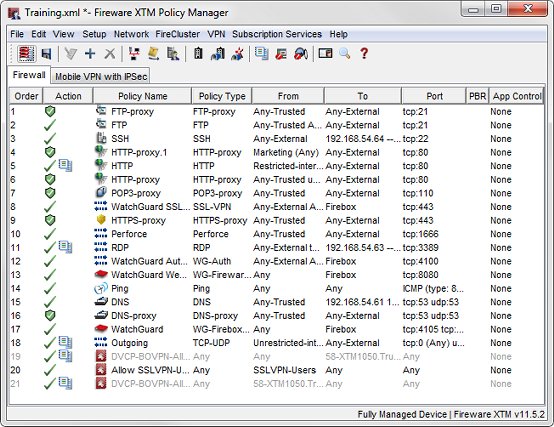
- From your Management Server, start Policy Manager for the configuration file of a fully managed Firebox.
Policy Manager appears with the configuration file for the device.
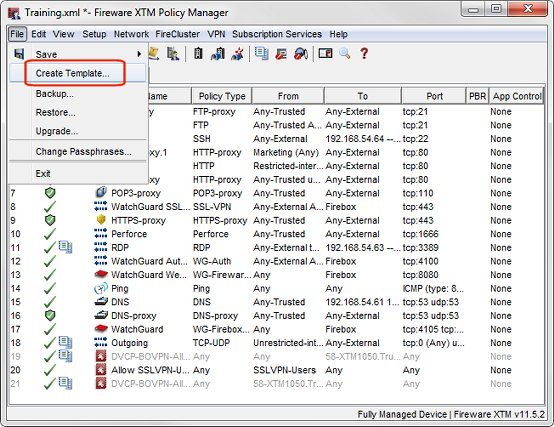
- Select File > Create Template.
The New Template dialog box appears.
- In the Name text box, type a descriptive name for the new configuration template.
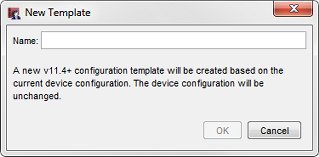
- Click OK.
The new configuration template opens in Policy Manager.
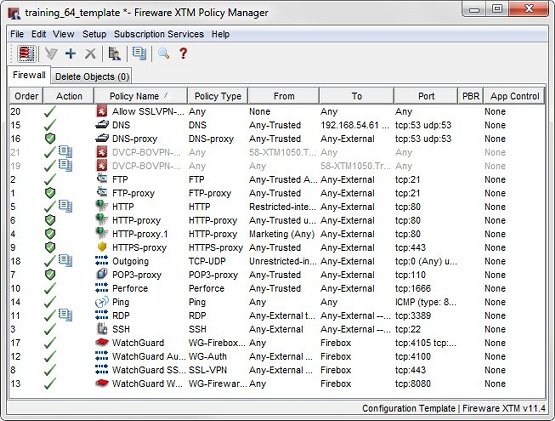
- Update the configuration template to add or remove settings in the template and specify the Inheritance Settings.
- Select the Delete Objects tab and review the Objects To Be Deleted list.
- Make any additional changes to the items in the configuration template, the Inheritance Settings, and the objects to delete.
- Click
 to save the template to the Management Server.
The Save Comment dialog box appears.
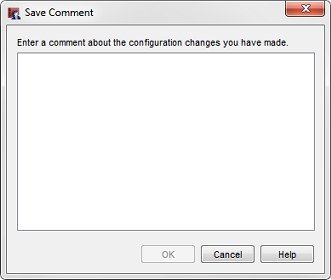
- In the text box, type a descriptive comment about the changes you made to the configuration template and click OK.
You can now apply the new configuration template to your Fireboxes of the same version. For more information, go to Apply Device Configuration Templates to Managed Devices.
For more information about how to configure the settings for a Device Configuration Template, go to Create Device Configuration Templates.
Create Device Configuration Templates
Change the Name of a Device Configuration Template
Clone a Device Configuration Template