Applies To: WatchGuard Cloud
If you want to integrate WatchGuard Cloud with a different PSA tool, you must first disconnect from any connected PSA integration.
Caution: If you disconnect WatchGuard Cloud from your PSA tool, WatchGuard Cloud deletes the PSA tool credentials and mapping information. If you want to reconnect later, you must re-enter your credentials and then re-map your accounts and services.
Your operator role determines what you can see and do in WatchGuard Cloud. You must be a tier-1 Service Provider and your role must have the Manage Integrations and Manage Tenants permissions to configure this feature. For more information, go to Manage WatchGuard Cloud Operators and Roles.
To disconnect WatchGuard Cloud from a PSA tool:
- Select Administration > Integrations.
The PSA Integrations page opens. - From the PSA tile, click
 .
.
A confirmation dialog box opens.
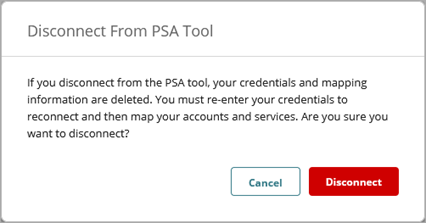
- Click Disconnect.
Your credentials, mapping, and all PSA-related data are deleted from WatchGuard Cloud.
Quick Start — Integrate WatchGuard Cloud with a PSA Tool
Connect WatchGuard Cloud to a PSA Tool
ConnectWise Manage PSA Tool Integration Settings