Applies To: WatchGuard Cloud
Before you connect WatchGuard Cloud with ConnectWise Manage, you must create a pair of API keys to enable WatchGuard Cloud to communicate with the ConnectWise server. You can create API keys from your current ConnectWise user account, or you can create a new user specifically for API access (an API Member).
To add a new API Member in ConnectWise, go to the System > Members page. From the Members page, select the API Members tab and create a new user.
You must assign the Admin role to the API user or assign a custom role that meets the minimum permission requirements. For steps to create a custom role, go to Create a Custom Security Role in ConnectWise.
This table shows the minimum API account security role permissions required for the ConnectWise Manage API user account that you will use to integrate ConnectWise with WatchGuard Cloud:
| Module | Add Level | Edit Level | Delete Level | Inquire Level |
|---|---|---|---|---|
| Companies > Company Maintenance | None | None | None | All |
| Companies > Configurations | All | All | All | All |
| Finance > Agreements | All | All | None | All |
| Finance > Reports | None | None | None | All |
| Procurement > Product Catalog | None | None | None | All |
| Procurement > Products | None | All | None | All |
| Service Desk > Close Service Tickets | All | All | All | All |
| Service Desk > Reports | None | None | None | All |
| Service Desk > Service Tickets | All | All | All | All |
| System > API Reports | All | All | None | All |
| System > My Company | None | None | None | All |
|
System > Table Setup
|
All | All | None | All |
Create a Custom Security Role in ConnectWise
To create a custom security role in ConnectWise:
- Log in to ConnectWise.
Your ConnectWise user account page opens.
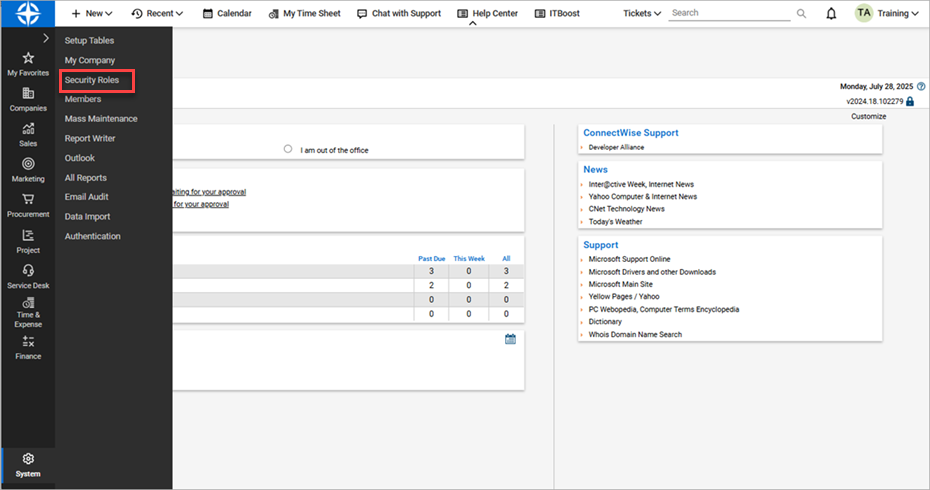
- From the navigation menu, select System > Security Roles.
- To add a new security role, click
 .
.
The new role page opens.
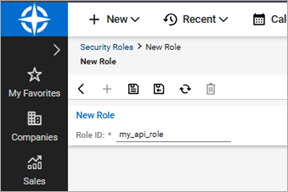
- In the Role ID text box, type a descriptive name for the role.
- To save the new role, click
 .
.
The Security Modules for Role page opens.
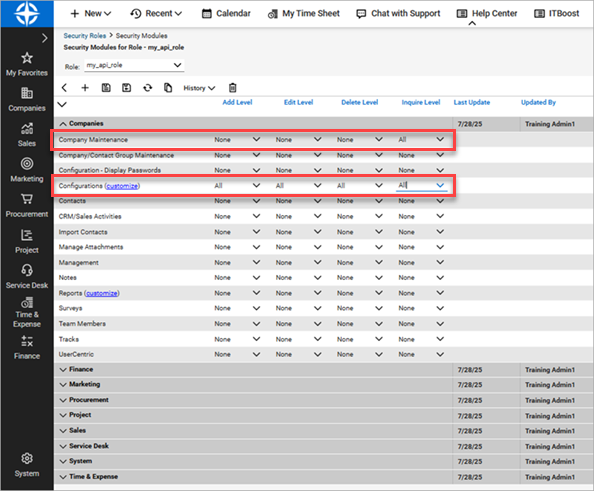
- Expand Companies.
- Next to Company Maintenance, for Inquire Level, select All.
- Next to Configurations, for Add Level, Edit Level, Delete Level, and Inquire Level, select All.
- Expand Finance.
- Next to Agreements, for Add Level, Edit Level, and Inquire Level, select All.
- Next to Reports, for Inquire Level, select All.
- Expand Procurement.
- Next to Product Catalog, for Inquire Level, select All.
- Next to Products, for Edit Level and Inquire Level, select All.
- Expand Service Desk.
- Next to Close Service Tickets, Add Level, Edit Level, Delete Level, and Inquire Level, select All.
- Next to Reports, for Inquire Level, select All.
- Next to Service Tickets, Add Level, Edit Level, Delete Level, and Inquire Level, select All.
- Expand System.
- Next to API Reports, for Add Level, Edit Level, and Inquire Level, select All.
- Next to My Company, for Inquire Level, select All.
- Next to Table Setup, for Add Level, Edit Level, and Inquire Level, select All.
- To save the role, click .
Generate API Keys from ConnectWise
To generate API Keys from your ConnectWise user account:
- Log in to ConnectWise.
Your ConnectWise user account page opens.
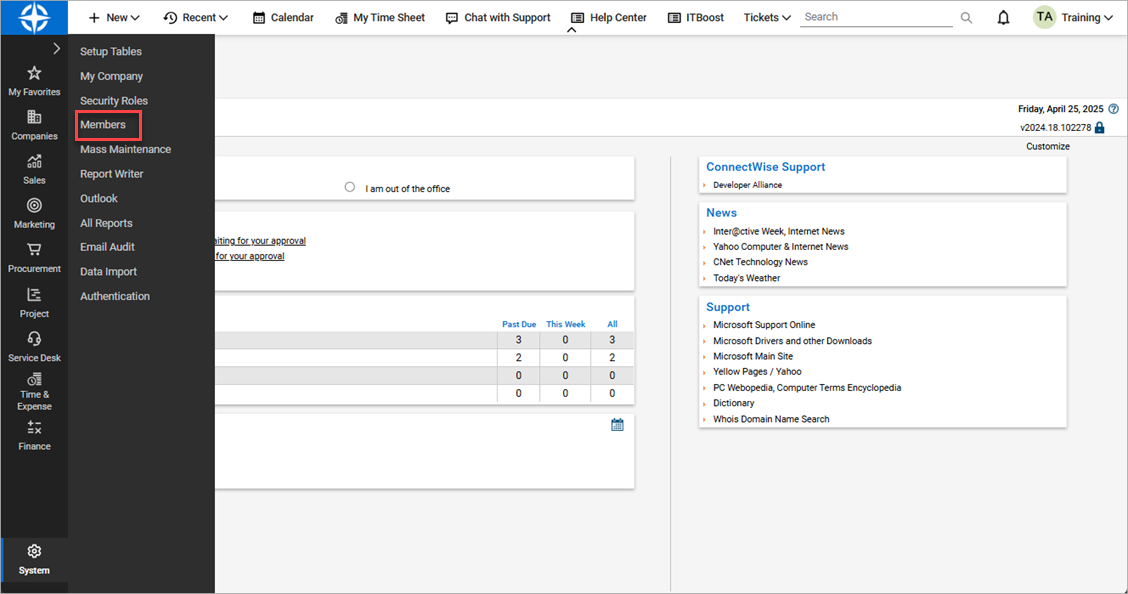
- From the navigation menu, select System > Members.
- Select the API Members tab.
- Select the Member ID you want to use for API access.
- Select the API Keys tab.
- To add a new API key pair, click .
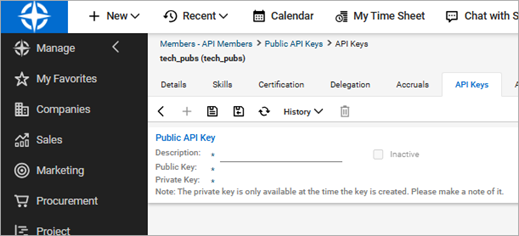
- In the Description text box, type a descriptive name for the key.
- To save the key, click .
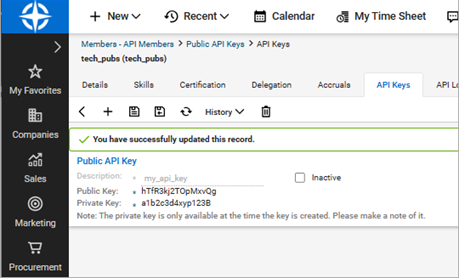
- Make a note of the public and private key values. You must have these values to configure your integration In WatchGuard Cloud to connect to ConnectWise.
After you save the key pair, you cannot see the private key again. - Make a note of the URL you use for your ConnectWise Manage account. You will use this URL to connect WatchGuard Cloud to your ConnectWise PSA tool.
After you create and save the key pair, in WatchGuard Cloud, go to Administration > Integrations to connect WatchGuard Cloud to your ConnectWise PSA tool. For more information, go to Connect WatchGuard Cloud to a PSA Tool.