Applies To: WatchGuard Core MDR, WatchGuard Core MDR for Microsoft, WatchGuard Total MDR, WatchGuard Open MDR, WatchGuard MDR Vulnerability Scanner
The Managed Services portal offers insights into the actions performed by WatchGuard MDR to protect your environment. You can use the portal to review the most recent security activity for your managed accounts and to download reports.
To view activity in the Managed Services portal, you must first activate a WatchGuard MDR licenses and then allocate the license in WatchGuard Cloud.
For more information, go to About WatchGuard MDR Licenses.
If no data shows in the Managed Services portal, the service is active but no detections have occurred. The portal shows data only after an event with potential security implications is detected. After you allocate users from the WatchGuard MDR license, it might take up to six hours for activity to show in the portal.
To open the Managed Services portal, from WatchGuard Cloud:
- Select Monitor > Managed Services.
The Managed Services portal opens in a new browser tab. If you are a Service Provider, the dashboard shows aggregate data for your managed accounts.
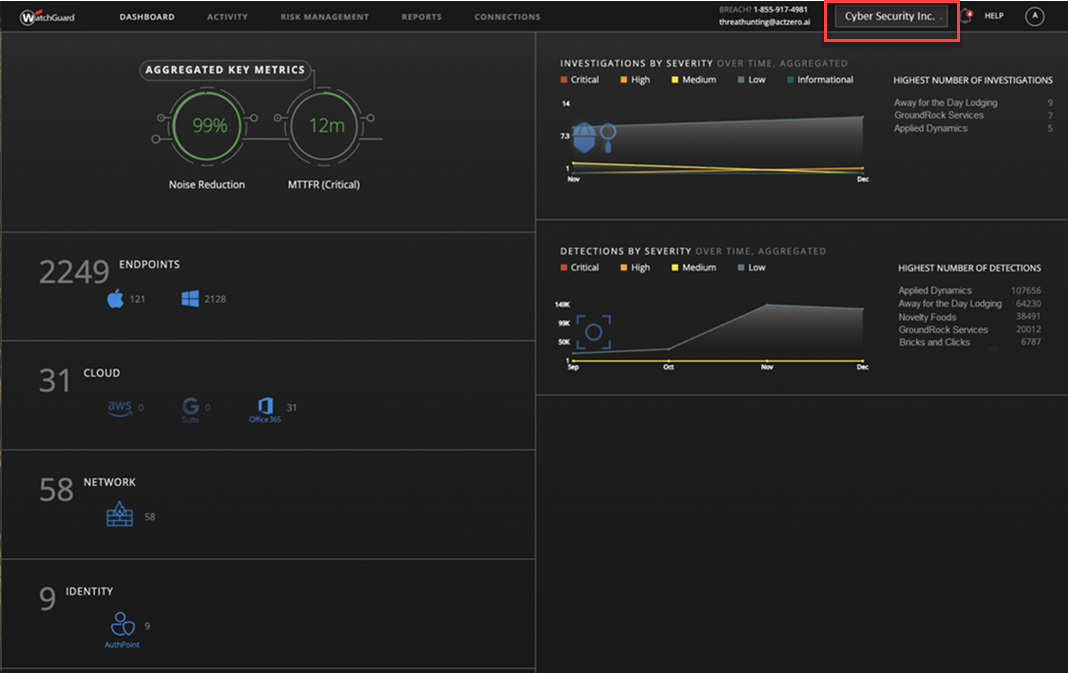
- If you are a Service Provider, to view the data for one of your accounts, select the account from the drop-down list.
The Subscriber dashboard opens.
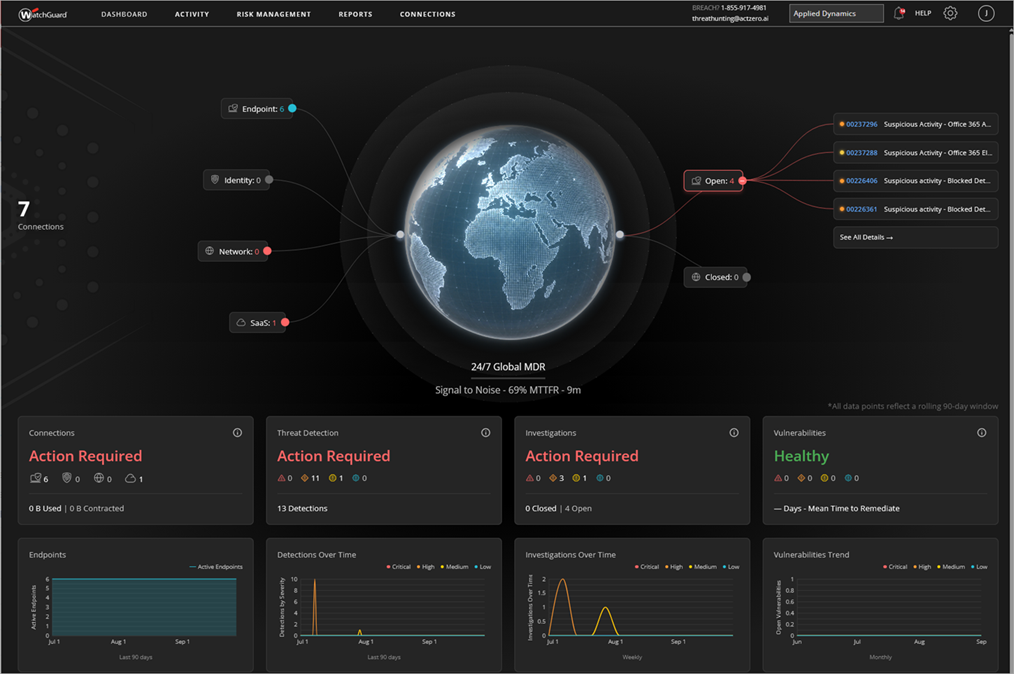
As a tier-1 Service Provider, to view data in the Managed Services portal for a Subscriber account in one of your managed Service Provider accounts hierarchy, you must create an operator in the managed Service Provider account. You can then log in to WatchGuard Cloud as the new operator and go to Monitor > Manage Services to view data for the Subscriber account.
After 1 hour of inactivity, your Managed Services portal session times out. To end your session, close the browser tab.
Permissions for the Managed Services Portal
The information you can see and actions you can take in the Managed Services portal depend on your WatchGuard Cloud operator role.
The Managed Services portal does not currently restrict access to accounts based on account groups. Operators that do not have access to an account based on account groups might be able to view data for that account in the Managed Services portal.
Service Provider
- Sales, Auditor — Sales and Auditor operators can view key metric data, investigations, detections, and reports for their Subscriber accounts.
- Helpdesk — Helpdesk operators can take actions on investigations, such as reset passwords or dismiss detections. They can also contact WatchGuard MDR directly with comments in investigation details.
- Owner — Owner operators have full permissions for their Subscriber accounts. They can take actions on investigations, contact WatchGuard MDR directly with comments in investigation details, and configure tenant settings and report settings for their Subscriber accounts.
Subscriber
- Observer — Observer operators can view key metric data, investigations, detections, and reports for their account.
- Analyst — Analyst operators can take actions on investigations, such as reset passwords or dismiss detections. They can also contact WatchGuard MDR directly with comments in investigation details.
- Administrator — Administrator operators have full permissions for their account. They can take actions on investigations, contact WatchGuard MDR directly with comments in investigation details, and configure tenant settings and report settings for their account.
Tier-1 Service Provider Operator
| Level | Managed Services Portal Page | Owner Role | Helpdesk Role | Sales Role | Auditor Role |
|---|---|---|---|---|---|
| Partner | Dashboard | Read/Write | Read Only | Read Only | Read Only |
| Partner | Onboarding > Tenant Management (MDR Service Access) | Read/Write | Read Only | N/A | N/A |
| Partner | Onboarding > Tenant Settings | Read/Write | Read Only | N/A | N/A |
| Tenant | Dashboard, Activity, Reports, Connections | Read/Write | Read/Write | Read Only | Read Only |
| Tenant | Onboarding > Tenant Settings | Read/Write | Read Only | N/A | N/A |
| Tenant | Onboarding > Report Settings | Read/Write | Read/Write | Read Only | N/A |
| Tenant | Onboarding > Endpoints | Read/Write | Read/Write | Read Only | Read Only |
| Tenant | Onboarding > Integrations | Read/Write | Read/Write | Read Only | Read Only |
| Tenant | Onboarding > WatchGuard Agent | Read/Write | Read/Write | Read Only | Read Only |
| Tenant | Onboarding > Vulnerability Scan | Read/Write | Read/Write | Read Only | Read Only |
Tier-N Subscriber Operator with Service Access Enabled or Tier-1 Subscriber Operator
| Level | Managed Services Portal Page | Administrator Role | Analyst Role | Observer Role |
|---|---|---|---|---|
| Partner | Dashboard | N/A | N/A | N/A |
| Partner | Onboarding > Tenant Management (MDR Service Access) | N/A | N/A | N/A |
| Partner | Onboarding > Tenant Settings | N/A | N/A | N/A |
| Tenant | Dashboard, Activity, Reports, Connections | Read/Write | Read/Write | Read Only |
| Tenant | Onboarding > Tenant Settings | Read/Write | Read Only | N/A |
| Tenant | Onboarding > Report Settings | Read/Write | Read/Write | Read Only |
| Tenant | Onboarding > Endpoints | Read/Write | Read/Write | Read Only |
| Tenant | Onboarding >Integrations | Read/Write | Read/Write | Read Only |
| Tenant | Onboarding > WatchGuard Agent | Read/Write | Read/Write |
Read Only |
| Tenant | Onboarding > Vulnerability Scan | Read/Write | Read/Write | Read Only |
Tier-N Subscriber Operator without Service Access Enabled
| Level | Managed Services Portal Page | Administrator Role | Analyst Role | Observer Role |
|---|---|---|---|---|
| Partner | Dashboard | N/A | N/A | N/A |
| Partner | Onboarding > Tenant Management (MDR Service Access) | N/A | N/A | N/A |
| Partner | Onboarding > Tenant Settings | N/A | N/A | N/A |
| Tenant | Dashboard, Activity, Reports, Connections | Read/Write | Read Only | Read Only |
| Tenant | Onboarding > Tenant Settings | N/A | N/A | N/A |
| Tenant | Onboarding > Report Settings | Read/Write | Read Only | Read Only |
| Tenant | Onboarding > Endpoints | Read/Write | Read Only | Read Only |
| Tenant | Onboarding >Integrations | Read/Write | Read Only | Read Only |
| Tenant | Onboarding > WatchGuard Agent | Read/Write | Read Only | Read Only |
| Tenant | Onboarding > Vulnerability Scan | Read/Write | Read Only | Read Only |
For information about how to use the Managed Service portal, go to:
- Managed Services Portal Dashboard
- Review MDR Investigations
- Review MDR Detections
- View MDR Reports
- Review MDR Endpoints
- Review MDR Connection Service Status