Applies To: FireCloud Internet Access, FireCloud Total Access
From the WatchGuard Security Portal, you can send feedback if you think a website is uncategorized or miscategorized in the content category database used by WebBlocker and DNSWatch.
To submit content category changes and suggestions:
- Open a web browser and go to www.watchguard.com/securityportal/UrlCategorization.aspx.
- If you are not already logged in to the WatchGuard website, enter your username and password. Click Log In.
The WatchGuard Security Portal appears.
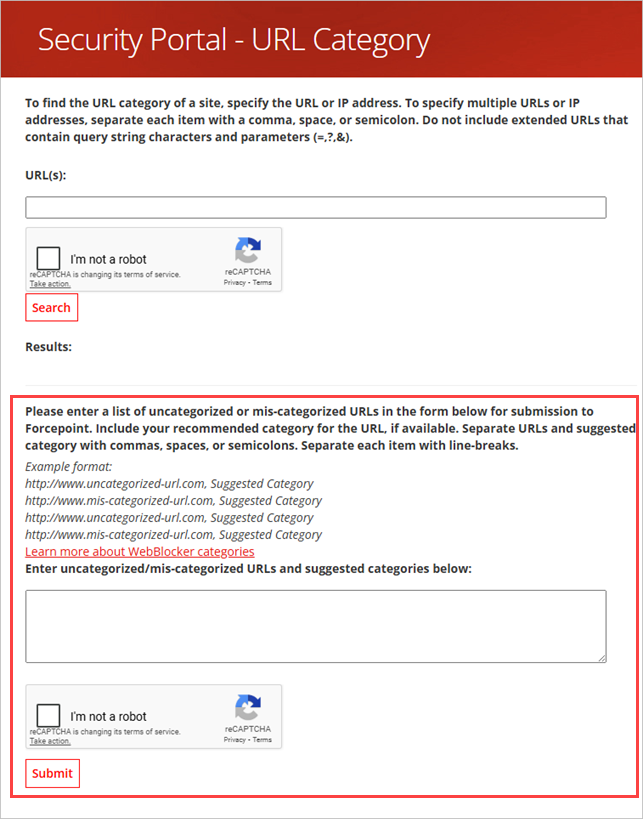
- In the Enter uncategorized/miscategorized URLs text box, enter the website URL and a suggested content category, separated by a space, comma, or semicolon. Type each suggestion on a separate line. For example:
http://www.seattletimes.com, News and Mediahttp://www.soccer.com, Sports
- Select the I'm Not a Robot check box.
- Complete the reCAPTCHA task, if requested.
- Click Submit.
Find a Site's Content Category (Fireware Help)