Applies To: WatchGuard Cloud
When you integrate WatchGuard Cloud with your PSA tool, you map your PSA tool services with your WatchGuard products. This enables WatchGuard Cloud to send product license allocation and usage data to your PSA tool so you can automate customer billing.
You can map PSA tool services with any WatchGuard Cloud-based product, including AuthPoint, Endpoint Security products, FireCloud, NDR products, and Managed Services.
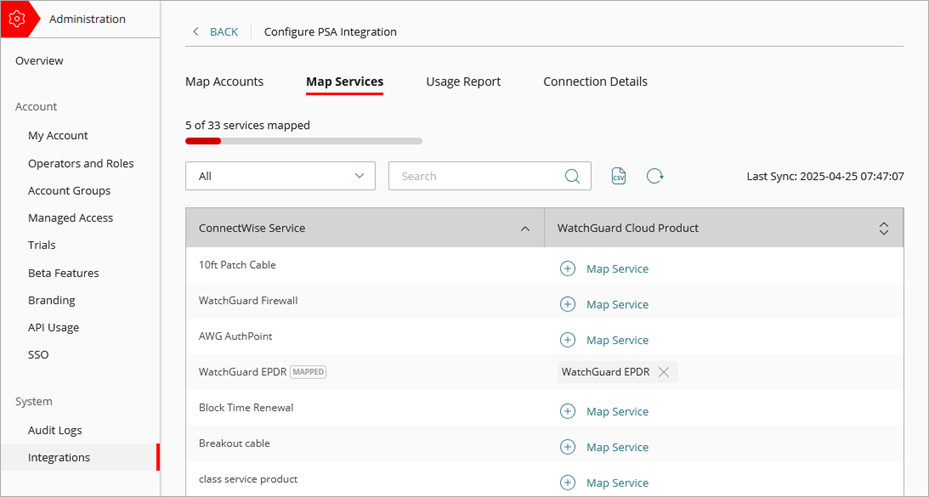
The Map Services tab shows you all of the connected PSA tool services.
Your operator role determines what you can see and do in WatchGuard Cloud. You must be a tier-1 Service Provider and your role must have the Manage Integrations and Manage Tenants permissions to configure this feature. For more information, go to Manage WatchGuard Cloud Operators and Roles.
View Mapped PSA Tool Services
To view mapped PSA tool services, from WatchGuard Cloud:
- Select Administration > Integrations.
- From the PSA tile, click Configure.
- Select the Map Services tab.
A progress bar shows the number of services mapped.
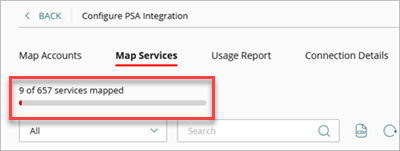
- To filter the list, from the drop-down list, select one of these options:
- All (default)
- Mapped Services
- Unmapped Services
- To search for a service, type text in the search box.
- To export mapped services to a comma separated value (.CSV) file, click
 . When you export mapped services, they are saved to a .CSV file. The .CSV file downloads in a compressed .ZIP file to the default download location for your browser.
Map PSA Tool Services
You can map PSA tool services with WatchGuard Cloud products. You can also change mapped services.
To map connected PSA tool services and WatchGuard Cloud products:
- Select Administration > Integrations.
- From the PSA tile, click Configure.
- Select the Map Services tab.
A progress bar shows the number of services mapped.
- From the WatchGuard Cloud Product column for the service you want to map, click Map Service.
The Map Service dialog box opens.
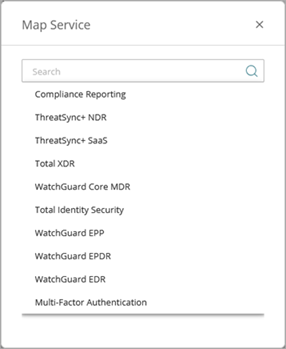
- From the list, select the WatchGuard Cloud product you want to map with the PSA service.
The Map Service dialog box closes.
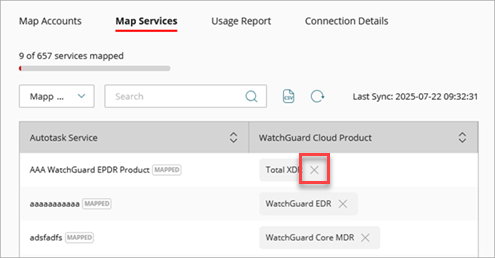
To remove the mapping for a service, click the X next to the WatchGuard Cloud product.
After you map your PSA tool services and WatchGuard Cloud products, select the Usage Report tab to configure the information and reporting schedule to send product license allocation and usage data to your PSA tool. For more information, go to Configure the Usage Report Setting for a PSA Integration.
Map PSA Tool Accounts and WatchGuard Cloud Accounts