Applies To: WatchGuard Cloud
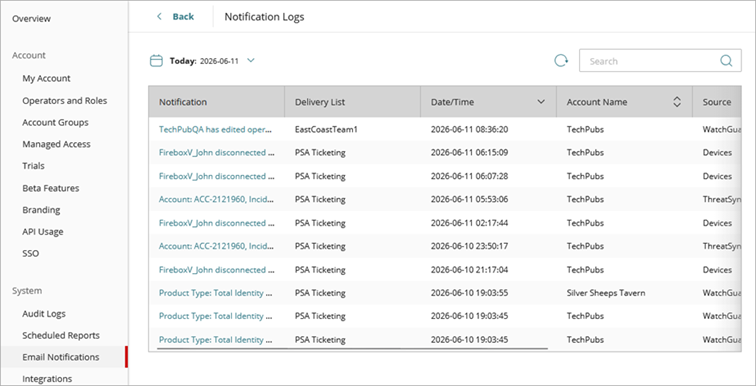
The Notification Logs page in WatchGuard Cloud provides Service Providers with a historical record of email notification and PSA ticketing notification log activity across their Subscriber accounts. For each notification, you can review details such as the date and time, Subscriber account, and the delivery list. The delivery list indicates whether the notification came from a PSA ticketing integration or an email notifications list.
View Notification Log Activity
Your operator role determines what you can view and do in WatchGuard Cloud. Your role must have the Configure Notification Rules permission to configure this feature. For more information, go to Manage WatchGuard Cloud Operators and Roles.
To view notification log activity:
- From Account Manager, select Overview.
- Select Administration > Email Notifications.
The Email Notifications page opens. - Click Notification Logs.
The Notifications Logs page opens.
- To show audit logs for a specific period of time, click
 and select a date range.
The default date range is Today, and the current selected date range shows next to the calendar icon. - To view the details for a log message, select the message from the list.
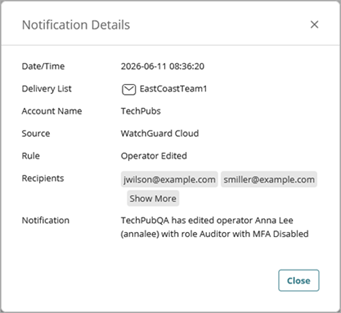
The Notification Details dialog box shows details about the notification.
Configure Email Notifications for Service Providers