Applies To: Endpoint Security Elite, Endpoint Security 360, and WatchGuard EDR
Settings vary for Endpoint Security Elite, 360, Prime, Basic, WatchGuard EDR, and EDR Core. Throughout this documentation, Endpoint Security refers generally to all products. If a setting is not visible in the Endpoint Security management UI, it is not supported by your product.
In the workstations and servers settings profile for Windows computers, you can configure Endpoint Security to detect and block malicious programs.
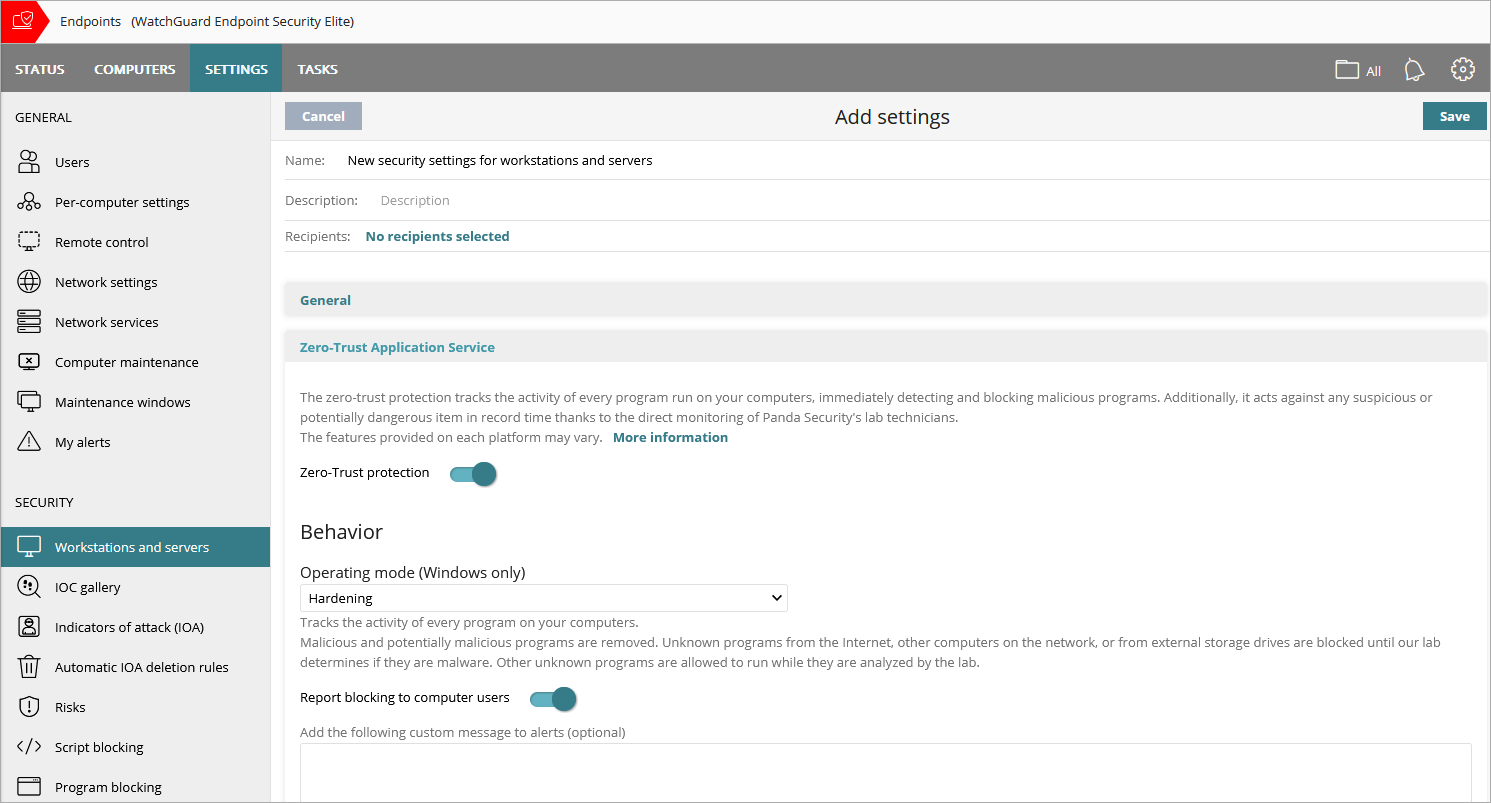
Screen shot shows Zero-Trust Application Service section in Endpoint Security Elite. In EDR and EDR Core, this section is called Advanced Protection.
The operating mode defines how the advanced protection responds when it detects an unknown file. There are three modes: Learning, Hardening, and Lock.
Learning
- WatchGuard EDR — Reports detected threats on dashboards and lists, but does not block or disinfect files.
- Endpoint Security Elite and 360 — Prevents the execution of all programs classified as malware and disinfects or deletes programs classified as malware based on antivirus settings. Unknown programs are allowed to run. For more information on the antivirus settings, go to Configure Antivirus Scanning.
Hardening
- Allows execution of unknown programs already installed on user computers.
- Blocks unknown programs that originate from an untrusted source (such as the Internet, external storage drives, or other computers on the network) until a classification is returned.
- Disinfects or deletes programs classified as malware.
When Endpoint Security blocks a program that is then reclassified as goodware, the program no longer shows as blocked. You can see the program in the History of Blocked Items list. For more information, go to Manage Blocked Threats.
Lock
- Prevents execution of all programs classified as malware, as well as all unknown programs pending classification. Deletes or disinfects programs already classified as malware.
- Not available for endpoints with an Endpoint Security Prime license.
Decoy Files
Decoy files help detect ransomware. Endpoint Security creates decoy files as bait on computers. If the files are modified, they identify the process that modified them as ransomware. The file ends the process that modified it and reports it as malware.
To create decoy files, enable the Create Decoy Files to Help Detect Ransomware toggle.
Report Blocking to Computer Users
To show a message in a pop-up alert on the user computer when advanced protection or anti-exploit features block a file, enable the Report Blocking to Computer Users toggle. Optionally, you can specify a custom message to include in the alert.