Applies To: Cloud-managed Fireboxes

This document applies to Fireboxes you manage in WatchGuard Cloud. For information that applies to Fireboxes managed in Fireware Web UI or WatchGuard System Manager, go to Network Interface Settings.
Overview
Networking settings define how the Firebox connects to and routes traffic between networks. Each network is associated with one or more Firebox interfaces. On the Device Configuration page for a cloud-managed Firebox, the Networking section shows a summary of configured settings. To view and configure these settings, click a tile.

For information about these settings, go to:
- Configure Firebox Network Settings
- Configure Firebox DNS Settings
- Configure Firebox Routes
- Configure Dynamic Routing on a Cloud-Managed Firebox
- Configure Dynamic NAT
A cloud-managed Firebox also supports virtual private network (VPN) connections. The VPN section shows a summary of configured settings. To view and configure these settings, click a tile.
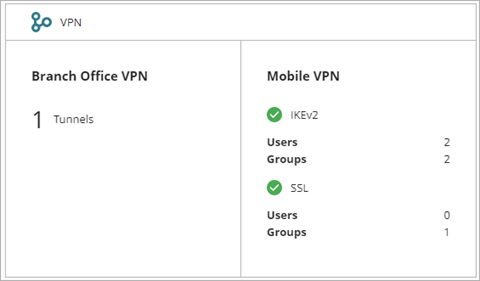
For information about VPN settings, go to:
Manage the Firebox Configuration
Add a Cloud-Managed Firebox to WatchGuard Cloud
Default Routes and Dynamic Routing on Cloud-Managed Fireboxes