Applies To: Cloud-managed Fireboxes
In WatchGuard Cloud, you can use the Google Apps Allowed Domains feature in Outbound web traffic policies to specify which Google services you want to allow. For example, you can allow domains used for Google for Work services, but block user connections to Google Gmail or other personal Google service accounts.
Because most Google services are SSL encrypted, you must select the Decrypt HTTPS Traffic check box on the Outbound policy before you can enable and configure Google Apps Allowed Domains.
When you enable Google Apps Allowed Domains, the Firebox inserts an X-GoogApps-Allowed-Domains HTTP header, followed by a comma-separated allowed domain name list, into all requests for *.google.com.
You cannot use this feature to block Google services that do not require authentication, such as Google Search or YouTube.
Configure Google Apps Allowed Domains
To enable and add Google Apps Allowed Domains on an Outbound policy:
- Add or edit an Outbound policy. For more information, go to Configure Firewall Policies in WatchGuard Cloud.
- Select the Web Traffic and Decrypt HTTPS Traffic check boxes.
Before you enable Decrypt HTTPS Traffic, make sure that network clients trust the certificate the Firebox uses to re-encrypt the content. To avoid browser errors for network clients, download the Firebox certificate and import it to all network clients. For more information, go to Download the Certificate for TLS Decryption.
- Enable Google Apps Allowed Domains.

- Click Add Domain.
The Google Apps Allowed Domain dialog box opens.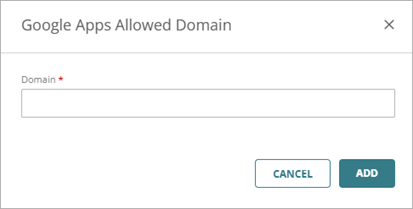
- In the Domain text box, enter the domain you want to allow, then click Add.