Applies To: WatchGuard CloudDR
On the Notifications Management page you can enable and disable system notifications for the organization. You can also edit and delete them.
To open the Notifications Management page for a single organization, from the CloudDR menu, select Settings. Select Notifications.
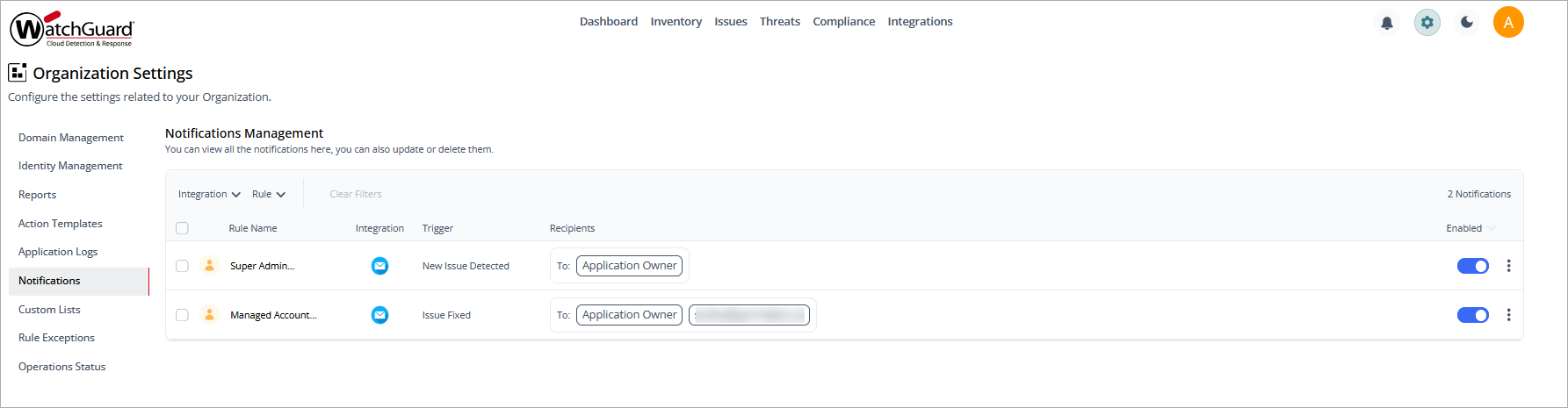
The Notifications Management list shows the available notifications for a single organization. The list can be filtered by Integration and Rule. The list includes this information:
- Rule Name
- Integration
- Trigger
- Recipients
To enable or disable a notification, click the toggle.
To edit a notification, click  , then select Edit.
To delete a notification, click , then select Delete.