Applies To: WatchGuard CloudDR
Domains are vital in identity management because they make up the backbone of the digital identity of an organization. Domains enable secure authentication, email protection, and access to resources.
You can use the Domain Management page in WatchGuard CloudDR to specify which of the domains discovered from your directory and IdP applications are internal and external domains.
External domains (all domains not marked as internal on this page) must be processed separately. These domains might be for accounts or identities that were created temporarily or for guest use and then remained active after the allocated time duration. These external accounts can pose a significant security threat because the organization does not directly control them, which increases the risk of unauthorized access, data breaches, and credential compromise. These accounts might also lack security measures such as multi-factor authentication or proper monitoring, which could make them vulnerable to phish attempts or misuse. Insufficient oversight can lead to shadow IT, compliance violations, and exposure to insider threats.
To open the Domain Management page, from the CloudDR menu, select Settings. Select Domain Management. The page lists all domains with their directory or IdP applications and user counts.
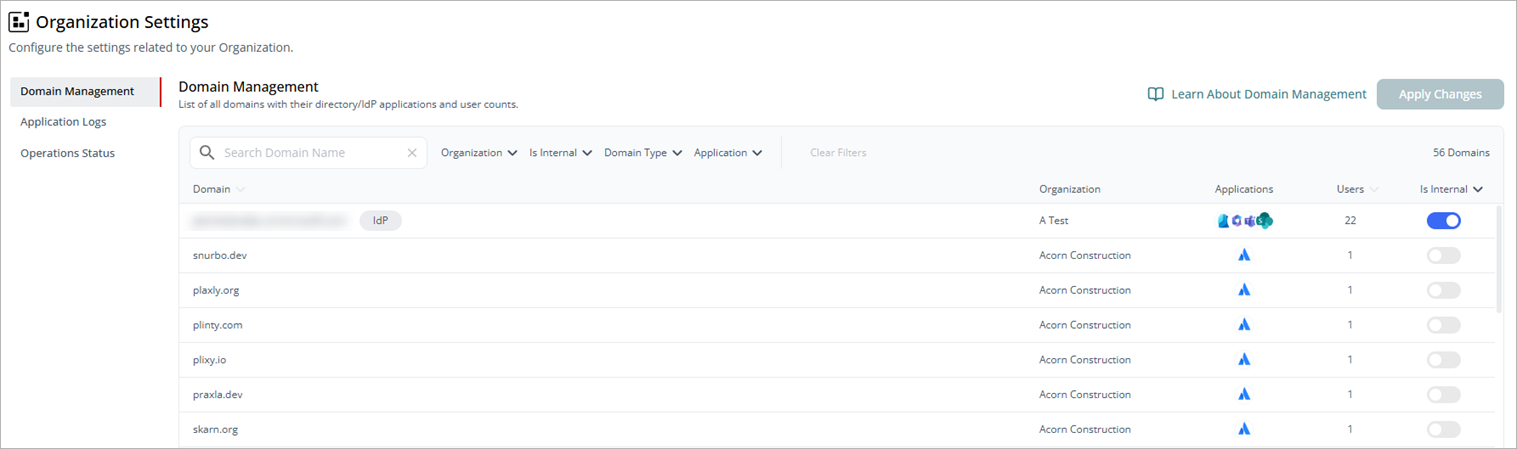
To mark known and trusted domains as internal domains, enable the Is Internal toggle in the relevant row and click Apply Changes.