Applies To: WatchGuard CloudDR
Action templates enable you to customize how you receive alerts about changes in WatchGuard CloudDR. You can filter the list of action templates by these supported rule types: Misconfigurations, Discovered Apps, Identity, Threats, and Data.
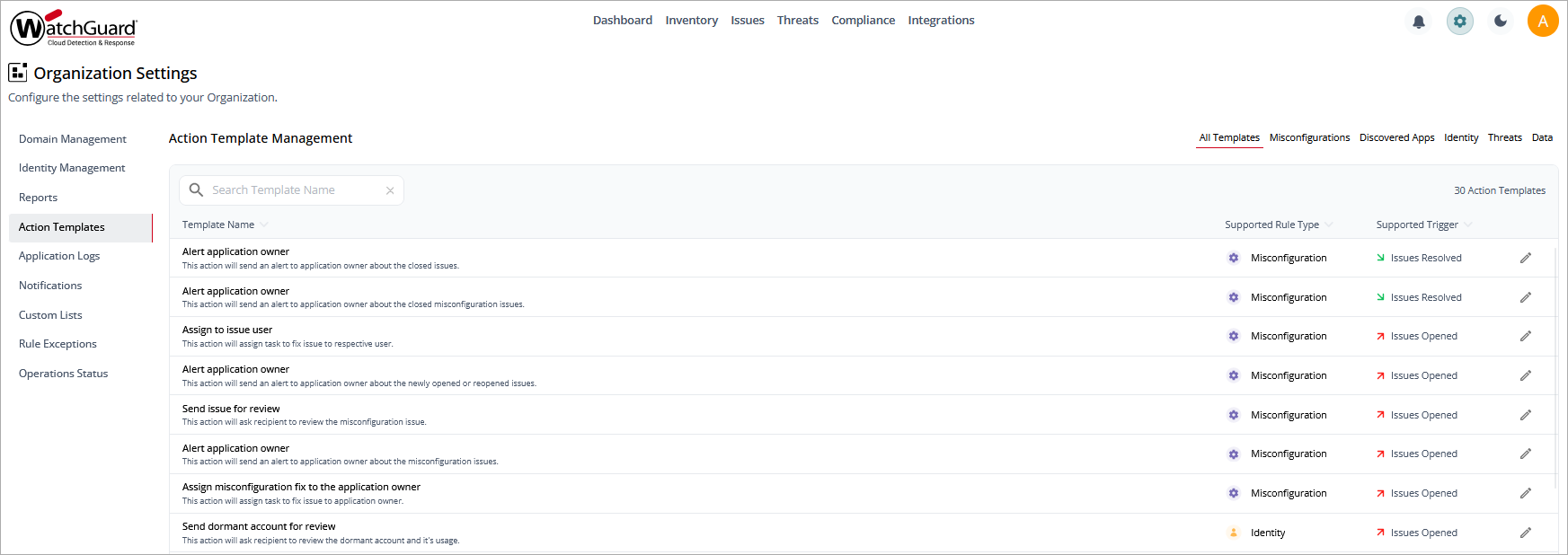
CloudDR supports two status triggers:
- Issues Opened
- Issues Resolved
To open the Action Templates page for a single organization, in the CloudDR menu, click Settings. Select Action Templates.
To edit an action template, click  .
.
You can choose from a number of integrated response and automation tools, and specify the recipient, subject, body, summary, and description of the automation alert. Enable or disable the toggles to include content blocks, and drag content blocks into the order you want.
If you do not want to customize each alert individually, select Update Existing Automations and Notifications, then save your changes.