Applies To: AuthPoint Multi-Factor Authentication, AuthPoint Total Identity Security
From PSInfo, you can enable or disable AuthPoint logs. When you enable AuthPoint logs, the PSInfo tool collects support-related information from the AuthPoint Logon app.
When you enable AuthPoint logs, the logs supplement the support-related information that PSInfo generates when you report a case. You should disable AuthPoint logs, and only enable them when Support requests you to as part of a support case. For more information about PSInfo and support-related information, go to Get Started with PSInfo.
When you enable AuthPoint logs, the support-related logs that the PSInfo tool generates include more information, but require more storage on your computer.
To enable AuthPoint logs:
- Run PSInfo.exe.
The PSInfo dialog box opens. - Based on your version of PSInfo, select the Support Request tab or the General tab.

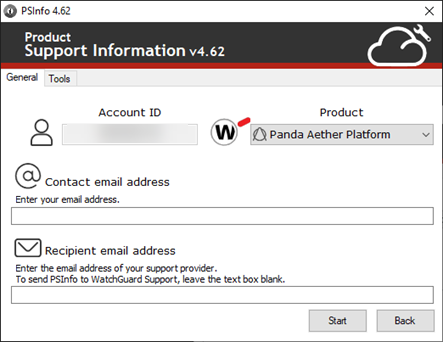
- Based on your version of PSInfo, from the Which product needs support? drop-down list or the Product drop-down list, select a product.
- Select the Tools tab.

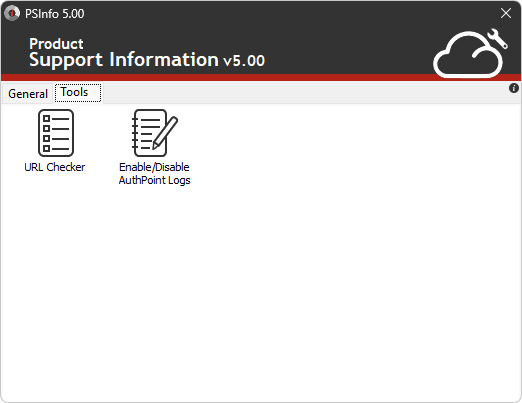
- Select Enable/Disable AuthPoint Logs.
The AuthPoint Logs dialog box opens.
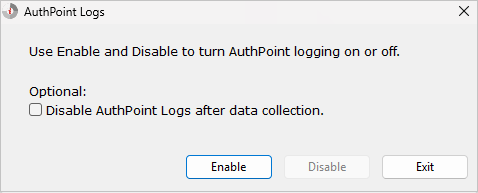
- (Optional) To disable logs after data collection, select the Disable AuthPoint Logs after Data Collection check box.
- Click Enable.
- From your computer, replicate your issue.
If a visual issue, you can take screenshots that might help Support resolve your case. - When you no longer want to collect logs, click Disable.
AuthPoint App Help