Applies To: WatchGuard Advanced Reporting Tool
Executable files and compressed files that include executable files are the primary source of illegal software, games, and potentially unwanted programs. To reduce the risk of attack, we recommend that you monitor the executable and compressed files downloaded in your network.
The URLDownload table contains information on the HTTP downloads performed by processes on the network. With the Advanced Reporting Tool, you can create queries to filter data in the URLDownload table to see how many unique downloads of executable files or compressed files occurred.
For a complete list of the columns in the URLDownload table, see Fields Available in the URLDownload Table.
Your operator role determines what you can see and do in WatchGuard Cloud. Your role must have the Access Advanced Security Information permission to view or configure this feature. For more information, go to Manage WatchGuard Cloud Operators and Roles.

- In WatchGuard Cloud, select Monitor > Endpoint Security.
- Select Status.
- From the left pane, select Advanced Visualization Tool.
A new browser tab opens. - From the left pane, select Data Search.
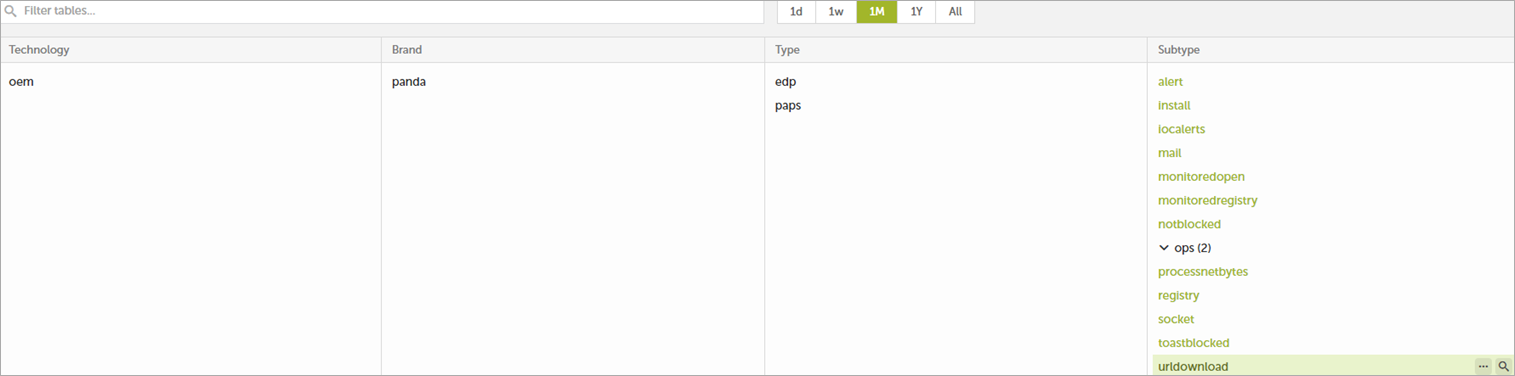
- Select the oem.panda.paps.URLdownload table for the time period you want.
The data table window opens.
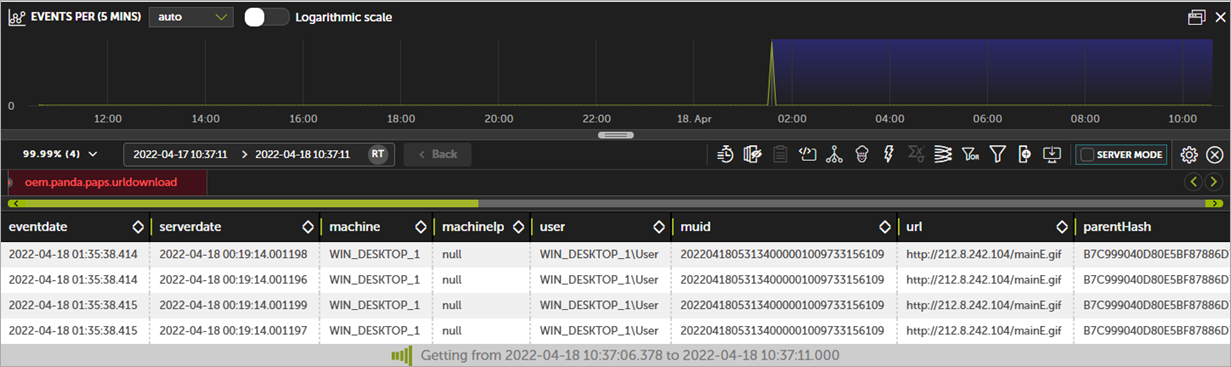
- In the toolbar, click Query Code Editor
 .
. - Clear the existing query from the editor text box.
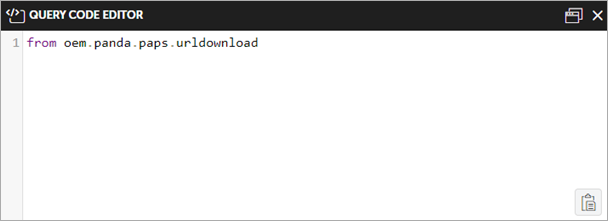
- Paste this code in the text box:
- Click Run.
from oem.panda.paps.urldownload
where endswith(url, ".exe")
group by parentPath, url
every -
select count() as count
- In WatchGuard Cloud, select Monitor > Endpoint Security.
- Select Status.
- From the left pane, select Advanced Visualization Tool.
A new browser tab opens. - From the left pane, select Data Search.
- Select the oem.panda.paps.URLdownload table for the time period you want.
The data table window opens.
- In the toolbar, click Query Code Editor .
- Clear the existing query from the editor text box.
- Paste this code in the text box:
- Click Run.
from oem.panda.paps.urldownload
where has(url, ".zip", ".rar", ".7z")
group by parentPath, url
every -
select count() as count
Fields Available in the URLDownload Table
This table lists the fields available in the URLDownload table. Each field can be used in a query to filter the data table.
| Field | Description | Values |
|---|---|---|
|
eventdate |
Date when the Advanced Reporting Tool server received the event. |
Date |
|
serverdate |
Date on the user computer when the event was generated. |
Date |
|
Machine |
Name of the computer that downloaded the file. |
String |
|
machineIP |
IP address of the customer computer. |
IP address |
|
User |
User name of the person who ran the process that downloaded the file. |
String |
|
muid |
Internal ID of the customer computer. |
String in this format: xxxxxxxx-xxxx-xxxx-xxxx-xxxxxxxxxxxx |
|
url |
URL of the downloaded file. |
URI stem (portion of a URL that appears after the host and port, but precedes the query string) |
|
parentHash |
Digest/hash of the process that downloaded the file. |
String |
|
parentDriveType |
Type of drive where the process that downloaded the file resides. |
|
|
parentPath |
Path of the process that downloaded the file. |
String |
|
parentValidSig |
Indicates whether the process that downloaded the file was digitally signed. |
Boolean |
|
parentCompany |
Content of the Company attribute of the metadata of the process that downloaded the file. |
String |
|
parentCat |
Category of the process that downloaded the file. |
|
|
parentMwname |
Malware name if the process that downloaded the file is classified as a threat. |
|
|
childHash |
Digest/hash of the downloaded file. |
String |
|
childDriveType |
Type of drive where the process that downloaded the file resides. |
|
|
childPath |
Path of the downloaded file. |
String |
|
childValidSig |
Indicates whether the process that downloaded the file was digitally signed. |
Boolean |
|
childCompany |
Content of the Company attribute of the downloaded file metadata. |
String |
|
childCat |
Category of the downloaded file. |
|
|
childMwname |
Malware name if the downloaded file is classified as a threat. |
|
|
firstParentCat |
Initial classification of the parent file that performed the logged operation. |
|
|
firstChildCat |
Initial classification of the child file that was downloaded for the logged operation. |
|