ConnectWise Automate から WatchGuard Endpoint Security プラグインを削除することができます。
プラグインを削除するには、以下の手順を実行する必要があります:
プラグイン データを削除する
ConnectWise Automate からプラグインをアンインストールする前に、プラグインからすべてのデータを削除することをお勧めします。これにより、すべてのクライアント アカウントと以下のような構成情報が削除されます:
- 構成ページの WatchGuard Cloud API アクセス用の接続情報
- WatchGuard アカウント リスト
- ConnectWise Automate クライアントとの WatchGuard アカウントのマッピング
- WatchGuard Endpoint Security 製品ライセンスとセキュリティ構成情報
プラグインからすべてのデータを削除するには、以下の手順を実行します:
- WatchGuard Endpoint Security プラグインを開きます。
- 構成 を選択します。
Plug-in Configuration ページが表示されます。
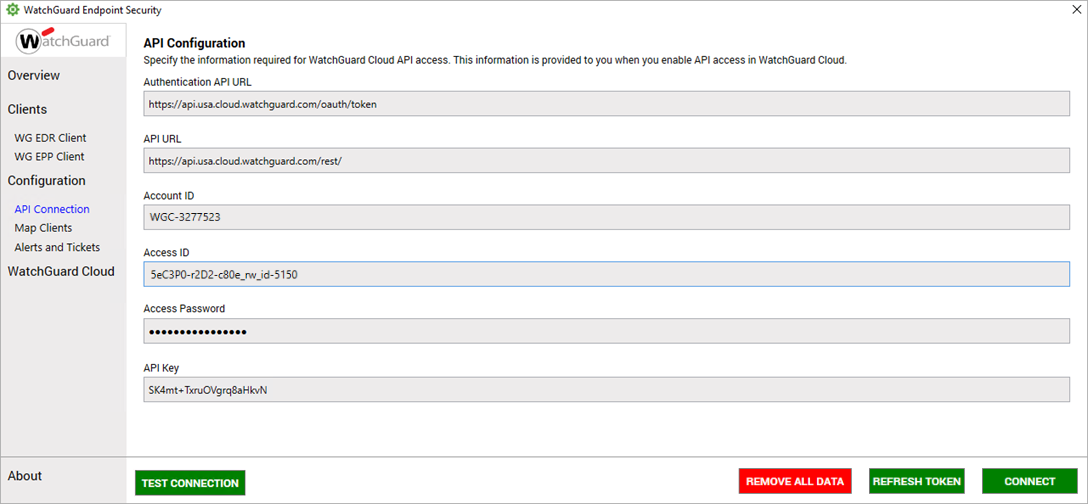
- Remove All Data をクリックします。
すべてのプラグイン データを削除するかどうかの確認を求めるメッセージが表示されます。
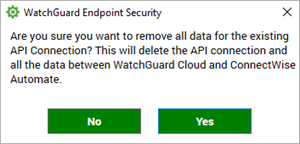
- Yes をクリックします。
プラグインを無効にする
プラグイン データを削除した後、ConnectWise でプラグインを無効にする必要があります。
WatchGuard Endpoint Security プラグインを無効にするには、ConnectWise Automate Control Center で以下の手順を実行します:
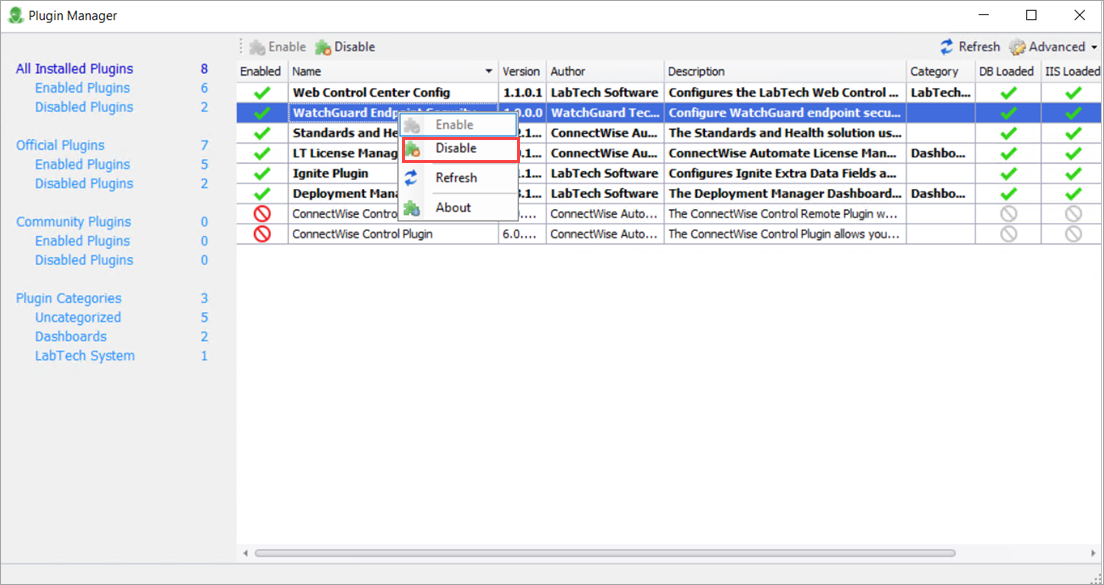
- System > Solutions > Plugin Manager の順に選択します。
- WatchGuard Endpoint Security プラグインを選択するか右クリックし、続いてDisable をクリックします。
ConnectWise Automate からプラグインを削除する
WatchGuard Endpoint Security プラグインを削除するには、ConnectWise Automate Control Center で以下の手順を実行します:
- System > Solutions > Plugin Manager の順に選択します。
- WatchGuard Endpoint Security プラグインを選択します。
- Advanced ドロップダウン リストから、Manage Plugins > Remove Plugin を選択します。

ConnectWise Automate 用の WatchGuard Endpoint Security プラグインをインストールする
ConnectWise Automate 用の WatchGuard Endpoint Security プラグインを構成する