Applies To: WatchGuard Cloud
As a Service Provider operator in WatchGuard Cloud, Account Manager is used to display your managed Service Provider and Subscriber accounts. You can see how many users have been allocated to each account and how many operators the account has.
From Account Manager, select a Subscriber account. The selected account shows on the Home dashboard. You can manage the account and configure security services. For more information, go to Open the Subscriber View for a Managed Account.
Without delegated access, you cannot manage the inventory of your Service Provider accounts or their managed accounts. For more information, go to Inventory Management for Delegated Accounts.
From Account Manager, you can search for and add new accounts. You can search for an account name or an account ID.
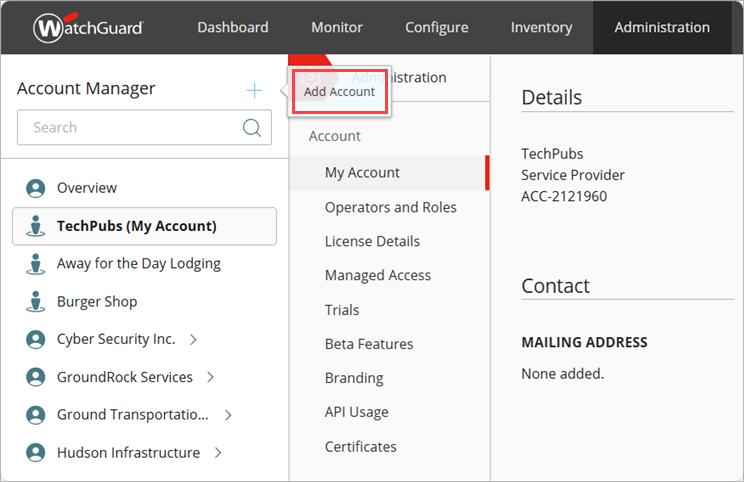
To open the Account Details page for a managed account, where you can see and edit account details, from Account Manager, select the managed account. In the upper-right corner, from the  menu, select My Account.
Your operator role determines what you can see and do in WatchGuard Cloud. Your role must have the Manage Accounts permission to view or configure this feature. For more information, go to Manage WatchGuard Cloud Operators and Roles.
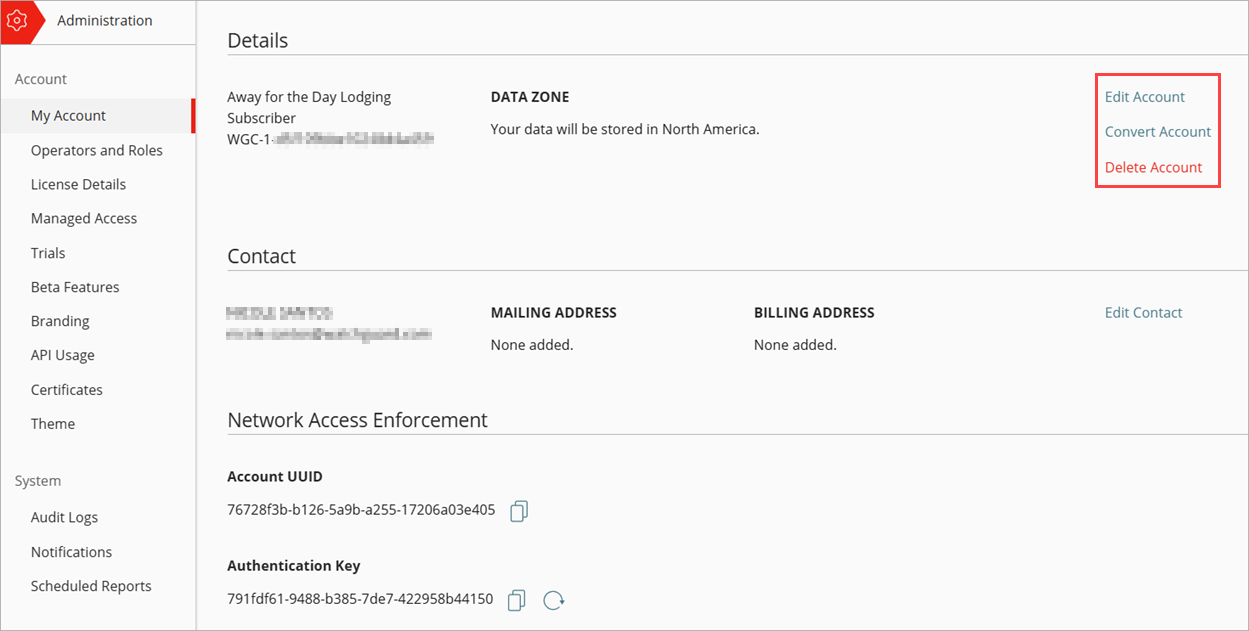
Add or Delete a Managed Account
Edit Account Details for a Managed Account
Add Operators to Managed Accounts