Applies To: AuthPoint Multi-Factor Authentication, AuthPoint Total Identity Security
Applies To: Endpoint Security Elite, Endpoint Security 360, Endpoint Security Prime, WatchGuard EDR, Endpoint Security Basic
Applies To: ThreatSync+ NDR, ThreatSync+ SaaS
Applies To: Total NDR
In WatchGuard Support Center, you can see a list of the licenses and trial licenses activated for your account and details of each license.
For each license, the Product Details page shows the licenses co-termed with that license. Co-termed licenses are licenses that you activate and use to modify or extend your license. For more information, go to the appropriate product topic:
- Co-Term Endpoint Security Licenses
- Co-Term AuthPoint Licenses
- Co-Term ThreatSync+ NDR Licenses
- Co-Term ThreatSync+ SaaS Licenses
- Co-Term WatchGuard Compliance Reporting Licenses
- Co-Term Total NDR Licenses
- About WatchGuard NDR for Firebox Licenses
- Co-Term WatchGuard CloudDR Licenses
To review the history of an Endpoint Security license:
- Go to https://www.watchguard.com/ and log in to WatchGuard Support Center with your WatchGuard account.
- On the Support Center Home page, select My WatchGuard > Manage Products.

- From the Manage Products page, in the Endpoint Security section, click View Products.
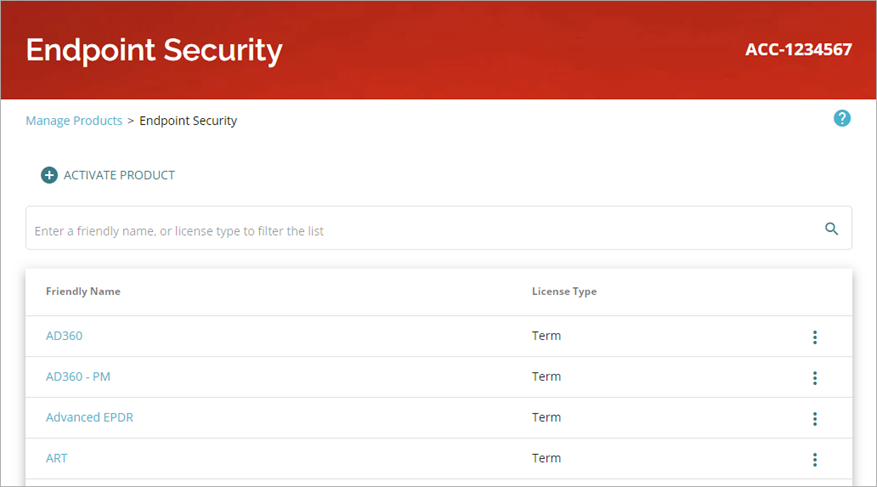
The Endpoint Security Products page opens.
-
Select the Friendly Name of any license in the list to open the Product Details page for the license.
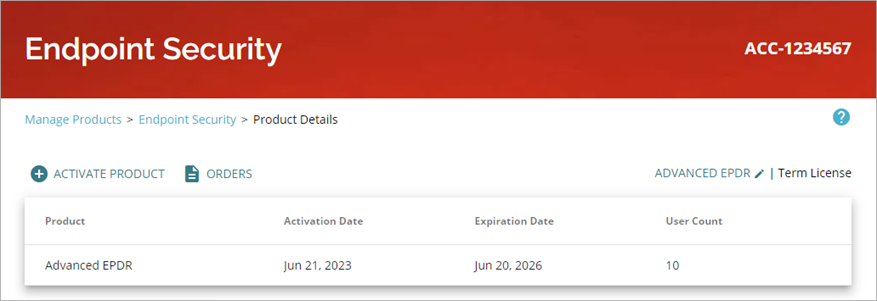
When you select a Zero Trust or Passport license, you see information for all of the products and services that your license bundle includes.
To review the history of an AuthPoint license:
- Go to https://www.watchguard.com/ and log in to WatchGuard Support Center with your WatchGuard account.
- On the Support Center Home page, select My WatchGuard > Manage Products.
- From the Manage Products page, in the Identity Security section, click View Products.
The AuthPoint Products page opens.
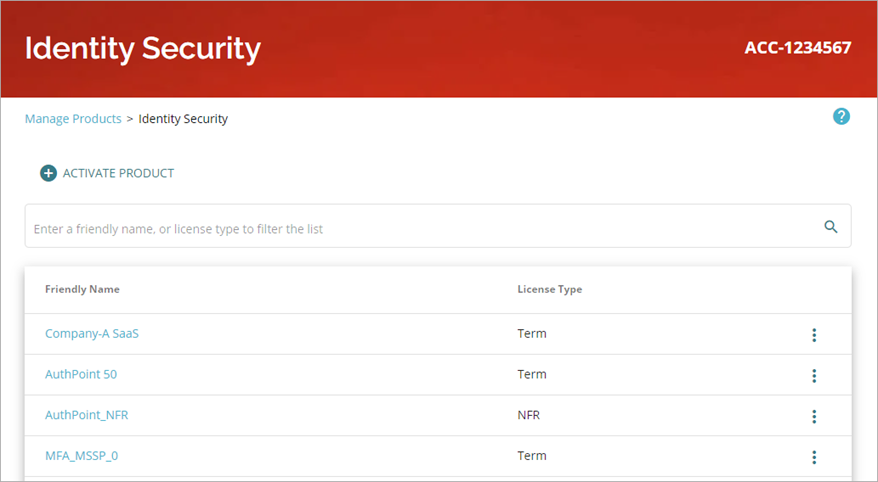
- Select the Friendly Name of any license in the list to open the Product Details page for the license.
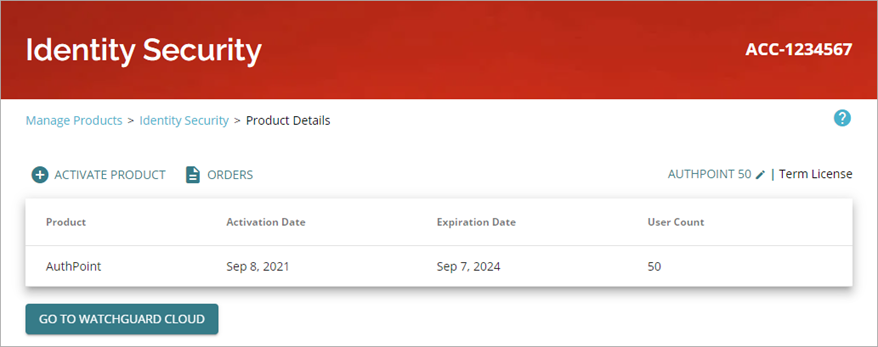
When you select a Zero Trust or Passport license, you see information for all of the products and services that your license bundle includes.
To review the history of ThreatSync+ licenses:
- Go to https://www.watchguard.com/ and log in to WatchGuard Support Center with your WatchGuard account.
- On the Support Center Home page, select My WatchGuard > Manage Products.
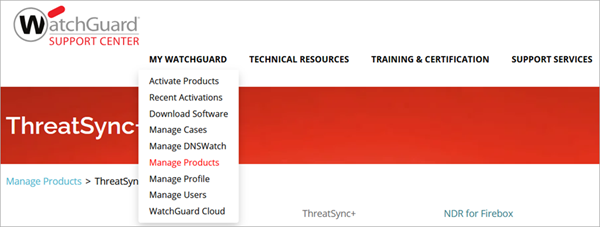
- From the Manage Products page, in the ThreatSync+ section, click View Products.
The ThreatSync+ Products page opens.
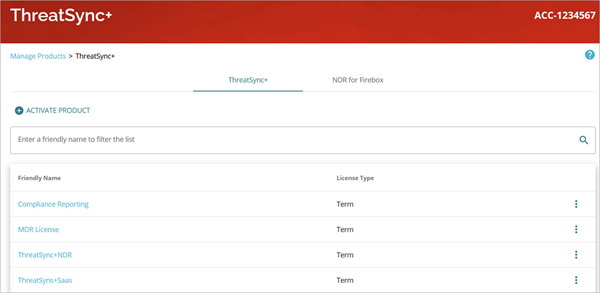
- Select the Friendly Name of any license in the list to open the Product Details page for the license.
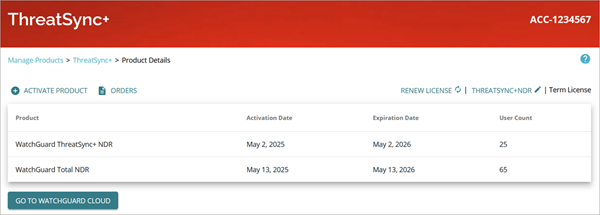
To review the history of a WatchGuard Compliance Reporting license:
- Go to https://www.watchguard.com/ and log in to WatchGuard Support Center with your WatchGuard account.
- On the Support Center Home page, select My WatchGuard > Manage Products.
- From the Manage Products page, in the ThreatSync+ section, click View Products.
The ThreatSync+ Products page opens.
- Select the Friendly Name of any license in the list to open the Product Details page for the license.
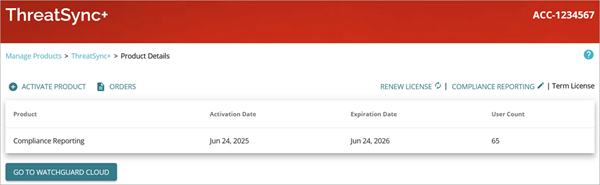
To review the history of a WatchGuard NDR for Firebox license:
- Go to https://www.watchguard.com/ and log in to WatchGuard Support Center with your WatchGuard account.
- On the Support Center Home page, select My WatchGuard > Manage Products.
- From the Manage Products page, in the ThreatSync+ section, click View Products.
The ThreatSync+ Products page opens. - Select the NDR for Firebox tab.
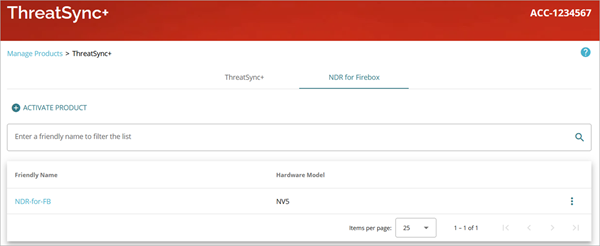
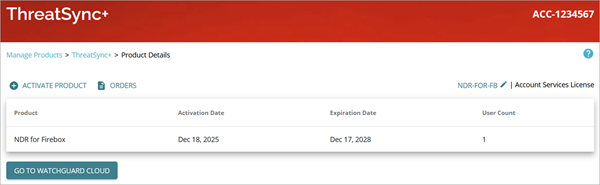
- Select the Friendly Name of any license in the list to open the Product Details page for the license.
To review the history of a WatchGuard CloudDR license:
- Go to https://www.watchguard.com/ and log in to WatchGuard Support Center with your WatchGuard account.
- On the Support Center Home page, select My WatchGuard > Manage Products.
- From the Manage Products page, in the CloudDR section, click View Products.
- Select the Friendly Name of any license in the list to open the Product Details page for the license.
Activate an Endpoint Security License
Activate a ThreatSync+ NDR License
Activate a ThreatSync+ SaaS License
Activate a WatchGuard Compliance Reporting License