Applies To: Locally-managed Fireboxes
References to DNSWatch in this topic relate to the legacy DNSWatch UI. To learn about DNSWatch in WatchGuard Cloud, go to About DNSWatch in WatchGuard Cloud in WatchGuard Cloud Help.
The DNSWatchGO Client is configured to automatically start when the device starts. If you stop the client, it automatically restarts when the device is restarted.

- From Windows Services, search the Services (Local) list for WatchGuard DNSWatchGO Client.
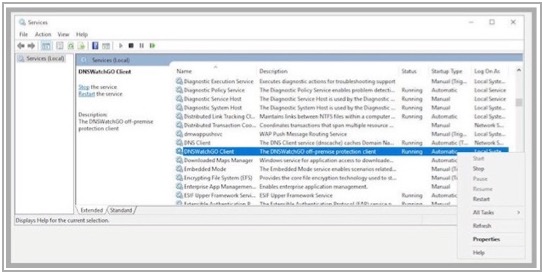
- To start or stop the client, right-click WatchGuard DNSWatchGO Client and select Stop or Start.
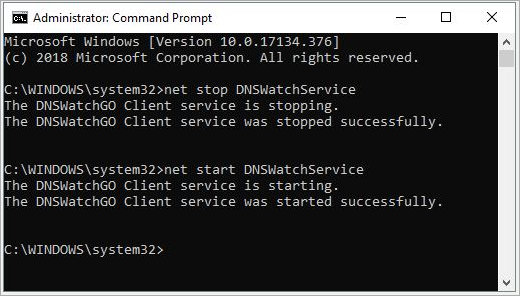
You must run Command Prompt as an administrator.
To stop DNSWatchGO Client, type the stop command:
net stop DNSWatchService
To start DNSWatchGO Client, type the start command:
net start DNSWatchService