Applies To: WatchGuard CloudDR
The Issues > Use Cases page acts as a centralized hub to manage cloud application security operations. It consolidates actionable insights categorized by common security scenarios. When you select Overview from Account Manager, the Use Cases page includes cumulative information for all managed accounts.
Each use case shows as a widget on the page.
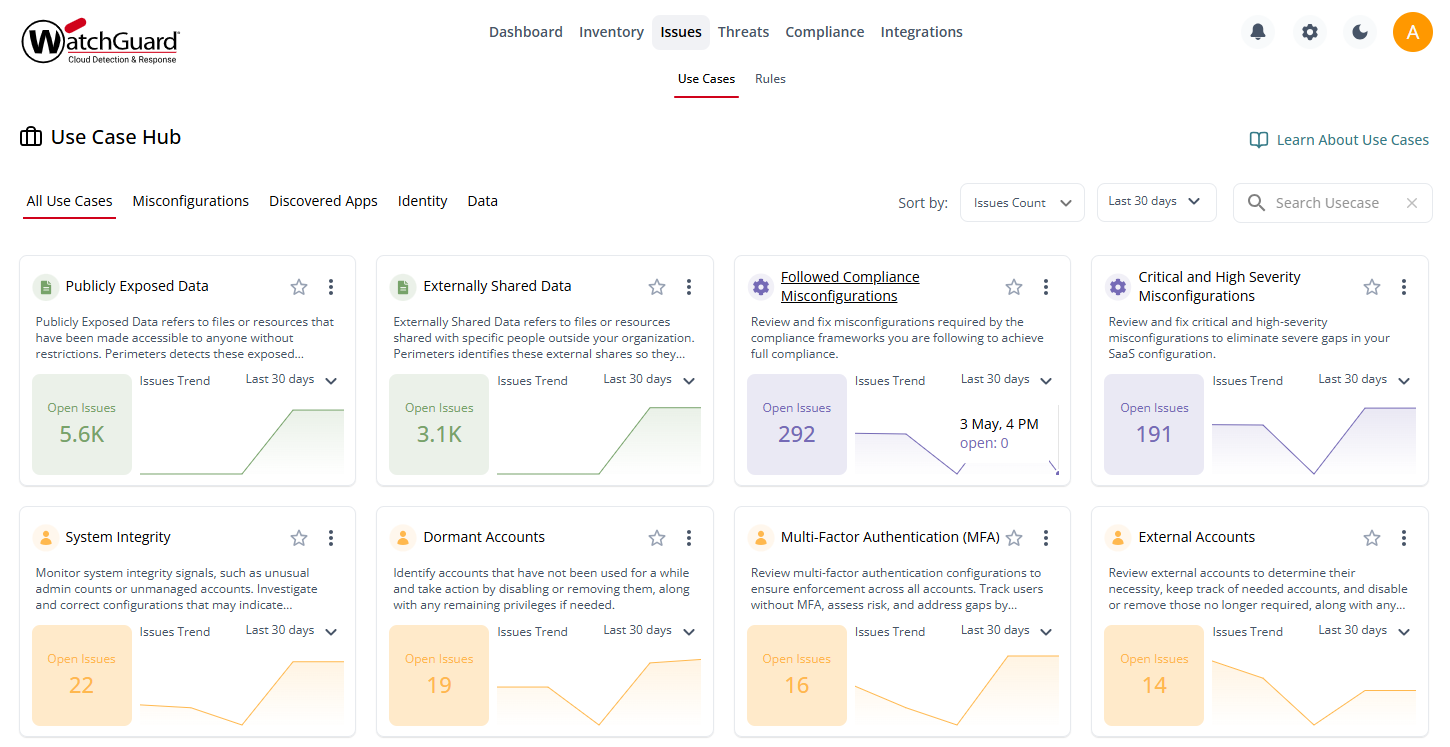
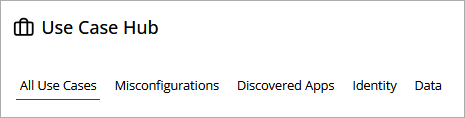
To view a subset of the use cases, click one of these filters:
- Misconfigurations
- Discovered Apps
- Identity
- Data
You can also sort the widgets on the page to show use cases with the greatest number of issues first, or you can sort the page to only show use cases that you have marked as a favorite. To mark a use case as a favorite at the organization level, click  on a widget.
To show use cases for a specific time period, select the date range from the drop-down list (Last 7 days, Last 30 days, Last 90 days, or Lifetime).
To show data for a different time period in a specific widget, from the drop-down list in the widget, select the time period you want to view (Last 7 days, Last 30 days, Last 90 days, or Lifetime).
To search for a specific use case, enter the use case name in the Search Usecase box.
To review and resolve the issues related to a use case, in the widget, click  and select Review and Fix Issues. The Issues page opens with a list of the rules that have triggered an issue. For more information, go to:
Use Case Details
Open a use case to view granular information on the issues and rules associated with it.
To view use case details:
- On the Issues > Use Cases page, click a widget title or in the widget, click , then select Use Case Details.
The Use Case Overview opens.
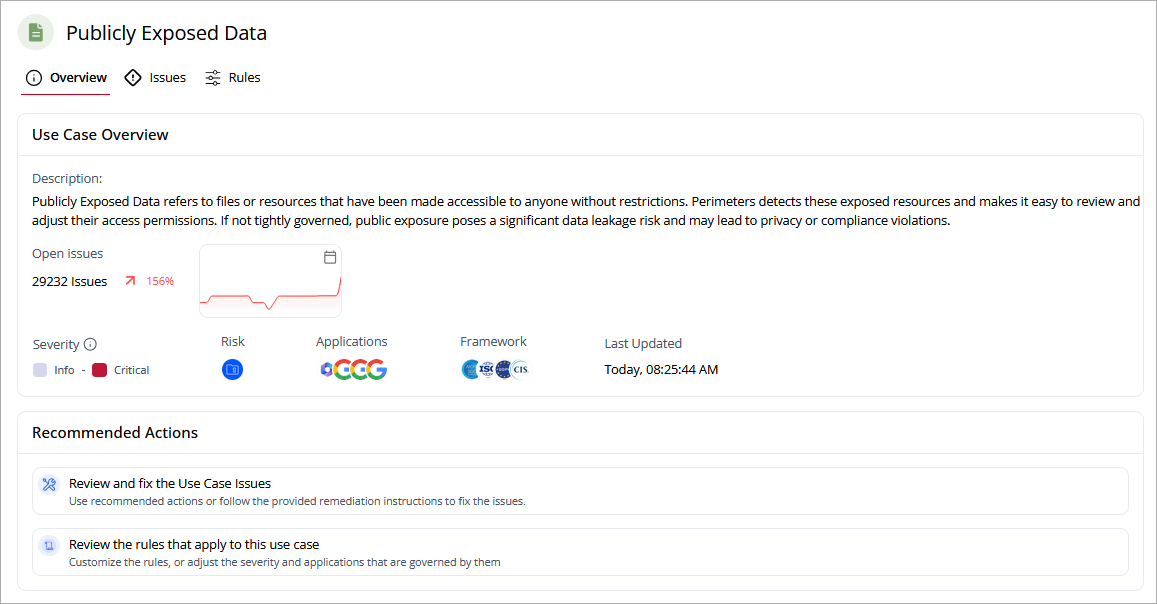
On the Overview page, you can review a description of the use case and the number of associated issues.
On the Issues page, you can review a list of the active issues identified by the use case. To view archived issues, in the upper-right corner of the table, click  .
.
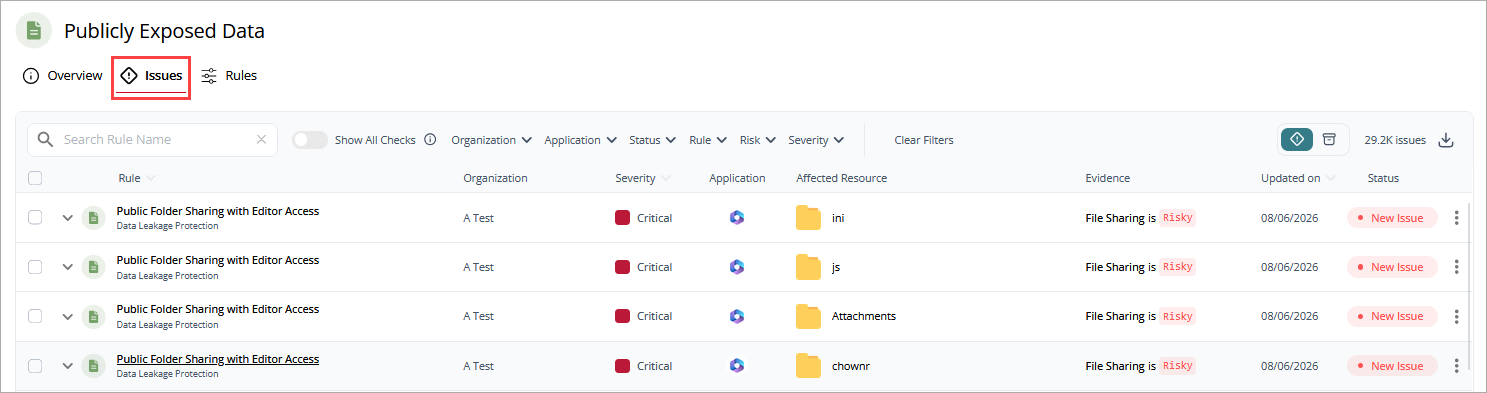
To show all of the issues, including those issues that successfully passed checks, enable the Show All Checks toggle.
From the Issues page, for each rule you can :
- Show Fix Options — For more information, go to Resolve Issues in WatchGuard CloudDR.
- Accept the Risk — For more information, go to Accept the Risk Associated with a Rule in WatchGuard CloudDR.
To download the list of issues to a .CSV file, in the upper-right corner, click  .
.
On the Rules page, you can view a list of rules associated with the use case.
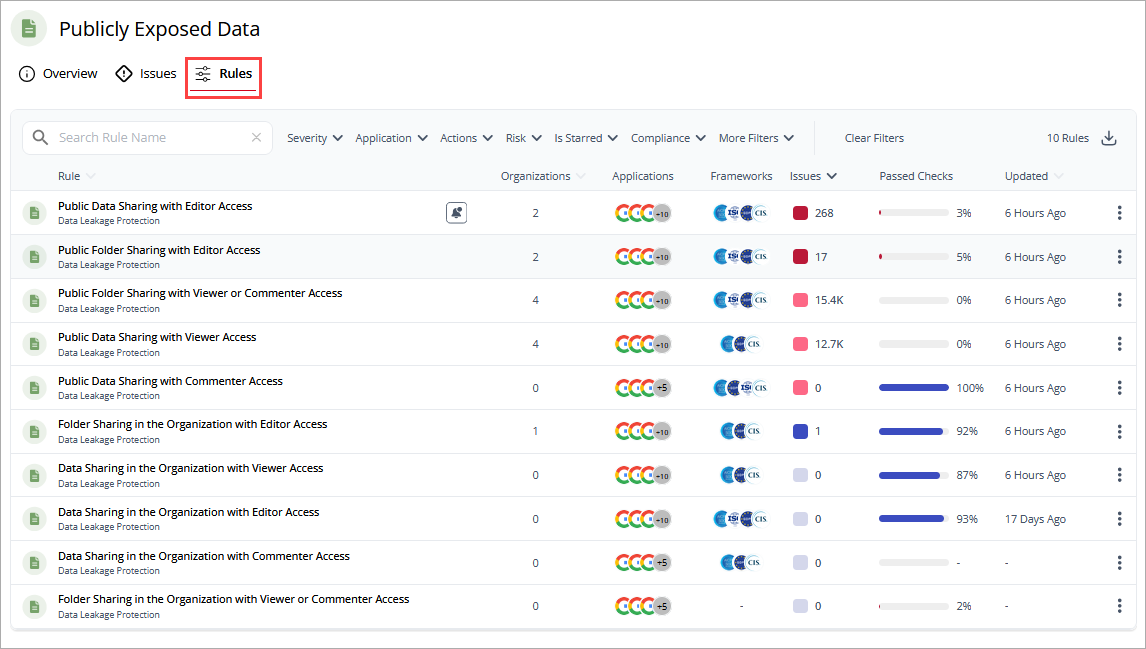
Click a rule or click  , then select View Rule Details to view detailed rule information, including:
- Organizations
- Issues
- Details
- Notifications
- Automation
- Remediations
- Compliance
- Logs
These actions can be performed from the rule details:
- Add Issue Notifications in WatchGuard CloudDR
- Edit Rule Pass Criteria in WatchGuard CloudDR
- Add Autofix Automation for Issues in WatchGuard CloudDR
- Resolve Issues in WatchGuard CloudDR
To download the list of rules to a .CSV file, in the upper-right corner, click .