Applies To: WatchGuard CloudDR
Zoom is a cloud-based video conferencing and online meeting platform that enables people to connect and communicate remotely with audio, video, and chat features. This guide describes how to integrate Zoom with CloudDR.
Available Features
- Misconfiguration Rules
- Identity Rules
- Discovered Application Rules
- User Inventory
Prerequisites
To configure this integration, you must use a Zoom admin account or a Zoom user account with these permissions:
| Scope | Use |
|---|---|
| user:read:admin | View information for all users in a Zoom account. |
| role:read:admin | View role information. |
|
account:read:admin |
View a primary account (previously called a master account) and sub-account information. This includes account settings, account lock settings, managed domains, and the trusted domains. |
| chat_channel:read:admin |
View information about the chat channels joined by the account users. |
|
group:read:admin |
View all contact group information. |
Configure the Zoom Integration in CloudDR
To configure the Zoom integration in CloudDR:
- In WatchGuard Cloud, select Configure > CloudDR.
- Select the Integrations tab.
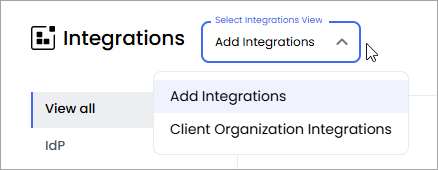
- (Service Providers) From the Select Integrations View drop-down list, select Add Integrations.
- In the Zoom widget, click Add.
- Click Start Integration.
- To give CloudDR access to Zoom, in the OAuth section, click Sign In with Zoom, and log in with the account identified in the prerequisites.
- Click Finish.