Applies To: WatchGuard CloudDR
Bitbucket is a web-based platform for version control and collaboration that enables software development teams to manage, track, and collaborate on source code and development projects. This guide describes how to integrate Bitbucket with CloudDR.
Available Features
- Misconfiguration Rules
- Identity Rules
- Discovered Application Rules
- User Inventory
Prerequisites
To configure this integration, you must have a Bitbucket account user with an admin role, or you can use the workspace owner role account user. Only these two roles have the required privileges.
Required Privileges
To configure this integration, you must have these privileges assigned to the user.
| Scope | Use |
|---|---|
| account | Read access to the user account information |
| issue | Read access to the workspace issue information |
|
snippet |
Read access to your snippets |
| repository |
Read access to a repository or repositories [MetaData] |
| pullrequest | Read access to your repositories and their pull requests [MetaData] |
|
project |
Read access to the workspace project settings and repositories contained within the workspace projects |
Configure the Bitbucket Integration in CloudDR
To integrate Bitbucket with CloudDR:
- In WatchGuard Cloud, select Configure > CloudDR.
- Select the Integrations tab.
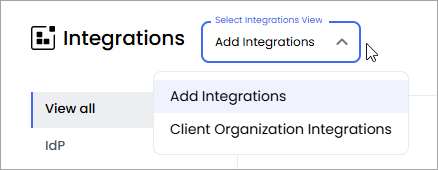
- (Service Providers) From the Select Integrations View drop-down list, select Add Integrations.
- In the Bitbucket widget, click Add.
- Click Start Integration.
- On the Namespace page, in the Namespace text box, enter the workspace name from your Bitbucket workspace URL. For example, if your workspace URL is https://bitbucket.org/watchguard-demo/workspace/overview/, enter watchguard-demo.
- Click Next.
- On the OAuth page, click Sign in with Bitbucket, and log in with your account to provide CloudDR access to your workspace.
- Click Finish.