Applies To: Endpoint Security Elite, Endpoint Security 360, Endpoint Security Prime, WatchGuard EDR, Endpoint Security Basic
To open the multi-tenant management UI for endpoint security, your Service Provider account must have an active Endpoint Security product license in its inventory.
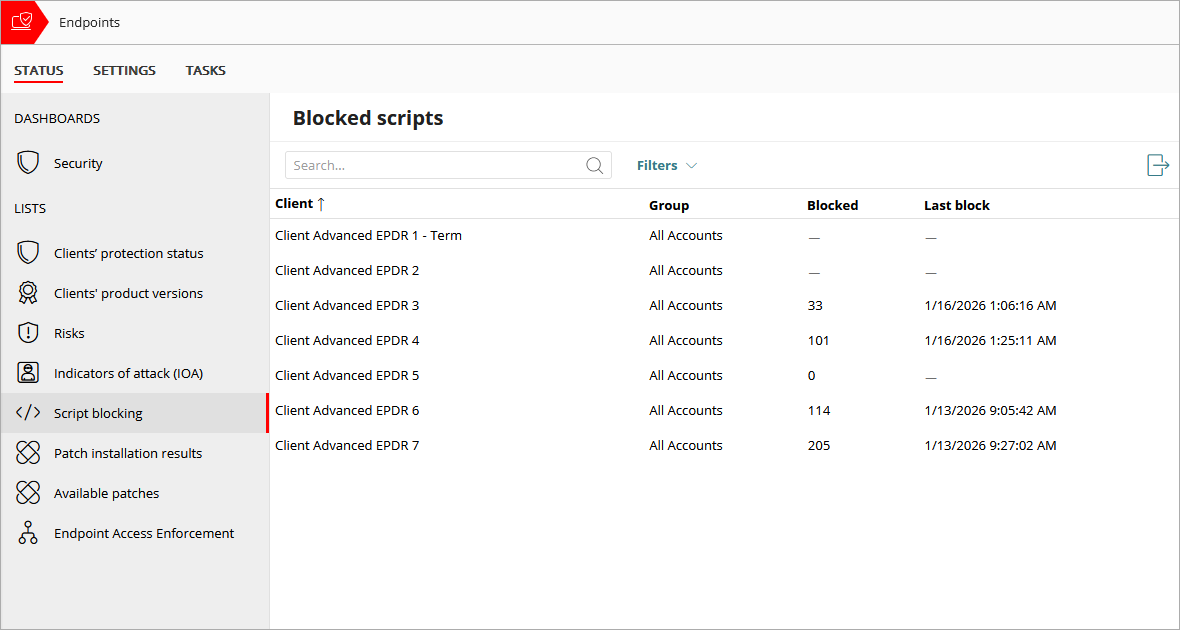
The Status > Script Blocking page provides quick access to a list of clients where you can see which client accounts blocked a script. You can sort the list by the Client column.
If the client account does not have script blocking enabled or if the client's product version needs to be updated to the latest protection, the row is empty. Review the Clients' Product Version list to update the protection. For more information, go to Multi-Tenant Management — View and Update Client Product Versions.
More data is available in the exported .CSV file. To export the list, in the upper-right corner of the table, click  .
.
To filter the list of client accounts, from WatchGuard Cloud:
- From Account Manager, select a Service Provider account.
To select your own Service Provider account, select Overview. Or, select a tier-n Service Provider account. - Select Monitor > Endpoint Security.
- On the Status page, select Script Blocking.
- Click Filters.
- To refine search results:
- Computer Type — Select the check box for each type of endpoint you want to filter the list for (for example, workstation, laptop, or server).
- Script Type — Show accounts where a specific type of script was blocked. This could be PowerShell, BAAT/CMD/LNK, AutoIT, VBS/JS, Python, PHP, MSHTA, or All.
- Interactive Execution — Show accounts where there was interaction with the script (Yes, No, or All).
- Dates — Show accounts where scripts executed during a specific time period (Last 24 Hours, Last 7 Days, or Last Month).
- Execution — Show accounts where scripts were executed locally, remotely, or both (All).
- Click Filter.
Blocked Scripts List
The list displays information about blocked scripts for each account. The list includes this information:
Client
The name of the WatchGuard Cloud account.
Group
The name of the WatchGuard Cloud account group that the account belongs to.
Blocked
The name of the script that was blocked.
Last Block
The date and time when a script was last blocked on the account.