Applies To: WatchGuard Cloud
The Rai MCP server enables external AI clients (such as Claude or Cursor) to connect to WatchGuard Cloud. Rai MCP Server access mirrors your WatchGuard Cloud permissions. An AI client connected through the MCP Server can only view data you can view, and can only take actions your role permits.
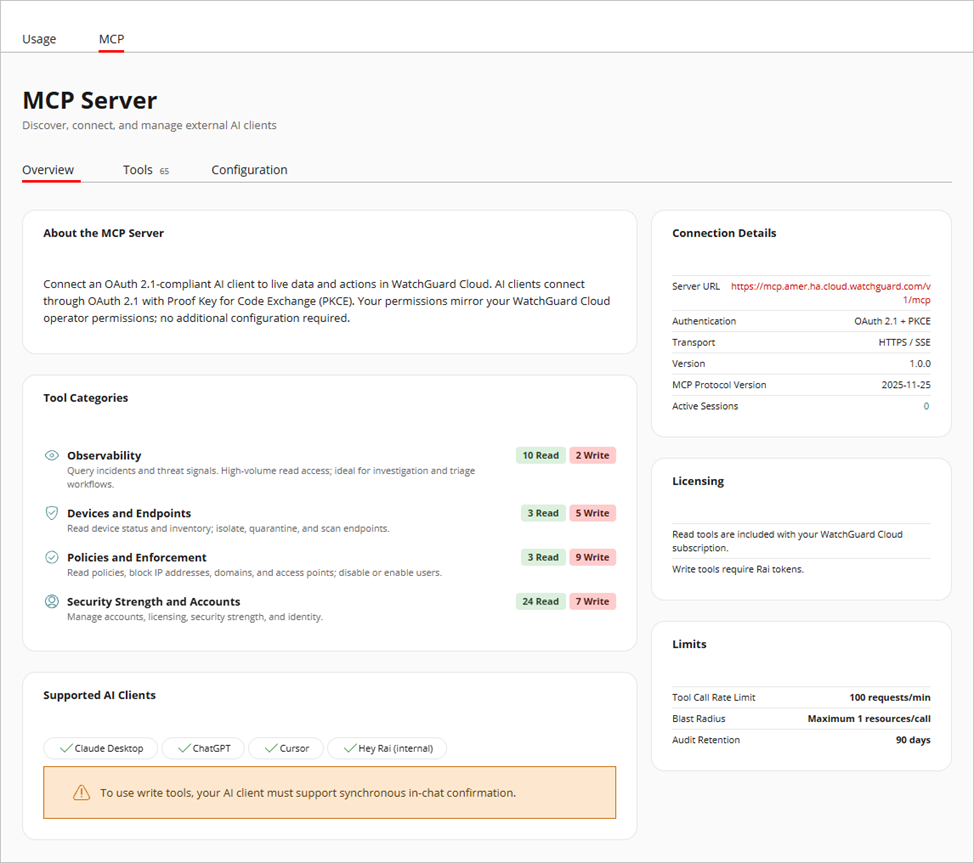
To manage and monitor your MCP connections, select Administration > Rai > MCP in WatchGuard Cloud. On the Overview tab, you can view details about connection requirements, tool categories, and supported AI clients.
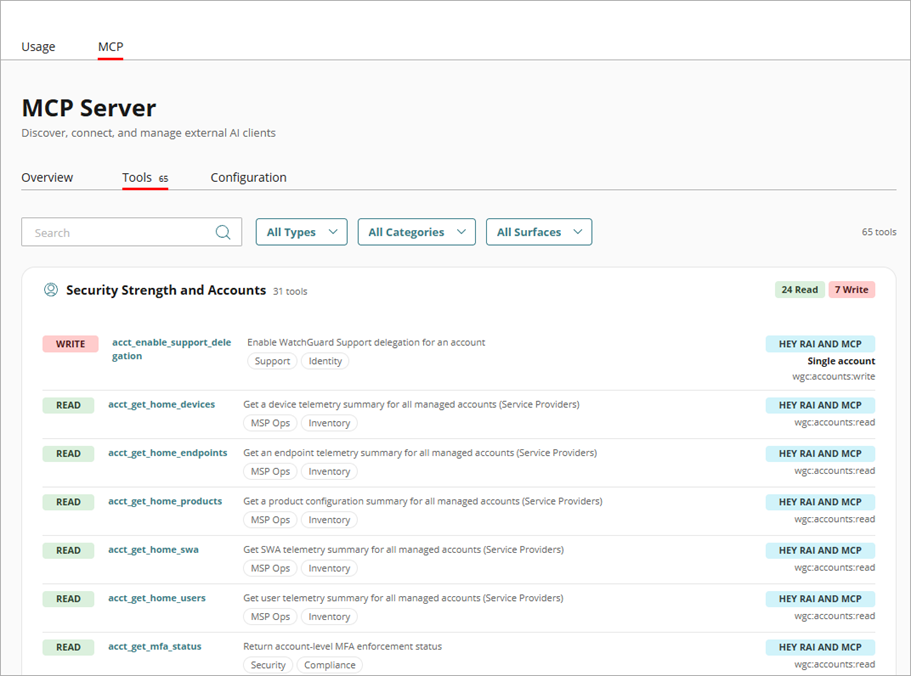
On the Tools tab, you can view the tools available to MCP connections. You can sort and filter the list of tools by type, category, and AI client.
The Configuration tab shows detailed connection instructions for each supported AI client.
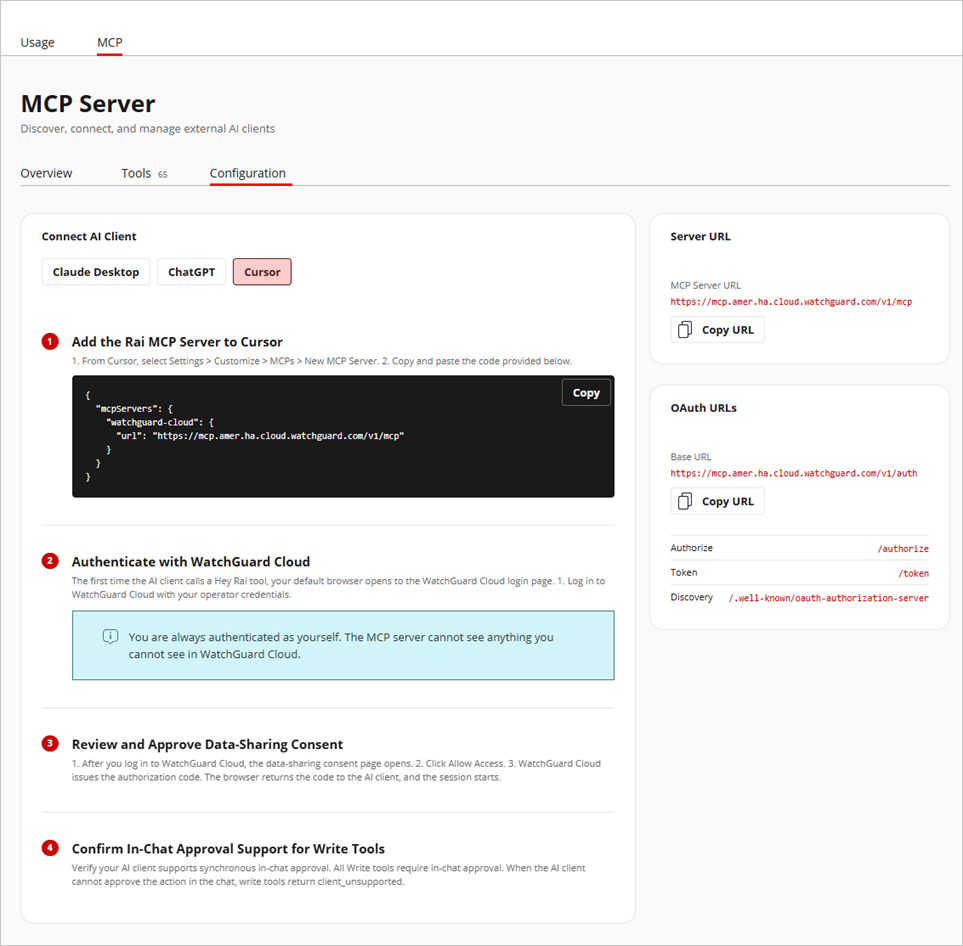
For more information, go to Configure Rai MCP Server Connections.