Applies To: Locally-managed Fireboxes
You can configure your Firebox to integrate with Autotask, a professional service automation tool. This integration enables service providers to automatically synchronize customer asset information for more efficient device management and monitoring.
This topic applies to PSA integrations for locally-managed Fireboxes only. For information about tier-1 Service Provider-level PSA integrations in WatchGuard Cloud, go to About PSA Tool Integration with WatchGuard Cloud.
For instructions on how to integrate Autotask from your Firebox, go to:
-
Autotask Integration in WatchGuard Cloud (for cloud-managed Fireboxes)
The instructions in this topic help you create an Autotask API user account, configure configuration items and monitors, and configure ticket management in Autotask for your Firebox integration.
For more information or technical support about how to configure settings on the Autotask website, go to the Autotask documentation.
- Create a New Autotask API User Account — You must create a new Autotask API user account for integration with your Firebox. For more information go to Create a New Autotask API User Account.
- View Firebox Configuration Details in Autotask — After you integrate your Firebox, you can view your Firebox devices in Autotask. For more information, go to View Firebox Configuration Details in Autotask.
- View and Edit Configuration Items and Monitors — To view and edit current configuration items and monitors in Autotask, go to Edit Configuration Items and Monitors.
- Manage Tickets, Priority Levels, Queues, and Products — You can manage your tickets, create custom Priority levels, Queues, and Product categories that appear in the Autotask configuration settings on your Firebox. For instructions, go to :
- View Ticket Management
- Edit Ticket Priorities
- Edit Queues
- Edit Products
- After you enable Autotask on your Firebox and save the configuration, Autotask automatically creates a Configuration Item object for the Firebox. Configuration Items are assets that you manage in Autotask, and they are grouped by Product type.
- If you already have an existing configuration item for your Firebox in Autotask, you can select the Use existing configuration item option that searches for an existing Firebox configuration item based on the serial number of the Firebox. If you select Use existing configuration item, you must manually add the WatchGuard user-defined fields to your Autotask configuration to enable device monitoring.
Create a New Autotask API User Account
The Firebox integration requires an Autotask API User account to enable secure communications between the Firebox and your Autotask account.

- Log in to Autotask PSA with an HR Admin security level user account.
- From the main menu, select Admin > Extensions & Integrations.
- Expand the Extensions & Tools section, then select Integration Center.
- Find the WatchGuard integration entry named Watchguard – Asset Registration and Closed-Loop Ticketing. You can press CTRL-F in your web browser to search the page.
- Click the options menu icon for this entry, then select Add API User.
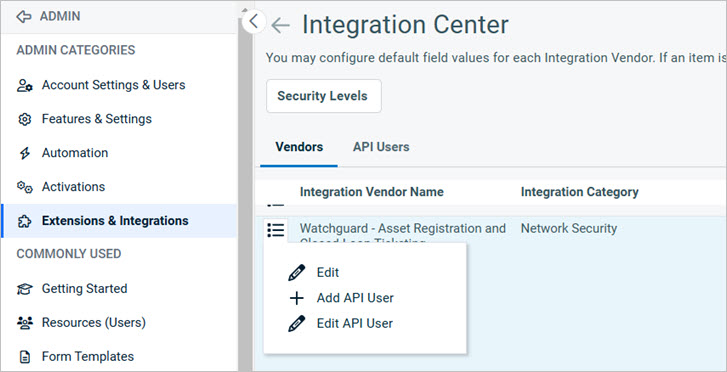
- Type the First Name, Last Name, andEmail Address.
- From the Security Level drop-down list, select API User (system).
- Type a Username (Key) for the user account. This is the username you must specify in your Firebox integration.
- Type a Password (Secret) for the user account. This is the password you must specify in your Firebox integration.
- In the API Tracking Identifier section, make sure Watchguard – Asset Registration and Closed-Loop Ticketing is selected in the Integration Vendor drop-down list.

- Complete any other information you require for the user account.
- When you finish, click Save & Close.
View Firebox Configuration Details in Autotask
After you enable Autotask integration on your Firebox, information from the Firebox, such as the serial number and expiration date, is automatically synchronized and appears in Autotask.
- In your Autotask account, select Service Desk.
- Select CRM > Accounts and search for a specific account.
You can also select My > CRM > Accounts to show the accounts you manage.
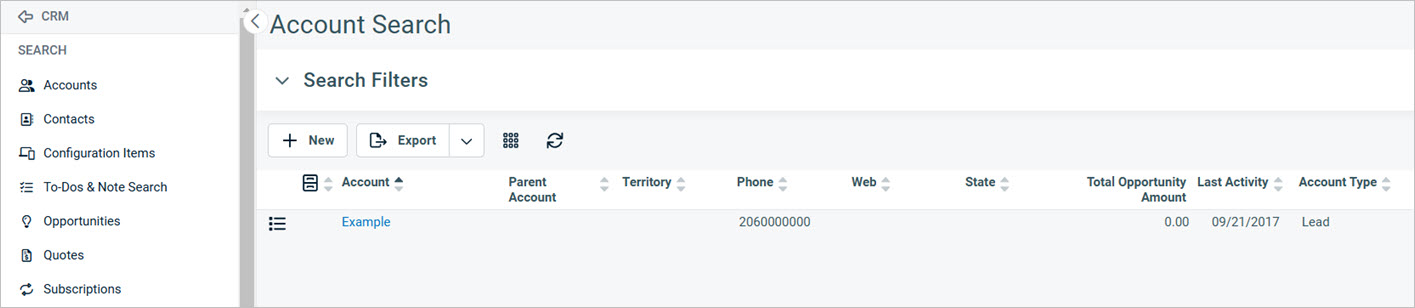
- To view the account details, click the account name.
The Account Dashboard page appears. - To view the account details, click Detail.
The Account Detail page appears.
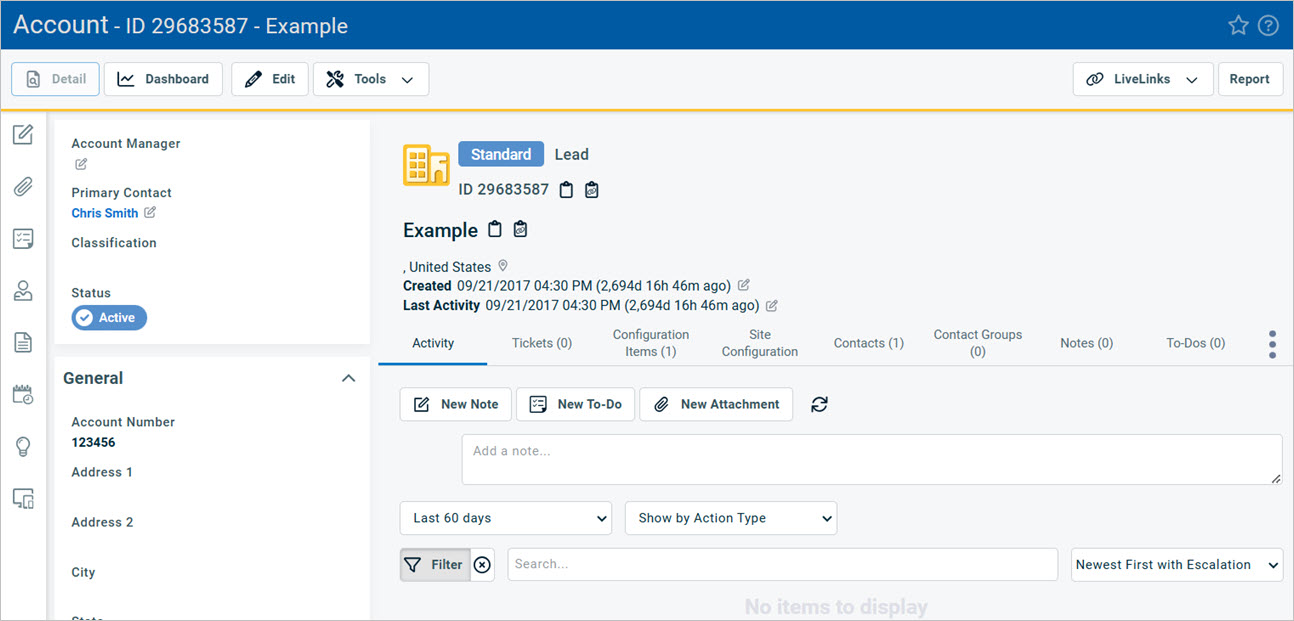
Edit Configuration Items and Monitors
You can view and edit the Configuration Items and Monitors for an account in Autotask.
- From the Account details page, select the Configuration Item tab.
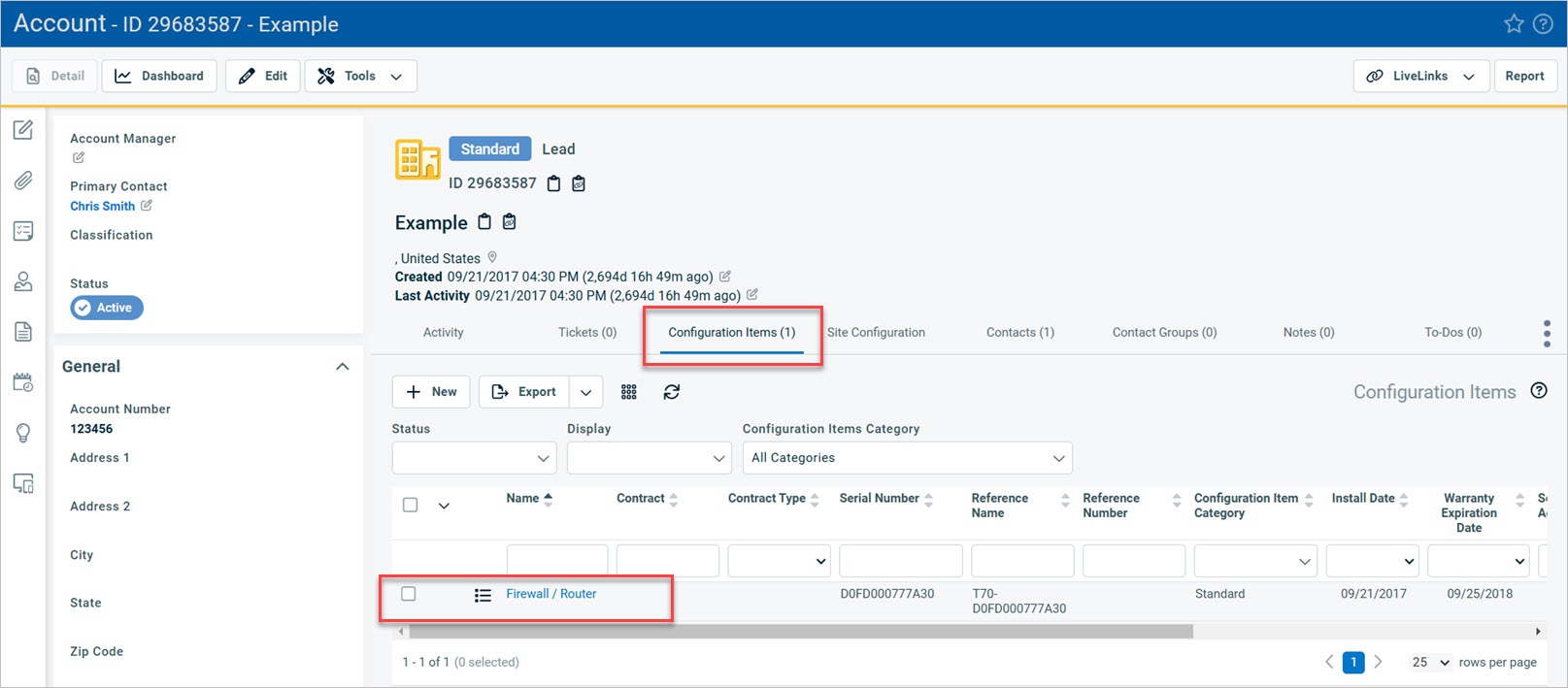
You can select an existing configuration item to edit the settings, (Firebox / Router) or add a new configuration item.

- To view the configuration item monitors for your Firebox, scroll down to the User-Defined Fields section.
A list of WatchGuard monitors appears.

WatchGuard Monitors
The Configuration Items include a unique set of WatchGuard monitors that relate to Firebox monitoring and ticket management. These monitors are thresholds for system events that enable you to customize the Firebox events that generate tickets in Autotask.
You can configure the thresholds for each WatchGuard monitor.
If you edit a monitor in Autotask, you must use the same syntax as existing monitors. If you create a monitor with invalid syntax, the Autotask UI does not warn you. However, errors appear in the Firebox logs.
If a system condition passes a configured threshold, Autotask creates a ticket to notify you of the system event. If the event does not continue and passes below the threshold, the ticket is automatically closed. If the event occurs again, the same ticket is opened again so that you can track repeated occurrences of the same event.
WG: Firebox Model
Displays the model number of your Firebox.
WG: Fireware Version
Displays the Fireware version that is on your Firebox.
WG: Monitor APT Detection
Monitors APTs detected by APT Blocker over a specified period of time. For example, it can notify you if 100 APTs were detected over 10 minutes.
WG: Monitor Botnet Detection
Monitors botnet activity detected by Botnet Detection over a sustained period of time. For example, it can generate a ticket if botnet activity is detected for over 10, 30, or 60 minutes.
WG: Monitor Certificate Expiration
Monitors system certificates and generates a ticket if any certificates will expire within the number of days you specify. You can select 10, 30, or 60 days prior to expiration.
WG: Monitor Cluster Failover
Monitors whether a FireCluster failover has occurred. After a failover occurs, the new FireCluster master generates a ticket. The ticket information includes the member IDs of the new cluster master and the previous master. The ticket is closed after five minutes of cluster stability.
WG: Monitor CPU Usage
Monitors CPU usage over a specified time period. For example, it can generate a ticket if CPU usage is greater than 90% over 10 minutes.
WG: DLP Detection
Monitors violations detected by Data Loss Prevention over a specified period of time. For example, it can generate a ticket if 50 DLP violations were detected over 10 minutes.
WG: Feature-Key Expiration
Monitors feature keys and generates a ticket if any feature keys will expire within the number of days you specify. You can select 10, 30, or 60 days prior to expiration.
WG: Monitor Flood Detection
Monitors whether DoS flood attacks (such as SYN, ICMP, UDP, IPsec, IKE floods) have occurred over a specified period of time. For example, it can generate a ticket if any flood attacks are detected over 10, 30, or 60 minutes.
WG: Monitor Interface Status
Monitors whether any network interfaces have a link down status over a specified period of time. For example, it can generate a ticket if an interface is down for longer than 5, 10, or 30 seconds.
WG: Intrusion Prevention
Monitors whether intrusion attempts have been detected by IPS over a specified period of time. For example, it can notify you if 50 intrusions were detected over 10 minutes.
WG: Monitor Memory Usage
Monitors memory usage over a specified time period. For example, it can notify you if memory usage is greater than 90% for over 10 minutes.
WG: Monitor Spam Detection
Notifies you if spam email messages have been detected by spamBlocker over a specified period of time. For example, it can notify you if 50 spam messages were detected over 10 minutes.
WG: Monitor Total Connections
Monitors the total number of concurrent connections over a specified time period compared to your system connection limits. For example, it can generate a ticket if the total number of concurrent connections is greater than 90% of your system limit for over 10 minutes.
WG: Monitor Total L2TP Connections
Monitors the total number of concurrent L2TP connections over a specified time period compared to your system connection limits. For example, it can generate a ticket if the total number of concurrent L2TP connections is greater than 90% of your system limit for over 10 minutes.
WG: Monitor Total MUVPN Connections
Monitors the total number of concurrent Mobile VPN (MUVPN) connections over a specified time period compared to your system connection limits. For example, it can generate a ticket if the total number of concurrent MUVPN connections is greater than 90% of your system limit for over 10 minutes.
WG: Monitor Total SSLVPN Connections
Monitors the total number of concurrent SSLVPN connections over a specified time period compared to your system connection limits. For example, it can generate a ticket if the total number of concurrent SSLVPN connections is greater than 90% of your system limit for over 10 minutes.
WG: Monitor Virus Detection
Notifies you if viruses have been detected by Gateway AntiVirus over a specified period of time. For example, it can generate a ticket if 50 viruses were detected over 10 minutes.
View Ticket Management
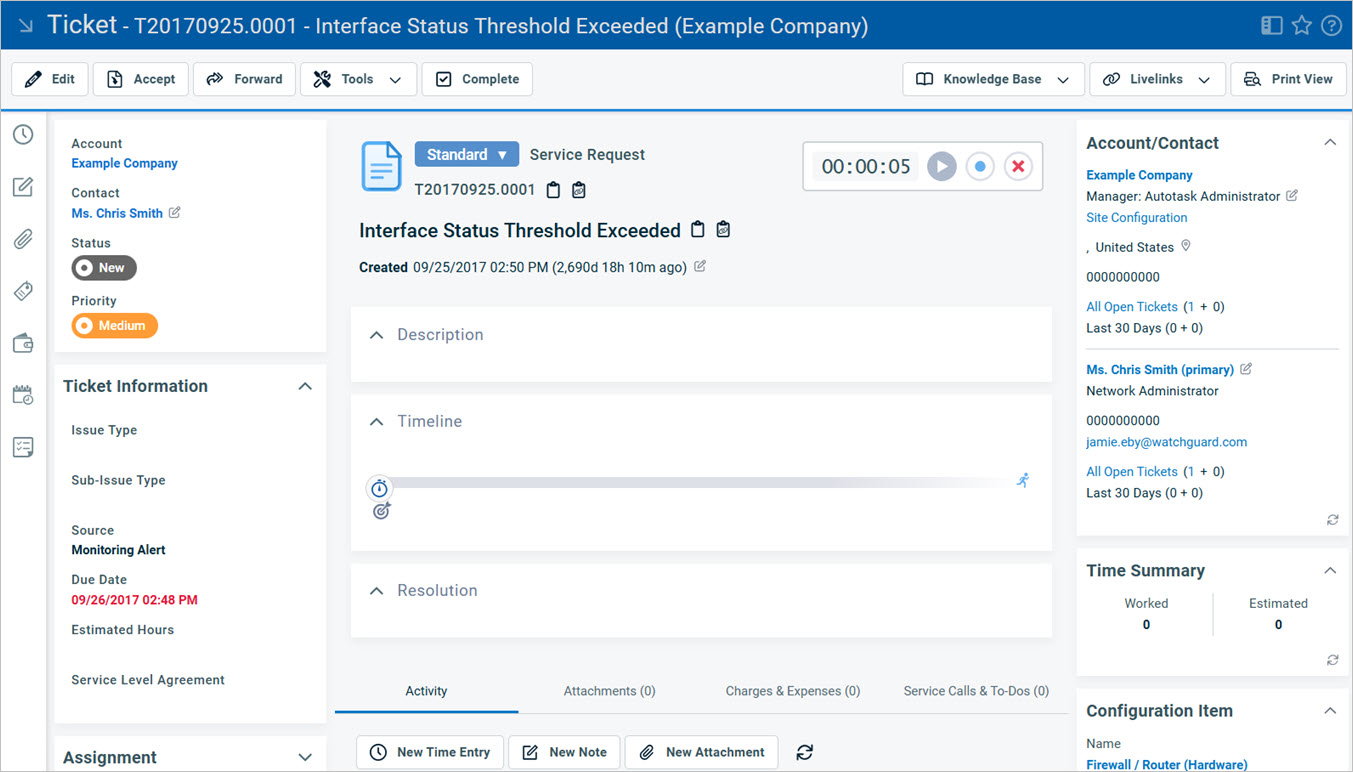
In Autotask, you specify the thresholds that automatically trigger the creation and closure of service tickets. This prevents ticket flooding and false alarms, and enables tickets to be automatically closed when issues are resolved. If an event occurs again, the same ticket is reopened so that you can track repeated occurrences of the same event.
- In your Autotask account, select Service Desk.
- Select My Workspace & Queues. This is also available from the My menu on your Autotask dashboard.
The My Workspace & Queues page opens.
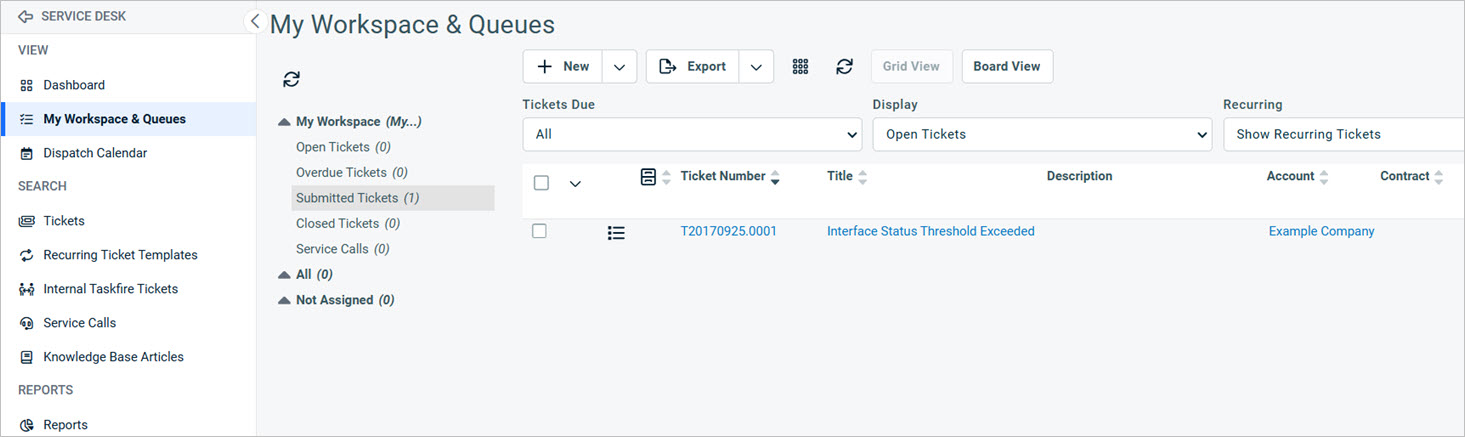
- To view the ticket details, click the ticket number or description.
Edit Ticket Priorities
In Autotask, there are default Ticket Priorities that will also appear in your Firebox integration:
- Critical
- High
- Medium
- Low
In Autotask, you can change the Ticket Priority name, deactivate a Ticket Priority, or create a new Ticket Priority. After you make changes to Ticket Priorities in Autotask, the Autotask configuration on your Firebox shows the changes.
- On the Autotask dashboard, select Admin.
- Select Features & Settings.
- Click Service Desk (Tickets).
- Click Task & Ticket Priorities.
The Ticket Priorities page opens.

You can edit, inactivate, or delete current priorities from the options menu. To create a new priority, click New.
Edit Queues
In Autotask, there are default Service Desk Queues that will also appear in your Firebox integration.
You can make changes to the default Queues. For example:
- Edit the Queue name
- Deactivate or delete a Queue
- Create a new Queue
- Edit who receives notifications about the Queue
After you make changes to the Service Desk Queues in Autotask, the Autotask configuration on your Firebox shows the changes.
- On the Autotask dashboard, select Admin.
- Select Features & Settings.
- Click Service Desk (Tickets).
- Click Queues.
The Service Desk Queues page opens.
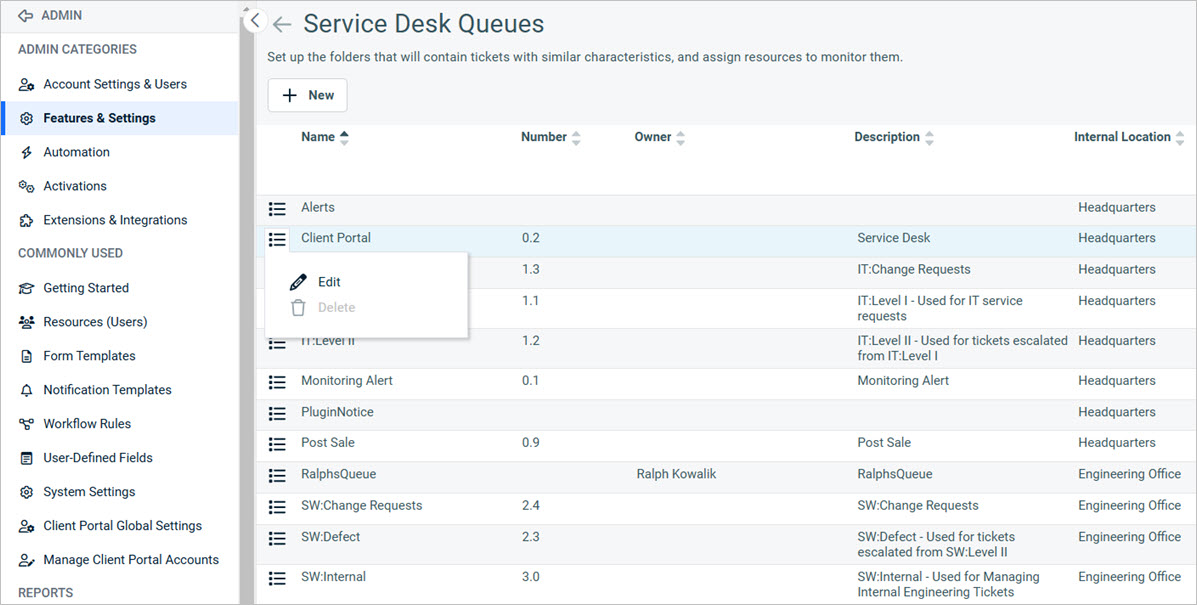
You can edit or delete a queue from the options menu. To create a new queue, click New.
Edit Products
In Autotask, there are default Product Categories that will also appear in your Firebox integration. You can change these default Product Categories or create new categories. After you make changes to the Service Desk Queues in Autotask, the Autotask configuration on your Firebox shows the changes.
- On the Autotask dashboard, select Admin.
- Select Features & Settings.
- Select Products, Services, & Inventory.
- Click Product Categories.
The Product Categories page opens.

You can edit, copy, add a subcategory, or delete a product category from the options menu. To create a new product category, click New.