Applies To: Endpoint Security Elite, Endpoint Security 360, Endpoint Security Prime, WatchGuard EDR, WatchGuard EDR Core, Endpoint Security Basic
The WatchGuard Endpoint Security plug-in integrates with these sections in N-central:

Views
Use the Views section in N-central to select different views of your security status. Use the Active Issues list, All Devices list, and Job Status list to view detailed information about your monitored devices.

Active Issues
Select Active Issues to view all active security issues. This list shows items the service monitors (for example, indicators of attack, malware, PUP, protection status) and any associated failures or warnings.

All Devices
Select All Devices to check the status of your devices. You can view the status of network, mobile, and SaaS devices from this page.

Select an icon in the Status column to view monitoring details on the Device Details page. The monitoring details include a list of items monitored and the status of each item.
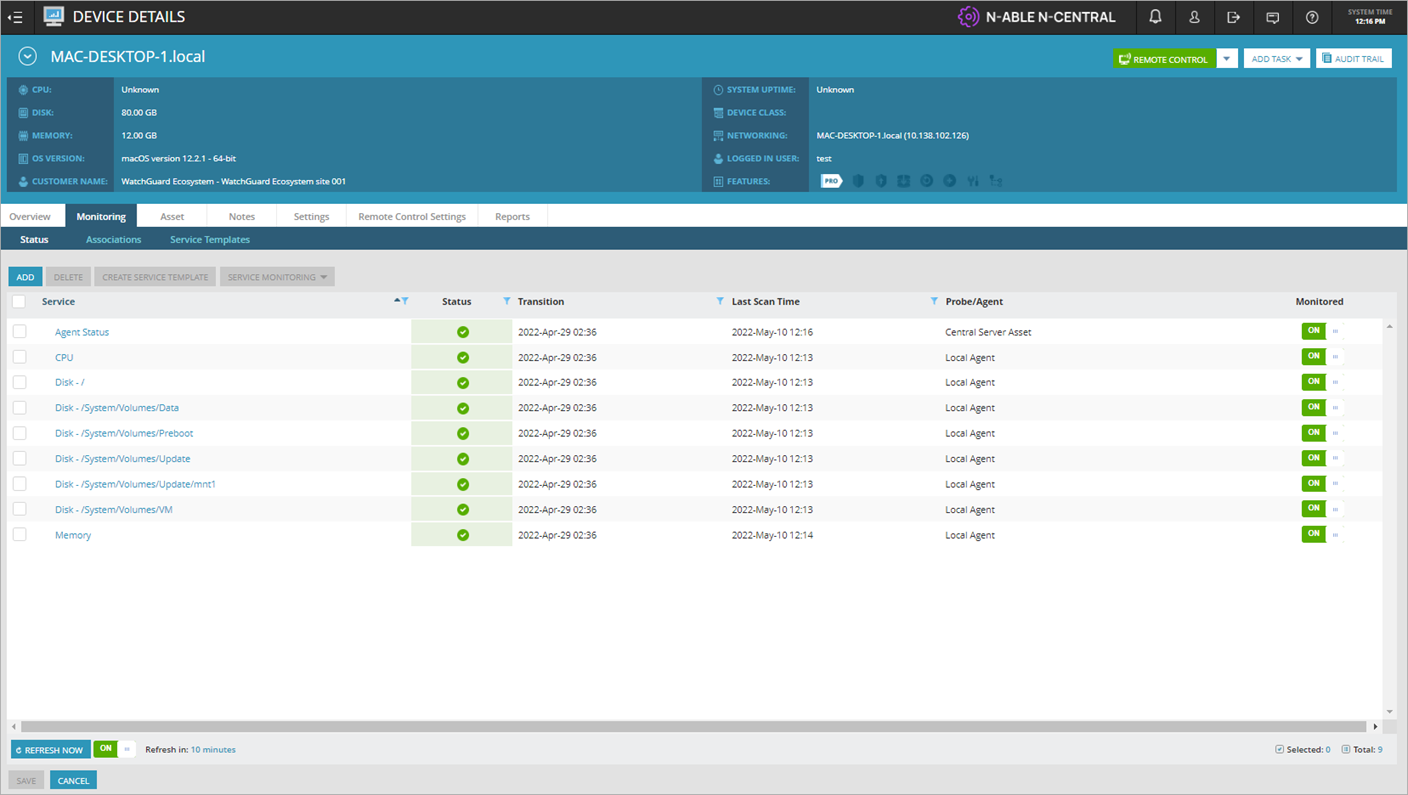
A red error icon in the Status column indicates WatchGuard Endpoint Security detected a security incident. Point to the error icon to view additional information.
An error icon shows when any of these are detected:
- Malware
- PUP
- Exploit
- Virus
- Spyware
- Hacking Tool
- IOA
- Blocked Program
- WatchGuard agent installation failure
- Machine without a license
A warning icon shows when any of these events occur:
- Protection status error
- Pending restart
Job Status List
When you create a task, you can check the progress of the job on the Job Status page. Select specific jobs to see additional information.

For more information on WatchGuard Endpoint Security tasks for macOS devices, see Run Tasks on macOS Devices in N-able N-central.
For more information on WatchGuard Endpoint Security tasks for Windows devices, see Automation Policies for Windows Devices in N-able N-central.
Actions
Use the Actions section to run scripts for macOS devices and automation policies for Windows devices.

For more information on WatchGuard Endpoint Security actions for macOS devices, see Run Tasks on macOS Devices in N-able N-central.
For more information on WatchGuard Endpoint Security actions for Windows devices, see Automation Policies for Windows Devices in N-able N-central.
Configuration
Use the Configuration section to configure notifications, rules, add scheduled task profiles, and open the Script/Software Repository.

For more information on how to configure WatchGuard Endpoint Security in N-central, see Configure the WatchGuard Endpoint Security Plug-in for N-able.
Administration
Use the Administration section to import the service template and create custom properties.

For more information on how to create custom properties and import the service template in N-central, see Install the WatchGuard Endpoint Security Plug-in for N-able N-central.
About the WatchGuard Endpoint Security Plug-in for N-able N-central
Install the WatchGuard Endpoint Security Plug-in for N-able N-central
Configure the WatchGuard Endpoint Security Plug-in for N-able