Applies To: Endpoint Security Elite, Endpoint Security 360, Endpoint Security Prime, WatchGuard EDR, WatchGuard EDR Core, Endpoint Security Basic
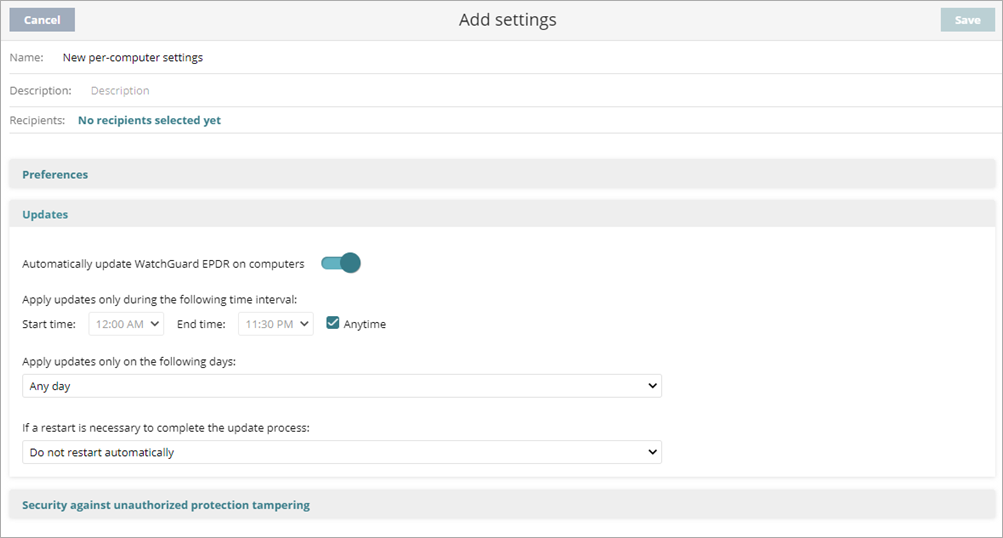
Endpoint Security products use settings profiles that specify how often to install software on workstations and servers. You can configure the time and frequency of the updates for the endpoint software. However, you might notice that your computer did not update the endpoint software on the schedule that you set.
To troubleshoot update schedule issues:
- Make sure that the WatchGuard Agent is not in a current update phase of endpoint software.
- Make sure to enable Automatically Update Endpoint Security 360 On Computers in the management UI.
- Make sure that your network has access to the Internet.
- Make sure that you have access to the required URLs listed in the WatchGuard Cloud URLs and Network Access Requirements.
If the issue persists, from the endpoint computer:
- Run the PSInfo Force Sync tool.
- Collect advanced logs and send them to Support as part of a case.
- Use the PSInfo tool to provide diagnostic logs to help Support troubleshoot your issue. For more information, go to Get Started with PSInfo.