Applies To: Endpoint Security Elite, Endpoint Security 360, Endpoint Security Prime, WatchGuard EDR, WatchGuard EDR Core, Endpoint Security Basic
The Reports page provides a detailed description of specific threats detected on devices in your managed accounts.
You can filter the data based on these time periods:
- Last 24 hours
- Last 7 days
You can also filter based on client name, computer name, and type of threat.
This is an example of an Endpoint Security 360 report for the endpoint, filtered for indicators of attack for the last 7 days:
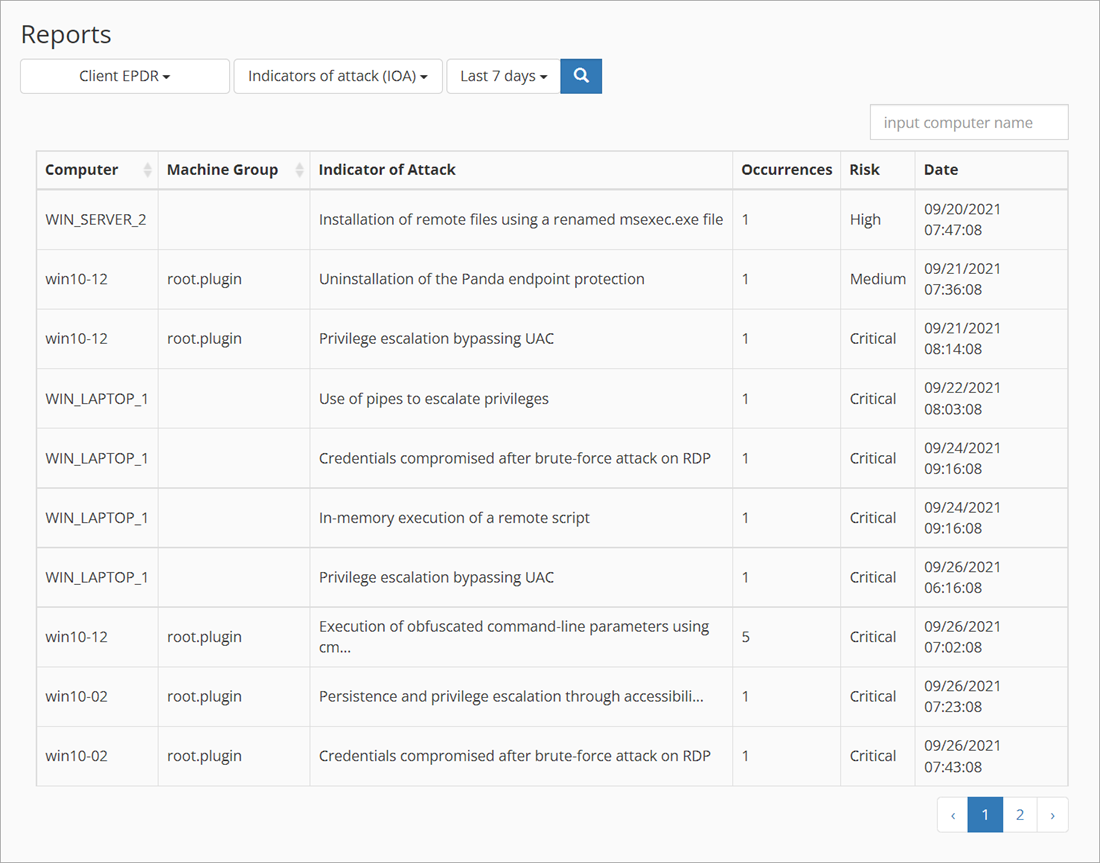
The Reports page shows different threat information for each Endpoint Security product selected.
| Endpoint Security Product Name | Available Reports |
|---|---|
| Endpoint Security Basic |
|
| WatchGuard EDR |
|
| WatchGuard EDR Core |
|
| Endpoint Security 360 |
|
| Endpoint Security Elite |
|