Applies To: Endpoint Security Elite, Endpoint Security 360, Endpoint Security Prime, WatchGuard EDR
Many security incidents begin with attacks that exploit vulnerabilities in Internet-exposed services. If malicious actors achieve their goal and infect computers in your organization, you must stop the attack. Network Attack Protection is enabled by default to block attacks in new accounts with Endpoint Security.
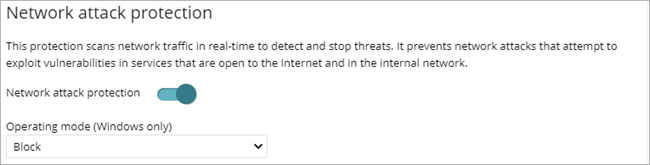
Network Attack Protection scans network traffic in real time to detect and stop threats. It prevents network attacks that attempt to exploit vulnerabilities in services that are open to the Internet and in the internal network. For more information, go to Network Attack Protection — Types of Attacks Detected (Windows Computers).
If you disable Network Attack Protection, it appears as a risk on the Risks dashboard. For more information, go to Security Risks Status in Endpoint Security.
Your operator role determines what you can see and do in WatchGuard Cloud. Your role must have the Configure Security for Workstations and Servers permission to view or configure this feature. For more information, go to Manage WatchGuard Cloud Operators and Roles.
To enable network attack protection, enable the toggle. You can select the operating mode:
- Audit — Allows network attacks.
- Block — Blocks network attack before they can perform actions. This is the default option.
For a list of the attacks that WatchGuard Endpoint Security detects, go to Network Attack Protection — Types of Attacks Detected (Windows Computers).
You can send email alerts when Network Attack Protection detects a network attack. For more information, go to Configure Email Alerts.
Zero-Trust Application Service for Windows, Linux, and Mac Devices