Applies To: AuthPoint Multi-Factor Authentication, AuthPoint Total Identity Security
Applies To: Endpoint Security Elite, Endpoint Security 360, Endpoint Security Prime, WatchGuard EDR, Endpoint Security Basic
Applies To: WatchGuard NDR, WatchGuard SaaS DR
Applies To: Total NDR
Applies To: WatchGuard Network Management
In WatchGuard Support Center, you can review the list of the licenses and trial licenses activated for your account and details of each license. Go to the appropriate section below:
- Review Endpoint Security License History
- Review AuthPoint License History
- Review NDR License History
- Review Compliance Reporting License History
- Review WatchGuard NDR for Firebox License History
- Review WatchGuard CloudDR License History
- Review Network Management License History
For each license, the Product Details page shows the licenses co-termed with that license. Co-termed licenses are licenses that you activate and use to modify or extend your license. For more information, go to the appropriate product topic:
- Co-Term Endpoint Security Licenses
- Co-Term AuthPoint Licenses
- Co-Term WatchGuard NDR Licenses
- Co-Term WatchGuard SaaS DR Licenses
- Co-Term WatchGuard Compliance Reporting Licenses
- Co-Term Total NDR Licenses
- Co-Term WatchGuard Network Management Licenses
- About WatchGuard NDR for Firebox Licenses
- Co-Term WatchGuard CloudDR Licenses
Review Endpoint Security License History
To review the history of an Endpoint Security license:
- Go to https://www.watchguard.com/ and log in to WatchGuard Support Center with your WatchGuard account.
- On the Support Center Home page, select My WatchGuard > Manage Products.

- From the Manage Products page, in the Endpoint Security section, click View Products.
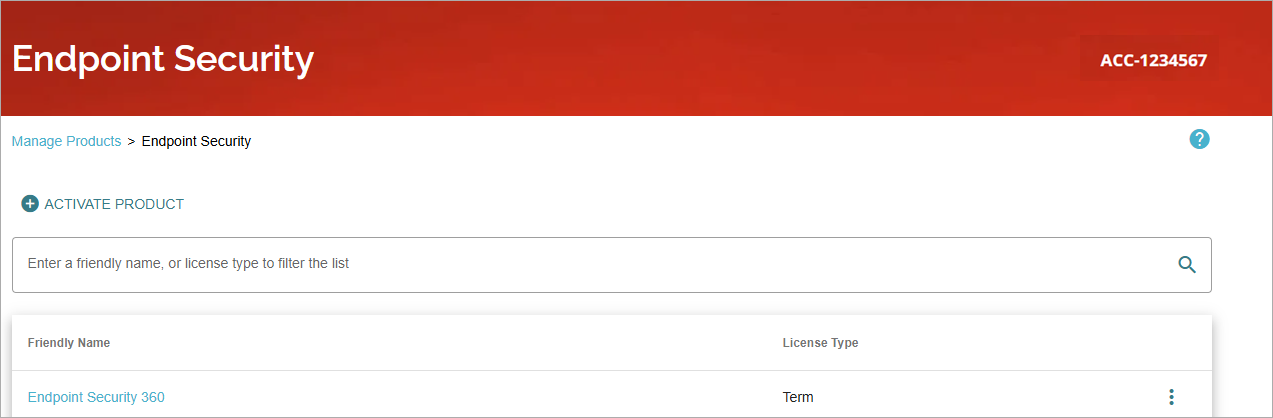
The Endpoint Security Products page opens.
-
Select the Friendly Name of any license in the list to open the Product Details page for the license.
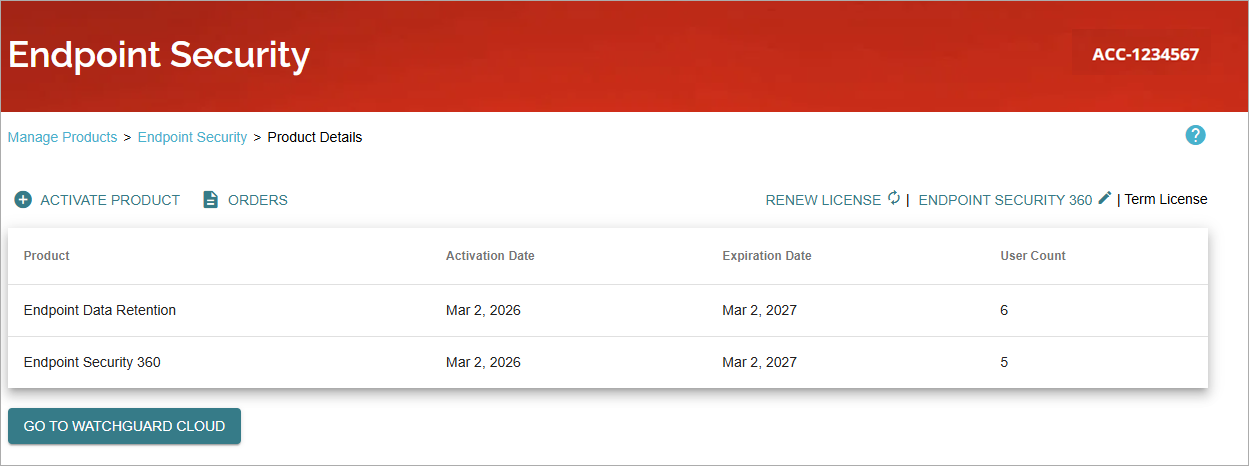
Note: When you select a Zero Trust or Passport license, you see information for all of the products and services that your license bundle includes.
Review AuthPoint License History
To review the history of an AuthPoint license:
- Go to https://www.watchguard.com/ and log in to WatchGuard Support Center with your WatchGuard account.
- On the Support Center Home page, select My WatchGuard > Manage Products.
- From the Manage Products page, in the Identity Security section, click View Products.
The AuthPoint Products page opens.
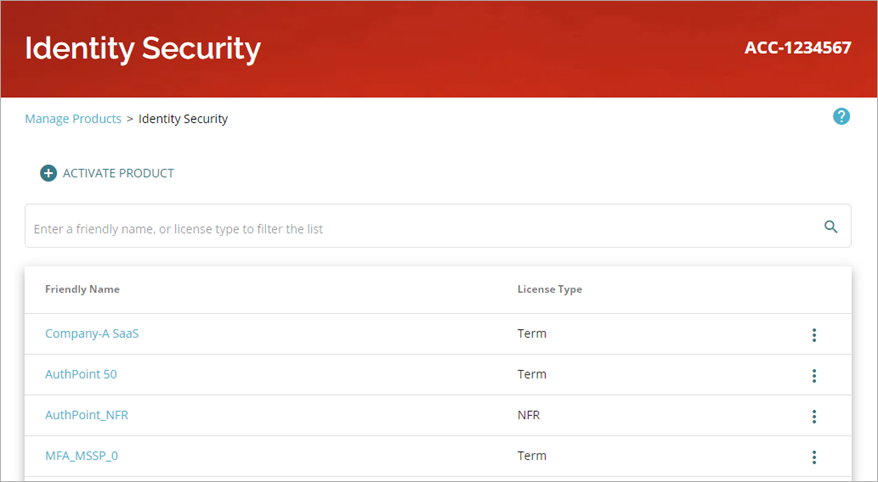
- Select the Friendly Name of any license in the list to open the Product Details page for the license.
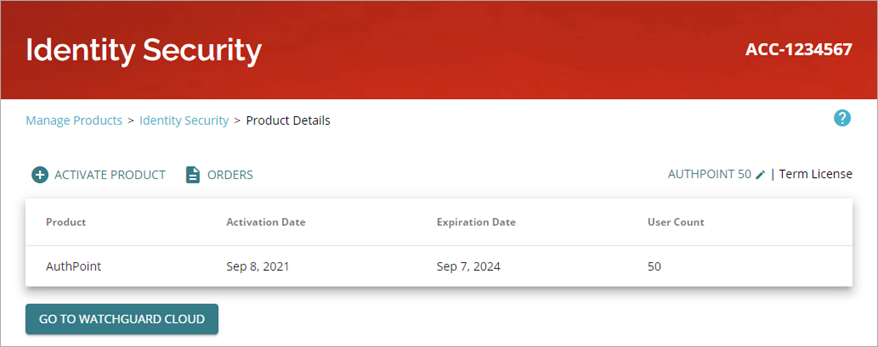
Note: When you select a Zero Trust or Passport license, you see information for all of the products and services that your license bundle includes.
Review NDR License History
To review the history of NDR licenses:
- Go to https://www.watchguard.com/ and log in to WatchGuard Support Center with your WatchGuard account.
- On the Support Center Home page, select My WatchGuard > Manage Products.

- From the Manage Products page, in the NDR section, click View Products.
The NDR Products page opens.

- Select the Friendly Name of any license in the list to open the Product Details page for the license.

Review Compliance Reporting License History
To review the history of a WatchGuard Compliance Reporting license:
- Go to https://www.watchguard.com/ and log in to WatchGuard Support Center with your WatchGuard account.
- On the Support Center Home page, select My WatchGuard > Manage Products.
- From the Manage Products page, in the NDR section, click View Products.
The NDR Products page opens.
- Select the Friendly Name of any license in the list to open the Product Details page for the license.
Review WatchGuard NDR for Firebox License History
To review the history of a WatchGuard NDR for Firebox license:
- Go to https://www.watchguard.com/ and log in to WatchGuard Support Center with your WatchGuard account.
- On the Support Center Home page, select My WatchGuard > Manage Products.
- From the Manage Products page, in the NDR section, click View Products.
The NDR Products page opens. - Select the NDR for Firebox tab.

- Select the Friendly Name of any license in the list to open the Product Details page for the license.

Review WatchGuard CloudDR License History
To review the history of a WatchGuard CloudDR license:
- Go to https://www.watchguard.com/ and log in to WatchGuard Support Center with your WatchGuard account.
- On the Support Center Home page, select My WatchGuard > Manage Products.
- From the Manage Products page, in the CloudDR section, click View Products.
- Select the Friendly Name of any license in the list to open the Product Details page for the license.
Review Network Management License History
To review the history of a Network Management license:
- Go to https://www.watchguard.com/ and log in to WatchGuard Support Center with your WatchGuard account.
- On the Support Center Home page, select My WatchGuard > Manage Products.
- From the Manage Products page, in the Network Management section, click View Products.
- Select the Friendly Name of any license in the list to open the Product Details page for the license.

Activate an Endpoint Security License
Activate a WatchGuard NDR License
Activate a WatchGuard SaaS DR License
Activate a WatchGuard Compliance Reporting License
Activate a WatchGuard NDR for Firebox License