Applies To: Endpoint Security Elite, Endpoint Security 360, Endpoint Security Prime, WatchGuard EDR, WatchGuard EDR Core, Endpoint Security Basic
To open the multi-tenant management UI for endpoint security, your Service Provider account must have an active Endpoint Security product license in its inventory.
In the multi-tenant management UI for Endpoint Security, tier-1 Service Providers can create and assign settings profiles to the Service Provider accounts they manage. This topic describes settings inheritance when a Service Provider assigns settings to a managed Service Provider account.
You can manage the endpoint security of delegated Subscriber accounts in the multi-tenant management UI, including the Subscriber account of a delegated Service Provider account.
For information on inheritance for managed Subscriber accounts, go to Multi-Tenant Management — Settings Inheritance for Subscriber Accounts.
Settings profiles that tier-1 Service Providers assign to Service Provider accounts or account groups are read-only in the managed account. The settings profile shows a green Inherited Settings label to differentiate it from profiles created by the account.
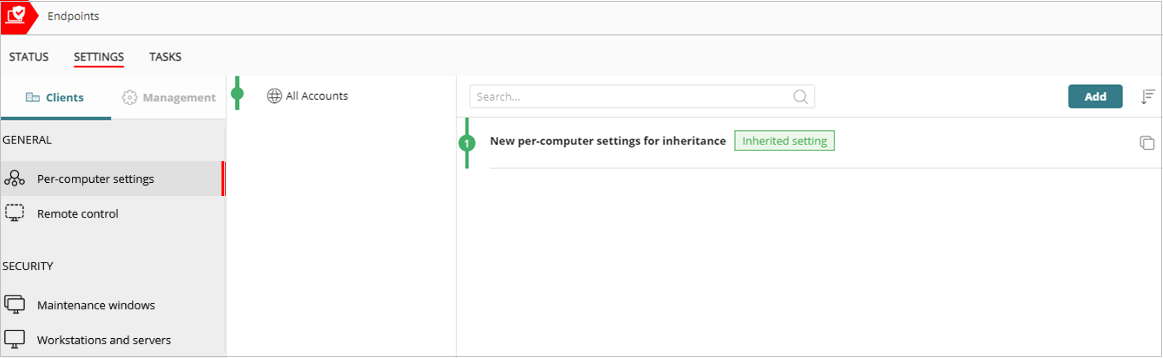
The security settings are automatically assigned to the Service Provider account and all computers and devices that belong to the account. When you assign the settings, the account group also updates in the Recipients list of the security settings profile.
When settings are assigned to a Service Provider account or account group that has existing settings, the tier-1 Service Provider account can either force the account to inherit all settings, or allow the account to retain the existing settings.
To assign settings to a Service Provider account:
- From Account Manager, select Overview.
- Select Configure > Endpoint Security.
- On the Settings tab, select the settings type.
- Add a settings profile, if required. For more information, go to Manage Settings Profiles.
- Drag a settings profile to All Accounts or to a Service Provider account. If the account already has settings directly assigned to its All Accounts group, a red dot shows next to the account name.
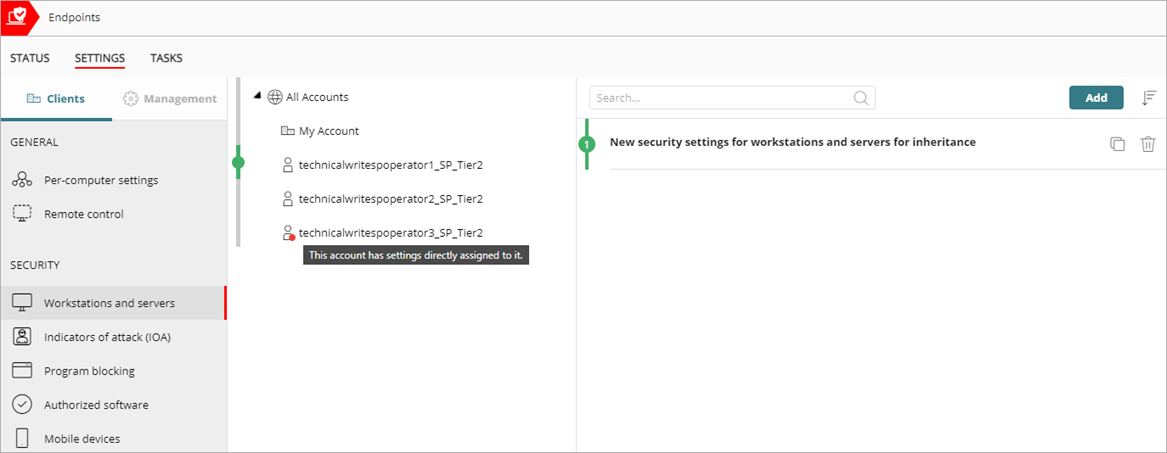
- If you drag the settings profile to a group and one or more of the accounts or account groups already have existing settings assigned, a confirmation dialog box opens.
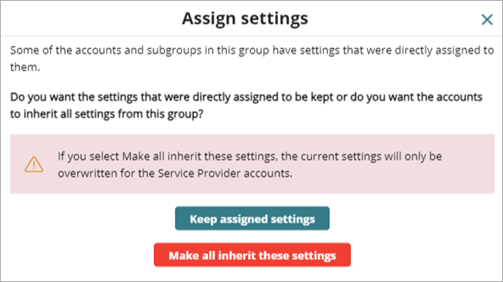
Select the appropriate action:
- Keep assigned settings — When you select this option, new settings apply only to groups and accounts that do not have directly assigned settings. Existing settings are retained and the application of new inherited settings stops at the first group or account with directly configured settings.
- Make all inherit these settings — When you select this option, all groups and accounts inherit the new settings. WatchGuard Endpoint Security overwrites all settings and removes all directly assigned settings under the group.
- If you drag the settings profile to a managed Service Provider account that already has settings assigned, a confirmation dialog box opens.
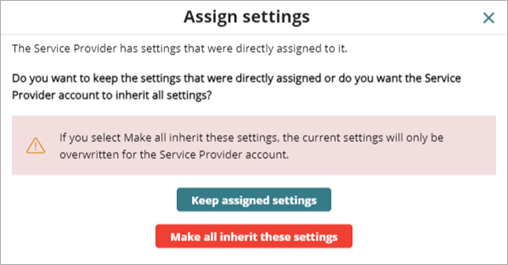
Select the appropriate action:
- Keep assigned settings — When you select this option, the managed Service Provider account keeps their existing settings. Existing settings are retained and the application of new inherited settings stops at the first account with directly configured settings.
- Make all inherit these settings — When you select this option, WatchGuard Endpoint Security overwrites the All Accounts settings assigned to the managed Service Provider account. Groups and accounts within the managed Service Provider account receive the new settings if they do not have directly assigned settings. Settings that were directly assigned by the managed Service Provider account are retained.
Remove Inherited Settings for a Service Provider Account
To remove inherited settings from a Service Provider account, the tier-1 Service Provider must unassign the account from the inherited security settings profile. The managed account cannot remove inherited settings.
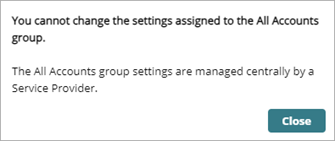
When you remove an account from a settings profile, the account inherits the security settings from a higher group or from the All group. When there is no higher group, the account retains the settings until a new settings profile is assigned.
To unassign a Service Provider account from a settings profile, in WatchGuard Cloud:
- From Account Manager, select Overview.
- Select Configure > Endpoint Security.
- On the Settings page, select the settings type for the profile you want to unassign recipients from.
- Select the profile from the list.
- Click the existing recipients.
The Recipients page opens.

- Click × next to the Service Provider account name or the group that the account belongs to.
A confirmation message opens.

- Click Delete.
Multi-Tenant Management of Settings Profiles
Multi-Tenant Management — Assign Endpoint Security Settings to Managed Accounts
Multi-Tenant Management — Settings Inheritance for Subscriber Accounts