Applies To: Endpoint Security Elite
From the Blocks by Advanced Security Policies list, when you select an item on the page, the Block by Advanced Security Policy details page opens. Use this page to review the affected computer, the advanced policy and blocked program, and whether the blocked program affects other computers in the network.
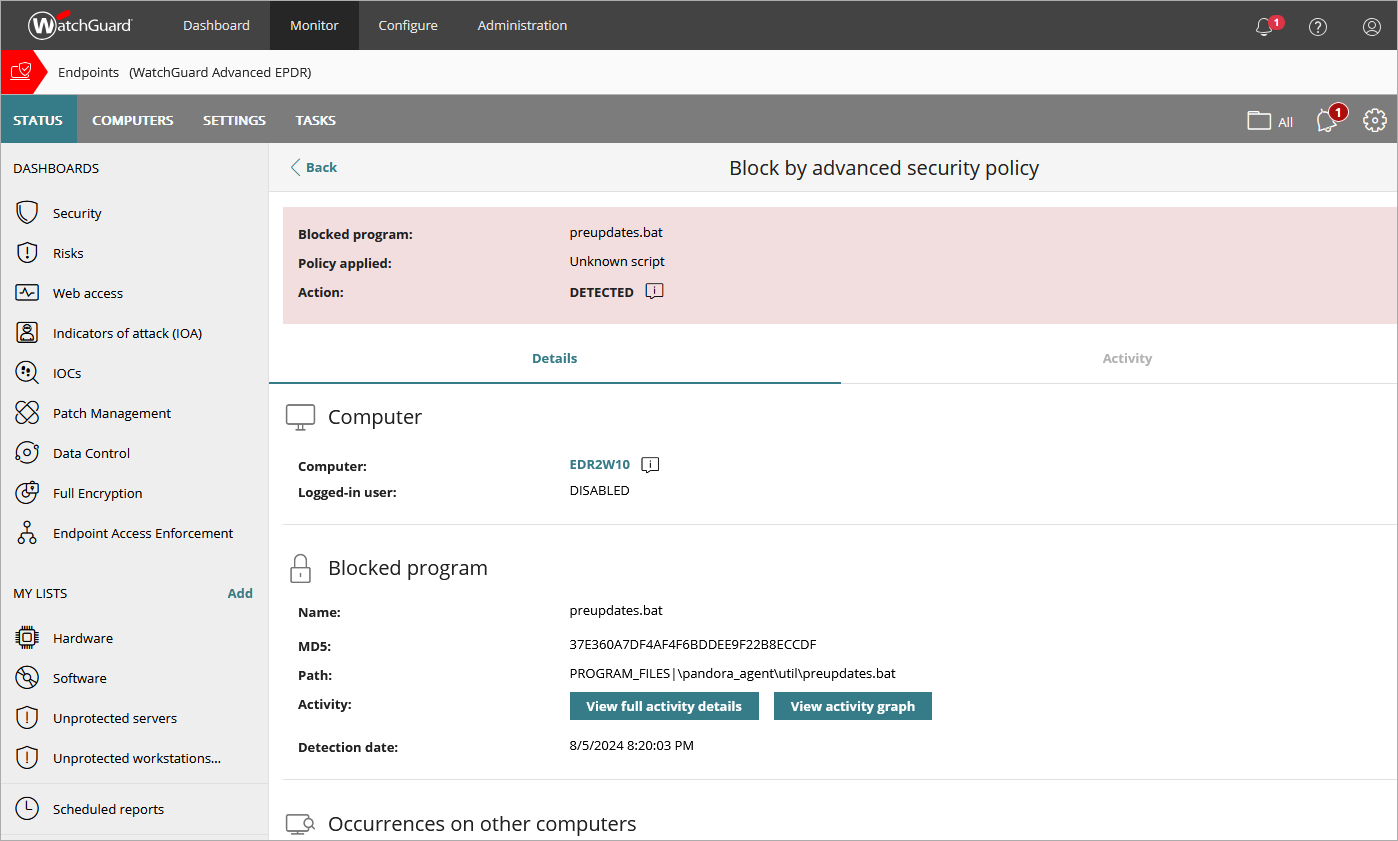
On the Details tab, you can review information about the affected computer, the user, and the blocked program. To view the full activity details for a blocked program, click View Full Activity Details, or select the Activity tab.
The Block by Advanced Security Policy details page includes a Details tab and an Activity tab. In the Overview section of the page, you can review the name of the program, the advanced security policy that blocked it, and the action that Endpoint Security took (for example, Blocked or Detected).

On the Activity tab, Endpoint Security shows the actions taken by programs that the advanced security policies detect on user computers. Because the number of actions and events triggered by a process is very high, the action table only shows the most relevant events triggered by a threat. To open an activity graph, click View Activity Graph. For information on the Activity Graph, go to Configure Graph Settings.
Your operator role determines what you can see and do in WatchGuard Cloud. Your role must have the Exclude Threats Temporarily permission to view or configure this feature. For more information, go to Manage WatchGuard Cloud Operators and Roles.
Open the Block by Advanced Security Policy Details Page
To open the Block by Advanced Security Policy details page:
- In WatchGuard Cloud, select Monitor > Endpoint Security.
- Click the Detections by Advanced Security Policies tile.

- In the list, select the computer you want to see the details for.

The Occurrences column shows the number of blocked programs in the last 24 hours. To prevent many instances of the same detection, Endpoint Security Elite reports the first detection every two hours for each computer and detection type. Endpoint Security Elite only reports the first 50 detections in the last 24 hours for each customer. (Detections with PowerShell with Obfuscated Parameters are reported once every 24 hours for each computer.)