Applies To: WatchGuard Cloud
The Threats dashboard shows incident information for the past 30 days. An incident is activity that is confirmed to be malicious, and can be as simple as an indicator of compromise, or as complex as an indicator of attack that sequences behaviors to determine malicious intent. For Service Providers, the dashboard shows aggregated incident information for all managed accounts.
In the upper-right corner, you can view the time elapsed since the last dashboard update. To manually refresh the dashboard, click  .
.
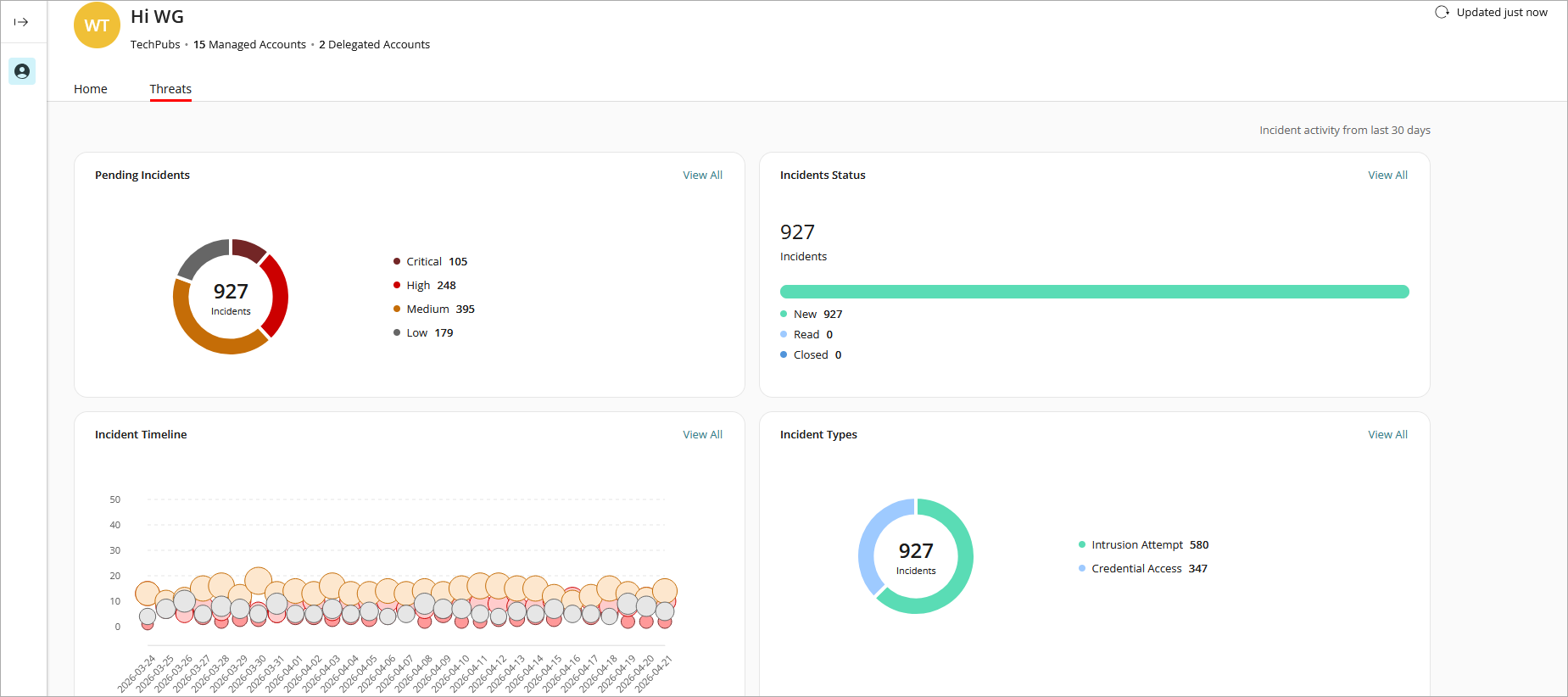
Screen shot of Threats dashboard in a Service Provider account
These widgets show important information about your products and provide useful links.
Pending Incidents
The Pending Incidents widget shows the count of incidents that require a response or investigation. Pending Incidents are sorted by risk level. Risk levels indicate the relative severity of an incident and provide guidance to Incident Responders on which incidents to prioritize for review. Incidents are categorized into these risk levels:
- Critical
- High
- Medium
- Low
Click a risk level on the widget to open the corresponding list of incidents on the Incidents page in ThreatSync. For more information, go to Monitor Incidents in ThreatSync.
Incidents Status
The Incidents Status widget shows a summary of incidents by status. Incidents can have one of these statuses:
- New — New incidents that have not yet been reviewed.
- Read — Incidents that have been reviewed or manually marked as Read.
- Closed — Incidents closed manually or by a policy.
Click a status on the widget to open the corresponding list of incidents in ThreatSync. For more information, go to Monitor Incidents in ThreatSync.
Incident Timeline
The Incident Timeline widget shows the history of incidents over the last 30 days, sorted by risk level and plotted by amount incidents and date.
- The y-axis shows the amount of incidents detected. The x-axis shows the date.
- The size of each bubble reflects the number of incidents with a specific score for that day. The larger the size of the bubble, the greater the number of incidents for that risk level and date.
- The color of each bubble corresponds to the color of the risk level shown in the risk level key below the timeline.
To view additional details, hover over a bubble on the timeline.
Click a bubble on the timeline to open the corresponding list of incidents in ThreatSync. For more information, go to Monitor Incidents in ThreatSync.
Incident Types
The Incidents Types widget shows incident type statistics for all incidents in the last 30 days. Incident types include:
- Advanced Security Policy — Unauthorized or unexpected activity on your network, including execution of malicious scripts and unknown programs that use advanced infection techniques, traffic to dangerous websites, unauthorized applications and countries, unauthorized incoming traffic, or unauthorized traffic between internal networks.
- Exploit — Attacks that try to inject malicious code to exploit vulnerable processes.
- Intrusion Attempt — A security event where an intruder tries to gain unauthorized access to a system.
- IOA — Indicators of Attack (IOAs) are indicators that are highly likely to be an attack.
- Malicious URL — A URL created to distribute malware, such as ransomware.
- Malicious IP — An IP address associated with malicious activity.
- Malware — Malicious software designed to damage, disrupt, and gain unauthorized access to computer systems.
- PUP — Potentially Unwanted Programs (PUPs) that might install when other software installs on a computer.
- Virus — Malicious code that enters computer systems.
- Unknown Program — Program blocked because it has not yet been classified by WatchGuard Endpoint Security. For more information on what happens when Endpoint Security reclassifies an Unknown Program, go to Unknown Programs and Incident Reclassification.
- Malicious Access Point — An unauthorized wireless access point connected to your network or operating in your airspace.
- Credential Access — AuthPoint incident that indicates an attempt to compromise account credentials.
Click an incident type on the widget to open the corresponding list of incidents in ThreatSync. For more information, go to Monitor Incidents in ThreatSync.