Applies To: Endpoint Security Elite, Endpoint Security 360, Endpoint Security Prime, WatchGuard EDR
This topic describes how you can get a digital signature for a program or file, unblock a program or file, report a file that shows as pending for a length of time, or report malware that Endpoint Security does not detect.
Get a Trusted Digital Signature
To prevent the Zero-Trust Application Service from blocking a program or file in an environment where you frequently update software, you can create an exclusion. For example, you can create an exclusion based on the digital signature. For more information, go to Configure Authorized Software Settings (Windows Computers).
Program is Blocked as Unknown
On the Endpoint Security Status > Security dashboard, unknown processes show in the Currently Blocked Programs Being Classified tile until Endpoint Security 360, Elite, or WatchGuard EDR analyzes them. Sometimes, it is not possible to complete the analysis because the file is too large or no longer available on the endpoint. When this happens, unknown files might continue to show in the Currently Blocked Programs Being Classified tile.
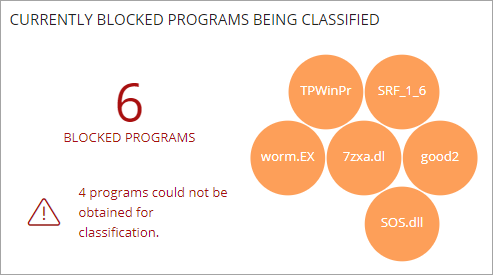
You can remove a blocked program that is in the process of classification. For more information, go to Blocked Third-Party Programs.
When Endpoint Security blocks a program that is then reclassified as goodware, the program no longer shows as blocked. You can see the program in the History of Blocked Items list.
For further assistance, contact Support and provide a description of the issue, the name of the program, and the date of detection.
Files Pending Classification
If a program or file remains on the Currently Blocked Programs Being Classified tile for an extended period and is not classified, you can use the PSInfo Sample Submit tool to submit a sample to the malware lab for proper categorization. For more information, go to PSInfo Sample Submit.
Known Malware Not Detected
If Endpoint Security does not detect malware on the computer, but you know that a malware infection exists and that the Endpoint Security product did not detect it, you can use the PSInfo Sample Submit tool to send a sample file to Support. For more information, go to PSInfo Sample Submit.
Contact Support
Use the PSInfo tool to provide diagnostic logs to help Support troubleshoot your issue. For more information, go to Get Started with PSInfo.