Applies To: WatchGuard Advanced EPDR, WatchGuard EPDR, WatchGuard EDR
When you have not analyzed or resolved the pattern of the IOA, you can mark the IOA as pending further review. You can also change an archived IOA to pending.
Your operator role determines what you can see and do in WatchGuard Cloud. Your role must have the Configure IOA permission to view or configure this feature. For more information, go to Manage WatchGuard Cloud Operators and Roles.
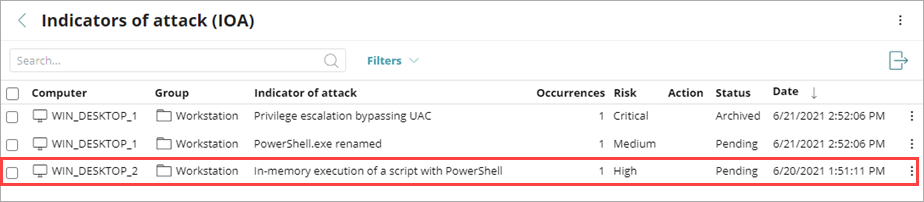
To mark an IOA as pending, from the Indicators of Attack (IOA) list:
- Click
 in a row.
 - Select Mark IOA as Pending.
If you already marked the IOA as pending, this option is not available. You can select Archive IOA.
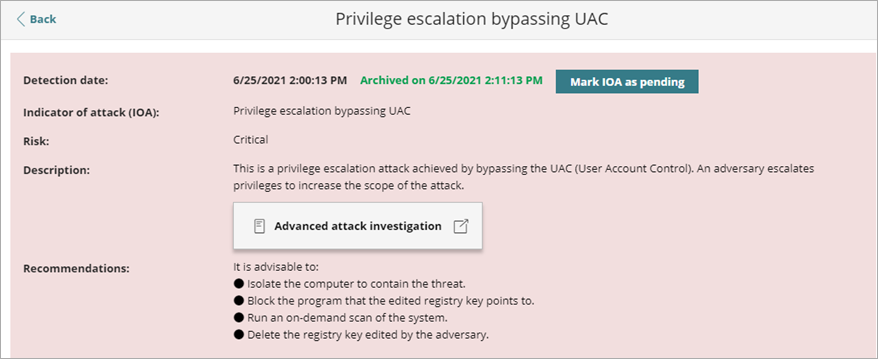
To mark an IOA as pending, from the attack details page:
- To open the details for an IOA, in the Indicators of Attack (IOA) list, click a computer row.
- In the upper notification section of the page, next to the Detection Date, click Mark IOA as Pending.