Applies To: Endpoint Security Elite, Endpoint Security 360, Endpoint Security Prime, WatchGuard EDR, WatchGuard EDR Core, Endpoint Security Basic
To resolve an issue with the agent, you can reinstall it remotely from the Endpoint Security management UI, on both workstations and servers.
If the Status column in the list shows an installation error and the cause of the error is known, a description of the error appears when you point to the icon.
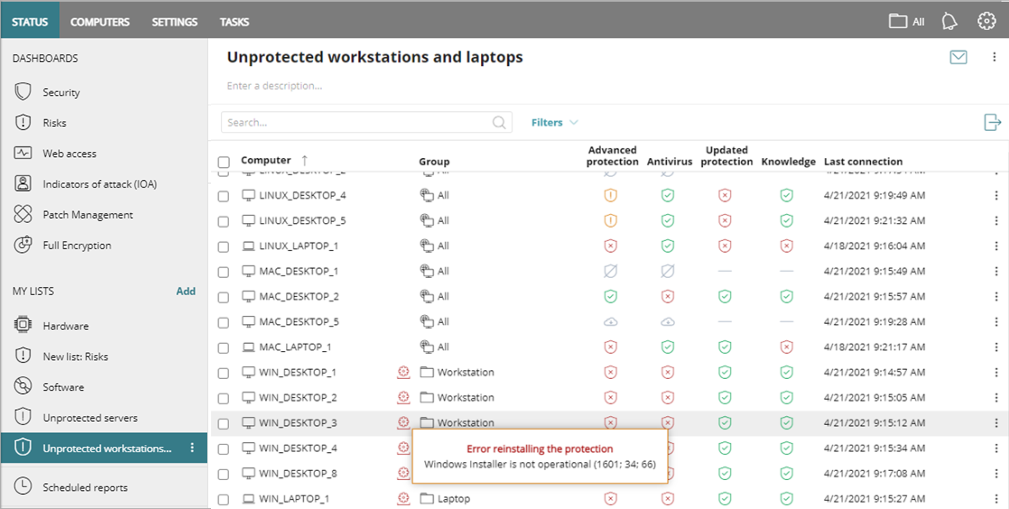
For information on installation errors, go to Computer Details in Endpoint Security – Icons and Notifications.
To review discovered computer details, from the Unmanaged Computers Discovered list, select a computer. You can view these details.
- Computer Alerts — Show installation problems. For more information, go to WatchGuard Agent – Installation and Upgrade Error Messages.
- Computer Details — Show a summary of the computer hardware, software, and security settings.
- Last Discovery Computer — Show the discovery computer that last discovered the computer.
Your operator role determines what you can see and do in WatchGuard Cloud. Your role must have the Add, Discover, and Delete Computers permission to view or configure this feature. For more information, go to Manage WatchGuard Cloud Operators and Roles.
Caution: For computers with the WatchGuard MDR Syslog Collector installed, if you reinstall the WatchGuard Agent, the WatchGuard Agent uninstalls the WatchGuard MDR Syslog Collector installed on the endpoint. For detailed steps to install the Syslog Collector, go to Configure Third-Party Firewall Syslog Collection for WatchGuard Open MDR.
To reinstall the WatchGuard Agent, from Endpoint Security:
- In WatchGuard Cloud, select Configure > Endpoint Security.
- Select Computers.
- From the left pane, select the My Organization tab.
- Next to the computer or group of computers where you want to reinstall the agent, click
 .
.
To reinstall software on multiple computers, select the check boxes for the computers, and then click Reinstall WatchGuard Agent above the table. - Select Reinstall Agent.
The Reinstall Agent dialog box opens.

- Select a discovery computer from which you want to retrieve the agent.
Discovery computers find unmanaged computers and remotely install the WatchGuard Agent. They must be on the same network segment as the computers you want to reinstall the agent on. - In the User and Password text boxes, enter administrator credentials to send the command.
Use the target computer’s local or domain administrator account to complete the reinstallation. - To add additional credentials, click Add Credentials.
- Click Reinstall.
Computer Details in Endpoint Security – Icons and Notifications